Optimizing Exclusion Volume Placement in Structure-Based Pharmacophores: A Guide for Enhanced Virtual Screening and Drug Design
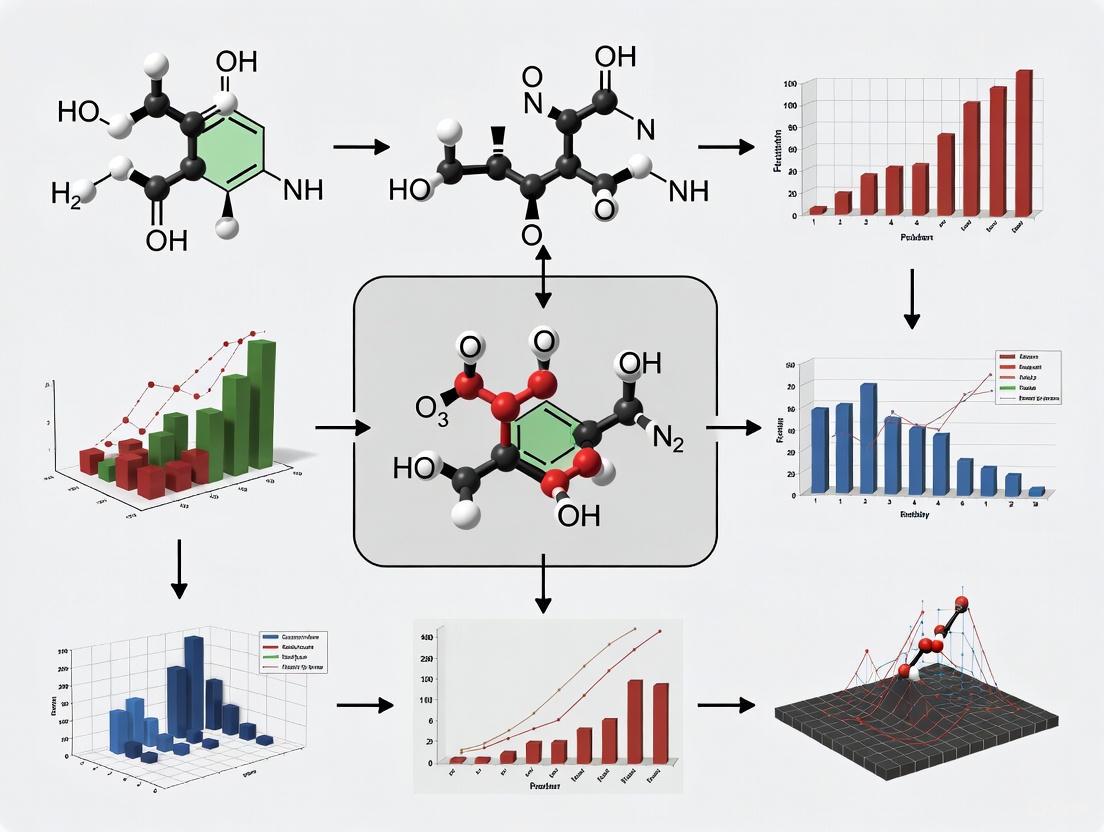
Structure-based pharmacophores are powerful tools in computer-aided drug discovery for identifying novel lead compounds.
Optimizing Exclusion Volume Placement in Structure-Based Pharmacophores: A Guide for Enhanced Virtual Screening and Drug Design
Abstract
Structure-based pharmacophores are powerful tools in computer-aided drug discovery for identifying novel lead compounds. A critical, yet often underexplored, component of these models is the strategic placement of exclusion volumes, which represent sterically forbidden regions in the binding pocket. This article provides a comprehensive guide for researchers and drug development professionals on optimizing exclusion volume placement. We cover the foundational role of exclusion volumes in defining binding site shape, methodological best practices for their generation from protein-ligand complexes and apo structures, troubleshooting common pitfalls like over-constraining models, and rigorous validation techniques using enrichment factors and molecular dynamics. By synthesizing these aspects, this article aims to equip scientists with the knowledge to create more selective and effective pharmacophore models, thereby improving the success rate of virtual screening campaigns in lead identification and optimization.
The Critical Role of Exclusion Volumes in Structure-Based Pharmacophore Modeling
Frequently Asked Questions (FAQs)
Fundamental Concepts
Q1: What is an exclusion volume in the context of a structure-based pharmacophore? An exclusion volume (XVOL) is a steric constraint in a pharmacophore model that represents regions in space a ligand cannot occupy due to potential van der Waals (VDW) clashes with the protein target's atoms [1] [2]. They are typically visualized as spheres placed on the protein atoms that define the binding pocket, effectively mapping the negative image of the receptor's shape to prevent false-positive hits during virtual screening by sterically excluding molecules that are too large [1] [2].
Q2: How do exclusion volumes differ from other pharmacophore features like hydrogen bond acceptors? While features like hydrogen bond acceptors (Acc) or donors (Don) define the positive interactions a ligand must have with the target, exclusion volumes define negative constraints [2]. They ensure that a potential binder not only possesses the necessary functional groups for favorable interactions but also has a shape and size complementary to the binding cavity, thereby improving the selectivity of the virtual screening process [1].
Q3: When should a "double shell" or "exclusion volume coat" be used? A second shell of exclusion volumes can be added for more rigorous steric screening [3]. This advanced technique accounts for the dynamic nature of proteins and the VDW radii of atoms. It is particularly useful for defining binding pockets with higher precision, potentially reducing false positives by simulating a tighter steric fit.
Practical Implementation
Q4: From which protein structure should I generate exclusion volumes: the apo or holo form? The holo form (protein structure with a bound native ligand or inhibitor) is generally preferred [2]. The binding site in a holo structure often represents the biologically relevant, ligand-compatible conformation. Using an apo (empty) structure might result in a binding site that is too constricted, as side chains may collapse into the cavity. If only an apo structure is available, careful analysis and potential refinement of the binding site residues are recommended.
Q5: Can exclusion volumes be automatically generated, and how can the results be validated? Yes, most modern molecular modeling software like MOE and LigandScout include functions for the automatic placement of exclusion volumes based on the protein atoms lining the binding site [1] [3]. The results should always be validated by ensuring that:
- The known native ligand fits within the defined volumes without significant clashes.
- The volumes accurately trace the topography of the binding pocket without creating artificially large or obstructive barriers that would exclude legitimate binders.
Troubleshooting Guides
Issue 1: Known Active Compounds are Excluded by the Pharmacophore Model
Problem: During validation, a known active compound or the native ligand from the crystal structure is not retrieved by your pharmacophore query because it clashes with one or more exclusion volumes.
Resolution Steps:
- Visual Inspection: Visually inspect the clash between the ligand and the exclusion volume. Determine if it is a minor, peripheral clash or a severe, core clash.
- Check Protein Flexibility: Identify the specific protein residue responsible for the exclusion volume. Consult literature or databases to see if this residue has known flexibility or multiple side-chain conformations.
- Adjust Exclusion Volume Radius: Slightly reduce the radius of the specific exclusion volume sphere causing the clash. The default radius is often based on a full VDW radius, which can be overly restrictive.
- Remove Non-Critical Volumes: If the clash is with an atom from a flexible side chain on the periphery of the binding site, consider removing that individual exclusion volume. Prioritize volumes from the protein backbone, which is less flexible.
Root Cause Analysis:
- Overly Restrictive Volumes: Default settings may use full atomic VDW radii without accounting for protein or ligand flexibility.
- Rigid Protein Assumption: The model assumes a rigid protein structure, while in reality, binding sites can adapt to different ligands (induced fit).
Issue 2: Pharmacophore Model Retrieves Too Many False Positives
Problem: The virtual screening returns a high number of hits that fit the chemical features (e.g., H-bond donors, hydrophobic areas) but have poor shape complementarity with the binding pocket, leading to many non-binders.
Resolution Steps:
- Verify Binding Site Definition: Ensure the binding site used to generate the pharmacophore is correctly defined and encompasses all key residues.
- Add an Exclusion Volume Coat: Implement a second shell of exclusion volumes to create a tighter steric definition of the pocket [3].
- Review Feature Selection: Ensure your pharmacophore model includes all essential chemical features. An under-defined model (too few features) is more likely to retrieve false positives, even with proper exclusion volumes.
- Increase Search Rigor: If your software allows, increase the stringency of the pharmacophore search, requiring a more precise match to both the chemical features and the exclusion volume constraints.
Root Cause Analysis:
- Under-Defined Steric Environment: The exclusion volumes may not fully encapsulate the binding site's shape, leaving gaps where ligand atoms can inappropriately occupy protein space.
- Insufficient Chemical Constraints: The model may lack key chemical features, making it too permissive.
Experimental Protocols & Workflows
Protocol 1: Generating a Structure-Based Pharmacophore with Exclusion Volumes in MOE
This protocol details the creation of a pharmacophore from a protein-ligand complex using the Molecular Operating Environment (MOE) software [1] [4].
Research Reagent Solutions
| Item | Function in the Protocol |
|---|---|
| MOE Software | The primary computational platform for protein preparation, analysis, and pharmacophore generation [1] [4]. |
| Protein Data Bank (PDB) File | The source of the high-resolution 3D structure of the protein-ligand complex (e.g., PDB ID: 5RL7) [3]. |
| Protein Preparation Wizard (MOE) | Used to add hydrogen atoms, correct protonation states, and optimize the protein structure for subsequent steps [2]. |
| Protein Contacts Application (MOE) | Analyzes the protein-ligand interface to detect ionic, H-bond, and other key contacts for feature generation [1]. |
SVL Script: ph4_from_ppi.svl |
An automated script in MOE that creates the pharmacophore query based on the contacts detected by the Protein Contacts application [1]. |
Methodology:
- Protein Structure Preparation:
- Obtain your target protein-ligand complex structure from the PDB.
- In MOE, use the QuickPrep module or similar to:
- Add missing hydrogen atoms.
- Assign protonation states at a physiological pH (e.g., 7.4).
- Perform a quick energy minimization to relieve any steric clashes.
- Binding Site Analysis:
- Visually inspect the binding site using the SiteView to confirm the ligand's position and key residues.
- Use the Protein Contacts application to detect and list all non-covalent interactions (ionic, H-bond, arene-arene) between the ligand and the protein atoms [1].
- Automatic Pharmacophore Generation:
- Run the SVL function
ph4_from_ppi.svl(or the equivalent built-in function in your MOE version). This script will:
- Run the SVL function
- Model Refinement:
- Manually review the automatically generated features and exclusion volumes.
- Remove any redundant or non-essential pharmacophore features.
- Adjust the radius of exclusion volumes if necessary, especially for flexible side chains.
Protocol 2: Creating a Joint Pharmacophore Query from Multiple Fragments using LigandScout
This protocol, inspired by the FragmentScout workflow, aggregates information from multiple fragment screens into a single, powerful pharmacophore model [3].
Methodology:
- Data Set Curation:
- Collect a set of pre-aligned PDB files from a high-throughput crystallographic fragment screen (e.g., from an XChem experiment) [3].
- Individual Model Generation:
- Import each PDB structure into LigandScout's structure-based perspective.
- For each structure, automatically generate a pharmacophore model. This will include interaction features from the fragment and exclusion volumes based on the protein pocket [3].
- Query Alignment and Merging:
- In the alignment perspective of LigandScout, select all individual pharmacophore queries.
- Align and merge them using the "based-on reference points" option. This creates a joint pharmacophore query.
- Feature Interpolation and Consolidation:
- The final step is the interpolation of all features (both chemical features and exclusion volumes) within a defined distance tolerance [3]. This results in a consensus model where consistently present features are reinforced, and the exclusion volume field represents the unified steric environment from all fragment structures.
Workflow Diagram: Structure-Based Pharmacophore Generation
Quantitative Data Reference
Table 1: Exclusion Volume Implementation in Different Software Platforms
| Software Platform | Method of XVOL Generation | Key Configurable Parameters | Primary Use-Case Context |
|---|---|---|---|
| MOE | Automated from protein atoms in the binding site via SVL script [1]. | Sphere radius, protein atoms selection. | Standard structure-based pharmacophore modeling from a single complex [1]. |
| LigandScout | Automated from protein structure; can be merged from multiple aligned structures [3]. | Distance tolerance for merging, exclusion volume coat (secondary shell) [3]. | Creating consensus models from multiple fragment poses (FragmentScout workflow) [3]. |
| FragmentScout Workflow | Aggregated from multiple XChem fragment screening structures to form a joint steric definition [3]. | Number of fragment structures, clustering method. | Integrating sparse structural data from fragment-based screening campaigns [3]. |
Table 2: Troubleshooting Exclusion Volume (XVOL) Parameters
| Symptom | Likely Cause | Proposed Adjustment | Expected Outcome |
|---|---|---|---|
| Known active ligand is excluded | Overly restrictive radii on flexible side chains [2]. | Reduce the radius (e.g., by 0.2-0.5 Å) or remove the specific XVOL. | Ligand is correctly included in the hit list. |
| High number of sterically implausible hits | Under-defined steric environment or insufficient XVOL coverage [1]. | Add an "exclusion volume coat" (secondary shell) [3] or review binding site definition. | Increased shape selectivity; reduction in false positives. |
| Model performance varies greatly between similar protein structures | Sensitivity to minor conformational changes in the binding site. | Generate a consensus XVOL model from multiple holo structures. | A more robust and generalizable pharmacophore model. |
In the realm of computer-aided drug discovery, virtual screening serves as a cornerstone for identifying novel lead compounds. A key component that significantly influences the success of virtual screening is the implementation of steric constraints, often referred to as exclusion volumes. These constraints are not merely technical parameters but fundamental elements that define the shape and physical boundaries of a target's binding site, profoundly impacting both hit rates and specificity.
Steric constraints are three-dimensional representations of regions in space that a ligand cannot occupy due to van der Waals clashes with the target protein. According to the International Union of Pure and Applied Chemistry (IUPAC), a pharmacophore is "the ensemble of steric and electronic features that is necessary to ensure the optimal supramolecular interactions with a specific biological target structure" [2]. This definition inherently includes steric considerations, which are implemented in pharmacophore modeling as exclusion volumes (XVOL) that mimic the binding site and into which a molecule is not allowed to protrude to avoid steric clashes with the target [5].
The proper application of these constraints is crucial for optimizing virtual screening campaigns, as they directly influence the ability to distinguish true actives from decoy compounds, reduce false positives, and enhance the enrichment of biologically relevant hits.
Technical FAQs: Implementing Steric Constraints
Q1: What are exclusion volumes and how do they improve virtual screening specificity?
A1: Exclusion volumes (XVOL) are spatial constraints in pharmacophore models that represent regions occupied by the protein structure where ligand atoms cannot penetrate. They explicitly model the steric environment of the binding pocket by placing van der Waals spheres on protein atoms that make up the binding site, indicating regions in space that small-molecule binders cannot occupy because of steric clashes [1]. The automated inclusion of excluded volumes to pharmacophore models provides a more selective model to reduce false positives and achieves better enrichment rates in virtual screening [6]. By penalizing molecules that occupy steric regions not occupied by active molecules, these constraints significantly enhance screening specificity.
Q2: How do I determine optimal placement and radius for exclusion volumes?
A2: Optimal exclusion volume placement requires careful analysis of the protein-ligand complex structure. The process involves these key steps:
- Analyze the 3D structure of the target protein, preferably from X-ray crystallography or homology modeling [2]
- Identify key residues forming the binding pocket and their atomic coordinates
- Place exclusion volumes on protein atoms lining the binding cavity, typically using their van der Waals radii as initial guidance
- Adjust radii based on known active and inactive compounds to fine-tune specificity
Advanced methods incorporate molecular dynamics simulations to account for protein flexibility in exclusion volume placement [7]. Tools like LigandScout and Catalyst's HypoGenRefine algorithm can automate this process by deriving excluded volumes directly from protein-ligand complex structures [6] [8].
Q3: What are common pitfalls when using steric constraints that reduce hit rates?
A3: The most common pitfalls include:
- Over-constraining the model: Applying too many or overly large exclusion volumes can eliminate true active compounds that might induce slight side-chain movements [9]
- Ignoring protein flexibility: Using a single rigid protein conformation fails to account for adaptive binding site changes, potentially excluding valid binders [9]
- Inaccurate binding site definition: Poor characterization of the actual binding pocket leads to misplaced constraints [2]
- Inappropriate constraint radii: Using default values without target-specific optimization reduces model accuracy
These issues typically manifest as unexpectedly low hit rates during virtual screening, with subsequent experimental validation showing false negative results.
Troubleshooting Guide: Steric Constraint Optimization
Problem: High False Positive Rate in Virtual Screening
Symptoms: Virtual screening returns numerous hits, but experimental validation shows low confirmation rates. The identified compounds fit the pharmacophoric features but demonstrate poor binding affinity due to steric clashes not accounted for in the model.
Solutions:
- Add exclusion volumes: Incorporate excluded volume features based on the 3D protein structure to represent sterically forbidden regions [6] [10]
- Implement shape constraints: Use the overall volume and shape of the binding pocket as an additional filter [5] [1]
- Validate with decoy sets: Test the model against known inactive compounds to optimize exclusion parameters [8]
Problem: Overly Restrictive Model Excluding Known Actives
Symptoms: The virtual screening fails to identify known active compounds, and the hit list is exceptionally small or empty, indicating excessive constraint stringency.
Solutions:
- Adjust constraint tolerances: Increase the radius tolerance for exclusion volumes by 0.5-1.0 Å to allow for minor structural flexibility [9]
- Employ multiple conformations: Use an ensemble of protein structures from molecular dynamics simulations to create a more flexible steric environment [7] [9]
- Focus on core constraints: Identify and retain only essential exclusion volumes through systematic validation with known actives and inactives
Problem: Inconsistent Performance Across Diverse Compound Libraries
Symptoms: The model performs well with certain chemical classes but fails with others, particularly scaffold-divergent compounds.
Solutions:
- Implement multi-conformer constraints: Generate exclusion volumes from multiple protein conformations to accommodate different binding modes [9]
- Use target-biased scoring: Develop target-specific constraint parameters based on known binding patterns for the target class [9]
- Combine with ligand-based approaches: Integrate structure-based steric constraints with ligand-based similarity metrics to improve generalizability [5]
Experimental Protocols & Performance Data
Protocol 1: Structure-Based Exclusion Volume Implementation
This protocol details the generation of steric constraints from protein-ligand complex structures using tools like LigandScout [8]:
- Protein Preparation: Obtain the 3D structure of the target protein from PDB (www.rcsb.org). Prepare the structure by adding hydrogen atoms, assigning proper protonation states, and fixing missing residues [2]
- Binding Site Analysis: Define the binding site residues through analysis of the native ligand or using cavity detection algorithms like GRID or LUDI [2]
- Exclusion Volume Placement: Automatically generate exclusion volumes by mapping the van der Waals surfaces of all binding site atoms within 5Å of the native ligand [8]
- Feature Selection: Manually refine automatically placed constraints, removing redundant exclusion volumes while retaining those critical for specificity
- Model Validation: Validate the model using a set of known active and decoy compounds. Calculate enrichment factors (EF) and area under ROC curve (AUC) to quantify performance [8]
Protocol 2: MD-Based Flexible Constraint Generation
For targets with significant flexibility, this protocol generates dynamic steric constraints:
- System Setup: Prepare the protein structure in solvated conditions with appropriate ion concentration [7]
- Druggability Simulations: Perform molecular dynamics (MD) simulations (≥40ns) with probe molecules representing drug-like fragments [7]
- Trajectory Analysis: Use tools like Pharmmaker to analyze binding events and identify consistent steric boundaries across simulation frames [7]
- Consensus Constraints: Generate exclusion volumes that represent regions consistently unavailable to probes throughout the simulation
- Dynamic Model Creation: Incorporate flexibility by creating multiple pharmacophore models representing different conformational states [9]
Quantitative Performance of Steric Constraints
Table 1: Impact of Exclusion Volumes on Virtual Screening Performance
| Target Protein | Method | Without XVOL | With XVOL | Improvement | Reference |
|---|---|---|---|---|---|
| XIAP | Structure-based pharmacophore | EF1% = 5.0 | EF1% = 10.0 | 100% increase | [8] |
| CDK2 | HypoGenRefine | Specificity = 65% | Specificity = 89% | 24% increase | [6] |
| Human DHFR | HypoGenRefine | False Positive Rate = 32% | False Positive Rate = 11% | 66% reduction | [6] |
| COX | Comparative VS | AUC = 0.85 | AUC = 0.98 | 15% increase | [5] |
Table 2: Performance Comparison of Virtual Screening Methods with Steric Constraints
| Screening Method | Hit Rate | Specificity | Best Use Cases | Limitations |
|---|---|---|---|---|
| Pharmacophore with XVOL | 5-15% | High | Targets with well-defined binding pockets | Limited flexibility handling |
| Docking | 1-10% | Medium-high | Structure-based design | Scoring function accuracy |
| Shape-based | 3-12% | Medium | Scaffold hopping | Limited electronic features |
| 2D Similarity | 2-8% | Low-medium | Ligand-based screening | Limited steric consideration |
Advanced Applications & Integration
Integration with Molecular Docking
Steric constraints significantly enhance docking-based virtual screening by pre-filtering compound libraries before the computationally intensive docking process [9]. This integrated approach:
- Reduces the library size by 60-90% through pharmacophoric filters including exclusion volumes [9]
- Improves docking accuracy by eliminating compounds with obvious steric clashes
- Enables focused docking on sterically permissible regions of the binding site
Multi-Conformer Ensemble Approaches
Advanced implementations account for protein flexibility through ensemble-based steric constraints:
- Multiple crystal structures: Generate exclusion volumes from multiple ligand-bound conformations when available [9]
- Molecular dynamics snapshots: Extract representative structures from MD trajectories to create dynamic exclusion volume maps [7]
- Normal mode analysis: Use low-frequency modes to predict alternative binding site conformations for constraint generation [7]
Machine Learning Enhancement
Emerging approaches combine traditional steric constraints with machine learning:
- Develop target-class-specific exclusion parameters through analysis of known binding patterns [9]
- Predict optimal constraint tolerances based on protein flexibility metrics
- Generate improved scoring functions that better integrate steric compatibility measures [9]
Research Reagent Solutions
Table 3: Essential Tools for Implementing Steric Constraints in Virtual Screening
| Tool/Software | Type | Function in Steric Constraints | Access |
|---|---|---|---|
| LigandScout | Software | Generates exclusion volumes from protein-ligand complexes | Commercial [5] [8] |
| Pharmmaker | Web Tool | Creates pharmacophore models from MD trajectories | Free [7] |
| MOE | Software Suite | Automated pharmacophore generation with exclusion volumes | Commercial [1] |
| Catalyst/HypoGen | Algorithm | Automated addition of excluded volumes to pharmacophores | Commercial [6] |
| GRID | Program | Detects favorable and unfavorable interaction regions | Commercial [2] |
| ZINC Database | Compound Library | Source of screening compounds with 3D structures | Free [8] |
| PDB | Database | Source of protein structures for constraint derivation | Free [2] |
| DruGUI | Tool | Setup and analysis of druggability simulations | Free [7] |
Workflow Visualization
Diagram 1: Exclusion Volume Optimization Workflow. This workflow illustrates the iterative process of developing and refining steric constraints for structure-based pharmacophore models, highlighting the critical role of exclusion volumes in enhancing virtual screening specificity.
Research Reagent Solutions
The following table details key software tools and databases essential for research in structure-based pharmacophore modeling and binding site analysis.
| Reagent/Resource Name | Type | Primary Function in Research |
|---|---|---|
| MOE (Molecular Operating Environment) | Software Suite | Used for automated generation of pharmacophore queries from protein-protein interfaces, virtual screening, and analysis of antibody-antigen complexes [1]. |
| Pharmit | Online Tool | Interactive pharmacophore modeling and virtual screening tool; used to generate pharmacophore JSON files from ligand structures for subsequent analysis [11]. |
| ConPhar | Open-source Informatics Tool | Specifically designed to extract, cluster, and generate consensus pharmacophore models from multiple pre-aligned ligand-target complexes [11]. |
| ZINC Database | Chemical Database | A curated collection of commercially available chemical compounds used for virtual screening to identify potential lead molecules [8]. |
| PHASE (Schrödinger Suite) | Software Module | Used for structure-based and ligand-based pharmacophore model generation, feature assignment, and high-throughput virtual screening [12]. |
| SiteMap (Schrödinger Suite) | Software Module | Analyzes binding sites to characterize regions in terms of hydrophobicity, hydrogen bonding, etc.; helps differentiate between feature types [12]. |
| AMBER | Software Suite | Performs molecular dynamics (MD) simulations to sample water molecule positions and interactions within a binding pocket for water-based pharmacophore generation [12]. |
| PDB (Protein Data Bank) | Database | The primary repository for experimentally-determined 3D structures of proteins and protein-ligand complexes, serving as the essential starting point [2] [8]. |
Frequently Asked Questions & Troubleshooting
Feature Selection and Definition
Q1: My pharmacophore model is too restrictive and filters out known active compounds. What features might be non-essential? A: A model with excessive features can be overly selective.
- Troubleshooting Guide:
- Identify Conserved Interactions: If you have multiple protein-ligand complex structures, analyze them to identify which interactions are consistently present. Features that are not conserved across multiple active ligands may be non-essential [11].
- Energy Analysis: In structure-based modeling, rank the detected interactions by their calculated contribution to the binding energy. Consider removing features with weak energetic contributions [2].
- Feature Redundancy Check: Check if multiple features are representing the same type of interaction with the same protein residue. One might be sufficient.
- Test with Known Actives: Use a small set of known active compounds to validate your model. If they are not retrieved, systematically remove one feature at a time and re-run the screening to identify which feature is causing the exclusion.
Q2: How can I create a pharmacophore model when no known ligands are available for my target? A: You can use a structure-based approach that does not rely on pre-existing ligand information.
- Experimental Protocol: Water Pharmacophore Generation via Molecular Dynamics [12]
- Structure Preparation: Obtain the apo (unliganded) protein structure from the PDB and prepare it using standard software (e.g., Protein Preparation Wizard in Schrödinger). This involves adding hydrogens, assigning protonation states, and energy minimization.
- Molecular Dynamics (MD) Simulation: Perform an MD simulation of the protein solvated in a water box (e.g., using AMBER). Restrain the protein's heavy atoms to sample water molecules in the binding site without a ligand present.
- Hydration Site Analysis (HSA): Analyze the MD trajectory to identify "hydration sites"—localized regions where water molecules reside for a significant duration. These sites often correspond to energetically favorable interaction points.
- Pharmacophore Feature Assignment: Assign pharmacophore features to each high-occupancy hydration site based on its thermodynamic and hydrogen-bonding characteristics:
- H-Bond Acceptor: Sites with favorable enthalpy (< -8.0 kcal/mol), acceptor ratio >100%, and donor ratio <50%.
- H-Bond Donor: Sites with favorable enthalpy (< -8.0 kcal/mol), donor ratio >100%, and acceptor ratio <50%.
- Hydrophobic: Sites with low hydrogen-bonding propensity (acceptor & donor ratios <100%) and favorable interaction with hydrophobic probes.
- Model Optimization: Optimize the positions of the assigned features via energy minimization or hydrogen-bond-constrained docking of small molecules (e.g., water, methane).
Exclusion Volume Optimization
Q3: How do I determine the optimal size and placement of exclusion volumes to define the binding site shape without making the model too rigid? A: Exclusion volumes are critical for representing the steric boundaries of the binding pocket.
- Troubleshooting Guide:
- Source of Volumes: The most direct method is to generate exclusion volumes from the protein atoms that line the binding pocket. Software like MOE can automatically place Van der Waals (VDW) spheres on these atoms [1].
- Radius Adjustment: The default radius for an exclusion volume sphere is often the VDW radius of the atom. If the model is too strict, consider slightly increasing the radius (e.g., by 0.5-1.0 Å) to create a softer, more permissive steric boundary. Conversely, decrease the radius if the model is too promiscuous.
- Consensus from Multiple Structures: If multiple protein structures are available (e.g., from an MD simulation), generate exclusion volumes for each structure and use a consensus approach. This creates a more averaged and potentially more robust definition of the binding site's steric environment, accommodating minor flexibility [12].
- Validation with Decoys: Test your model's ability to discriminate known active compounds from decoy molecules (inert compounds) using a dataset like DUD. Tune the exclusion volume parameters to maximize the enrichment factor [8].
Model Validation and Performance
Q4: How can I validate my pharmacophore model before proceeding with large-scale virtual screening? A: Proper validation is crucial to ensure the model's predictive power.
- Experimental Protocol: Validation using a Decoy Set [8]
- Prepare Test Sets: Compile a set of known active compounds (10-50) for your target. Generate a set of decoy molecules (typically hundreds to thousands) that are physically similar but chemically different to the actives (databases like DUD provide pre-compiled sets).
- Run the Screening: Merge the active and decoy sets and screen them against your pharmacophore model.
- Generate ROC Curve: Plot the Receiver Operating Characteristic (ROC) curve, which shows the true positive rate against the false positive rate as the screening threshold is varied.
- Calculate Performance Metrics:
- AUC (Area Under the Curve): A value of 1.0 indicates perfect separation, while 0.5 indicates a random model. A value above 0.7-0.8 is generally considered acceptable [8].
- Enrichment Factor (EF): Measures the concentration of active compounds found in the top fraction of the screening hits compared to a random selection. For example, EF1% is the enrichment in the top 1% of the screened library. A high EF indicates good model performance [8].
Q5: My pharmacophore model has good enrichment but the hit compounds from virtual screening have poor drug-like properties. How can I address this? A: This indicates a disconnect between the model's interaction mapping and desired compound qualities.
- Troubleshooting Guide:
- Incorporate Property Filtering: Integrate filters for key physicochemical properties (e.g., Molecular Weight, LogP, number of hydrogen bond donors/acceptors, rotatable bonds) directly into your virtual screening workflow. This can be done before or after the pharmacophore screening.
- Use ADMET Prediction: Employ in-silico tools to predict Absorption, Distribution, Metabolism, Excretion, and Toxicity (ADMET) properties of the hit compounds. Prioritize molecules with favorable ADMET profiles [8].
- Refine the Exclusion Volumes: Poor drug-likeness can sometimes stem from molecules with awkward steric bulk. Revisiting and optimizing the exclusion volume placement can help select for more compact and lead-like compounds [1].
Advanced Integration Techniques
Q6: How can I create a single, robust pharmacophore model from multiple diverse ligands bound to the same site? A: A consensus model that integrates features from multiple complexes can provide a more holistic view of the binding site's requirements.
- Experimental Protocol: Building a Consensus Pharmacophore with ConPhar [11]
- Prepare Complexes: Collect and align multiple 3D structures of your target protein in complex with different ligands (from the PDB).
- Extract Individual Pharmacophores: For each protein-ligand complex, extract the ligand's structure and generate a pharmacophore model (e.g., using Pharmit to create a JSON file).
- Feature Consolidation: Use the ConPhar tool to parse all the individual pharmacophore JSON files. The tool will consolidate the features into a single data structure.
- Cluster and Generate Consensus: ConPhar will cluster the pharmacophoric features from all ligands based on their type and spatial location. The consensus model is built from the most representative features from each cluster, capturing the essential interactions shared across multiple ligands.
Experimental Workflow for Holistic Binding Site Modeling
The following diagram illustrates a comprehensive workflow for creating and validating a holistic pharmacophore model, integrating the key concepts from the FAQs.
Diagram: Holistic Pharmacophore Model Development
Deriving Exclusion Volumes from Protein-Ligand Complexes vs. Apo Structures
Frequently Asked Questions
FAQ 1: What is the fundamental difference between using an apo structure versus a holo structure for deriving exclusion volumes? The fundamental difference lies in the representation of the protein's binding site. An apo structure (without a bound ligand) shows the protein's inherent, unoccupied state, which may contain binding site conformations that are not compatible with ligand binding. In contrast, a holo structure (with a bound ligand) provides a direct observation of the steric and chemical environment that accommodates a specific ligand. Using a holo structure allows for the direct derivation of exclusion volumes based on the atomic positions of the bound ligand and the induced protein conformation, which often more accurately reflects the steric constraints of a functional binding event [6] [13].
FAQ 2: My docking results using apo-structure-derived exclusion volumes show many false positives. What is the likely cause? This is a common issue. The likely cause is that the binding site in your apo protein structure is in a conformation that is more open or structurally distinct from the ligand-bound (holo) state. The side chains, in particular, can adopt significantly different conformations in the absence of a ligand [14]. The exclusion volumes derived from the apo structure may therefore penalize poses that are actually biologically relevant because they clash with side-chain rotamers that shift upon ligand binding. To resolve this, try generating exclusion volumes from a holo structure of the same protein, if available, or from a high-quality predicted protein-ligand complex [13].
FAQ 3: Can I use a predicted protein structure, like one from AlphaFold, to generate exclusion volumes? Yes, but with caution. Standard AlphaFold2 predictions typically generate apo-like structures. However, AlphaFold3 can predict protein-ligand complex structures when provided with a ligand input. Studies show that using an active ligand as input to AlphaFold3 can generate a holo-like structure that improves virtual screening outcomes compared to using an apo structure [13]. The key is to provide a relevant ligand during the prediction to induce a more biologically accurate binding site conformation.
FAQ 4: Why do my generated exclusion volumes sometimes block known active compounds during virtual screening? This can happen if the exclusion volumes are derived from a single, specific holo structure. The defined volumes might be overly restrictive for chemically distinct but still active ligands that bind in a slightly different orientation or induce a minor conformational change. To troubleshoot, consider using a consensus approach. Generate exclusion volumes from multiple holo structures with different bound ligands to create a more generalized model of the sterically forbidden regions, or slightly reduce the van der Waals radius scaling when defining the volumes [6].
FAQ 5: How significant are side-chain conformational changes compared to backbone movements when deriving exclusion volumes? Extremely significant. Large-scale analyses of apo-holo protein pairs reveal that backbone movements are often minimal (often less than 0.5 Å RMSD), while side-chain conformations in the binding site frequently undergo significant rearrangements upon ligand binding [14]. This means that the primary source of steric clash errors often comes from side-chain atoms, not the protein backbone. This underscores the importance of using a structure where the binding site side chains are in a relevant conformation for deriving accurate exclusion volumes.
Quantitative Comparison: Apo vs. Holo Structure Characteristics
The table below summarizes key structural differences that impact exclusion volume derivation.
Table 1: Structural Characteristics of Apo vs. Holo Protein Structures
| Feature | Apo Structure (Ligand-Free) | Holo Structure (Ligand-Bound) | Implication for Exclusion Volumes |
|---|---|---|---|
| Binding Site Conformation | Often more open or collapsed; may represent low-energy state without ligand [14] | Represents the induced fit conformation stabilized by the ligand [14] | Holo structures provide a more accurate steric map of the occupied binding pocket. |
| Backbone Flexibility (Cα RMSD) | Inherent variation is similar to holo states [14] | Induced change from apo to holo is typically small (<0.5 Å) [14] | Backbone contribution to exclusion volumes is relatively consistent. |
| Side-Chain Conformations (χ1 angles) | Samples a certain range of rotamers [14] | Frequently pushed into new orientations outside the apo range [14] | This is a critical difference; apo-derived side-chain volumes can be highly inaccurate. |
| Utility in Virtual Screening | May lead to poorer enrichment and more false positives due to steric clashes [13] | Generally leads to better screening performance by reducing false positives [13] | Using a holo structure is the preferred method when possible. |
Experimental Protocols
Protocol 1: Deriving Exclusion Volumes from a Single Holo Crystal Structure
This is the most direct method when a high-resolution co-crystal structure is available.
Structure Preparation:
- Obtain your protein-ligand complex (holo) structure from a database like the PDB.
- Using molecular visualization software (e.g., Maestro, MOE, or PyMOL), remove the native ligand from the binding site.
- Prepare the protein structure by adding hydrogens, assigning bond orders, and optimizing the protonation states of residues at the desired pH.
Identification of Exclusion Volumes:
- The software will automatically define exclusion volumes based on the coordinates of the protein atoms in the prepared holo structure.
- These volumes are typically generated by assigning a van der Waals radius to each atom and creating a combined steric field.
Volume Adjustment (Optional):
- Some software allows you to scale the van der Waals radii used to generate the volumes. A slight scaling (e.g., 0.9-1.0) can be applied to fine-tune the steric constraints.
- Visually inspect the generated volumes against the native ligand to ensure they reasonably represent the occupied space.
Protocol 2: Generating a Consensus Exclusion Model from Multiple Structures
This method creates a more robust and generalized steric model, which is useful for screening against diverse chemotypes.
Dataset Curation:
- Collect multiple high-resolution holo crystal structures of the same protein bound to different ligands.
- Align these structures based on the protein backbone atoms of the binding site region.
Superposition and Volume Calculation:
- Superimpose the prepared protein structures (with ligands removed).
- Use the pharmacophore generation software to calculate exclusion volumes based on the superposed set of structures.
- The software will create a consensus volume that represents sterically forbidden space common to all or most of the ligand-bound states.
Model Validation:
- Validate the consensus model by checking if known active ligands can be mapped onto the corresponding pharmacophore without violating the exclusion volumes, while known inactive compounds may show steric clashes.
Protocol 3: Using AlphaFold3 for Holo-like Structure Prediction
When an experimental holo structure is unavailable, this protocol uses AF3 to generate a model.
Input Preparation:
- Provide the amino acid sequence of your target protein to AlphaFold3.
- Crucially, also provide a known active ligand as input. Studies indicate that using an active ligand, as opposed to a decoy or no ligand, significantly improves the quality of the predicted holo structure for virtual screening [13].
Structure Prediction and Selection:
- Run the AlphaFold3 prediction.
- Analyze the ranking of the generated models and select the one with the highest predicted confidence score that shows a plausible binding mode.
Derivation of Exclusion Volumes:
- Process the selected AlphaFold3-predicted complex as you would an experimental holo structure (see Protocol 1).
- Remove the predicted ligand and generate exclusion volumes from the protein coordinates of the predicted binding site.
Workflow Diagram: Decision Process for Exclusion Volume Derivation
The diagram below outlines a logical workflow for choosing the best approach to derive exclusion volumes for your project.
Table 2: Key Resources for Working with Exclusion Volumes and Pharmacophores
| Resource / Reagent | Function / Description | Relevance to Exclusion Volumes |
|---|---|---|
| Protein Data Bank (PDB) | A repository for 3D structural data of proteins and nucleic acids. | The primary source for obtaining both apo and holo protein structures for analysis and volume derivation [14]. |
| AlphaFold3 | An AI system that predicts the 3D structure of protein-ligand complexes. | Used to generate predicted holo structures when experimental ones are lacking, providing a superior starting point over apo structures for volume derivation [13]. |
| Molecular Preparation Software (e.g., Maestro-Protein Prep, MOE-QuickPrep) | Tools for adding hydrogens, correcting bonds, and optimizing side-chain conformations in protein structures. | Critical for ensuring the protein structure used for volume calculation is in a realistic, energetically favorable state. |
| Pharmacophore Modeling Software (e.g., Catalyst, Phase) | Software platforms capable of identifying chemical features and generating exclusion volumes from protein structures. | The essential tool where exclusion volumes are defined, calculated, and integrated into the pharmacophore hypothesis [6]. |
| Known Active Ligands | Small molecules with confirmed biological activity against the target. | Used as input for AlphaFold3 to predict a more accurate holo structure, or for validating generated exclusion volumes by checking for steric fit [13]. |
Practical Strategies for Generating and Placing Exclusion Volumes
This technical support center provides troubleshooting guides and frequently asked questions (FAQs) for researchers working on structure-based pharmacophore modeling, with a special emphasis on optimizing exclusion volume placement.
Frequently Asked Questions (FAQs)
Q1: What are the most common sources of error in the initial protein structure that can negatively impact exclusion volume placement?
Errors often originate from the quality of the input protein structure [15]. Common issues include:
- Missing residues or atoms: Gaps in the protein backbone or side chains can lead to an inaccurate definition of the binding site cavity, causing exclusion volumes to be placed in areas that are actually accessible [15] [2].
- Incorrect protonation states: The lack of correct hydrogen atoms or improper protonation states of key residues (e.g., Histidine) can distort the electronic environment and interaction maps, leading to a flawed pharmacophore model [2] [16].
- Poor resolution in the binding site: If the experimental electron density for the binding site region is weak or ambiguous, the atomic model might be inaccurate, directly affecting the precision of derived exclusion volumes [15].
Q2: My pharmacophore model is too restrictive and filters out known active compounds during virtual screening. How can I optimize the exclusion volumes to improve hit rates?
An overly restrictive model is often due to excessive or incorrectly sized exclusion volumes.
- Diagnosis: Validate your model using a set of known active and decoy compounds. A poor enrichment factor (EF) and Area Under the Curve (AUC) in Receiver Operating Characteristic (ROC) analysis can indicate this issue [17] [18].
- Solution:
- Adjust Exclusion Volume Granularity: Instead of using a large, contiguous set of exclusion spheres, try a finer-grained approach. Use smaller spheres that more precisely define the van der Waals surface of the binding site atoms.
- Remove Redundant Volumes: Manually inspect and remove exclusion volumes that are not critical for defining the binding pocket's shape, particularly in wider, solvent-accessible areas.
- Tune with Known Actives: Use the crystal structures of protein-ligand complexes to visually verify that your exclusion volumes do not clash with the bound conformation of known active compounds.
Q3: How can I validate the accuracy of my exclusion volume placement in the absence of a co-crystallized ligand?
Without a bound ligand, validation relies on computational and geometric checks.
- Use Binding Site Detection Tools: Employ computational tools like GRID or LUDI to independently predict the binding site location and its characteristics [2]. The predicted interaction fields should align spatially with your pharmacophore model and its excluded regions.
- Check for Steric Clashes: Use model validation software (e.g., MolProbity) to analyze the protein structure itself for steric clashes [15]. A well-structured binding site with good atomic packing reinforces confidence in the derived exclusion volumes [15].
- Comparative Analysis: If available, compare the exclusion volumes generated from your structure-based model with those inferred from a ligand-based pharmacophore model built from several known active compounds. Consensus between the two methods increases confidence.
Troubleshooting Guide: Exclusion Volume Optimization
| Problem | Potential Cause | Solution |
|---|---|---|
| Low hit rate in virtual screening | Overly restrictive exclusion volumes; Incorrect binding site definition. | Manually refine exclusion volumes; Use multiple binding site detection algorithms for consensus [2]. |
| High false positive rate | Insufficient or missing exclusion volumes; Poor protein structure preparation. | Add exclusion volumes to undefined cavity regions; Re-check and optimize the protein structure (add hydrogens, correct residues) [16]. |
| Model fails to discriminate actives from decoys | Poor pharmacophore model validation; Low-quality input protein structure. | Validate model with ROC curves and EF metrics [18]; Use a high-resolution protein structure (e.g., < 2.5 Å) [15]. |
| Unstable molecular dynamics (MD) results | Structural flaws in the initial protein-ligand complex; Energetically unfavorable poses. | Re-run docking with induced-fit flexibility; Ensure thorough energy minimization of the protein before model generation [16]. |
Experimental Protocols for Key Workflows
Protocol 1: Structure-Based Pharmacophore Model Generation
This protocol details the creation of a structure-based pharmacophore model, highlighting critical steps for defining exclusion volumes.
1. Protein Preparation
- Source: Obtain the 3D structure of the target protein from the Protein Data Bank (PDB). Prefer a high-resolution structure (< 2.5 Å) co-crystallized with a potent ligand [15] [18].
- Preparation Steps:
- Add Hydrogen Atoms: Experimentally solved structures (e.g., by X-ray) lack hydrogen atoms. Use tools like PDB2PQR or the protein preparation wizard in suites like LigandScout to add them with correct protonation states at biological pH [16].
- Remove Redundant Moieties: Delete crystallographic water molecules and non-essential ions or co-factors, unless they are known to be crucial for ligand binding.
- Energy Minimization: Perform a brief energy minimization using a force field (e.g., within GROMACS) to relieve atomic clashes and optimize the structure's stereochemistry after modification [16].
2. Binding Site Analysis and Ligand Placement
- Identification: Define the binding site. If a co-crystallized ligand is present, use its location. Otherwise, use binding site prediction tools like GRID [2].
- Ligand Reference: The co-crystallized ligand in its bioactive conformation provides the spatial context for the essential interactions and, crucially, the steric boundaries of the cavity.
3. Pharmacophore Feature and Exclusion Volume Generation
- Feature Generation: Using software like LigandScout, interpret the protein-ligand interaction. The algorithm will map key pharmacophore features (e.g., Hydrogen Bond Donor/Acceptor, Hydrophobic regions) based on the interactions observed [17] [18].
- Exclusion Volume Placement: This is a critical step. The software automatically places exclusion volumes (represented as spheres) based on the van der Waals radii of protein atoms lining the binding pocket. These spheres define regions in 3D space where any atom from a screened compound would cause a steric clash, making the compound unlikely to bind.
4. Model Validation
- Decoy Set Screening: Validate the model's ability to distinguish active compounds from inactive ones (decoys). Use a dataset of known actives and decoys from a database like DUD-E [17] [18].
- Performance Metrics:
- ROC Curve & AUC: Generate a Receiver Operating Characteristic curve. A high Area Under the Curve (AUC), ideally above 0.7-0.8, indicates good discriminatory power.
- Enrichment Factor (EF): Calculate the EF at a specific threshold (e.g., 1%) to measure how much better the model is at identifying actives early in the screening list compared to random selection. An EF1% of 10, for example, means a 10-fold enrichment [18].
Protocol 2: Quantitative Validation of Pharmacophore Models
This protocol outlines the standard procedure for quantitatively assessing the performance of a generated pharmacophore model.
1. Dataset Curation
- Actives: Collect a set of 10-20 known active compounds against your target, with reported IC50 or Ki values, from databases like ChEMBL [17] [18].
- Decoys: Generate a larger set (e.g., 1000-5000) of chemically similar but presumed inactive molecules for the same target. The Database of Useful Decoys (DUD-E) is a standard resource for this purpose [17] [18].
2. Virtual Screening and Performance Calculation
- Screening: Use the pharmacophore model as a query to screen the combined set of actives and decoys.
- Analysis: Rank the compounds based on their fit value to the pharmacophore model.
- Calculation:
- ROC Curve: Plot the True Positive Rate against the False Positive Rate as the scoring threshold varies.
- AUC: Calculate the Area Under the ROC Curve. An AUC of 1.0 represents perfect separation, while 0.5 represents no discrimination.
- Enrichment Factor (EF): Calculate using the formula: EF = (Hitssampled / Nsampled) / (Hitstotal / Ntotal), where "Hits" are the number of known active compounds found in a sampled fraction of the ranked database.
The table below summarizes the key performance metrics and their interpretation for pharmacophore model validation.
| Metric | Formula/Description | Interpretation |
|---|---|---|
| Area Under the Curve (AUC) | Area under the Receiver Operating Characteristic (ROC) plot. | 1.0: Perfect model; 0.9-0.99: Excellent; 0.7-0.89: Good; ~0.5: No discrimination [17] [18]. |
| Enrichment Factor (EF1%) | (Number of actives found in top 1% of ranked database) / (Number of actives expected in a random 1% selection). | A value of 10-50 at 1% indicates a highly effective model for early enrichment [18]. |
| Receiver Operating Characteristic (ROC) Curve | A probability curve plotting the True Positive Rate (TPR) against the False Positive Rate (FPR) at various thresholds. | A curve that arcs towards the top-left corner indicates better model performance [17]. |
Workflow Visualization
The following diagram illustrates the complete workflow from protein preparation to the generation of a validated pharmacophore model, integrating the key troubleshooting and validation checkpoints.
The Scientist's Toolkit: Research Reagent Solutions
The table below lists essential software tools and databases used in structure-based pharmacophore modeling.
| Item Name | Function & Application | Relevance to Exclusion Volumes |
|---|---|---|
| LigandScout | Advanced molecular design software for generating structure and ligand-based pharmacophore models [17] [18]. | Directly calculates exclusion volumes from the protein's van der Waals surface in the binding site; allows for manual editing and refinement. |
| RCSB Protein Data Bank (PDB) | Primary archive for 3D structural data of proteins and nucleic acids [15] [2]. | Source of the initial protein structure. A high-resolution structure is critical for accurate exclusion volume placement. |
| Database of Useful Decoys (DUD-E) | Contains known active compounds and matched decoys for virtual screening validation [17] [18]. | Used to validate that exclusion volumes do not incorrectly filter out known active compounds while effectively discarding decoys. |
| GRID | A computational tool for determining energetically favorable binding sites on molecules of known structure [2]. | Helps independently define the binding cavity and its steric constraints, which can be cross-referenced with exclusion volumes. |
| GROMACS | A software package for molecular dynamics simulations and energy minimization [16]. | Used for protein structure optimization prior to pharmacophore modeling, ensuring a more realistic and stable structure for exclusion volume derivation. |
Frequently Asked Questions
FAQ 1: Why should I use co-crystallization over crystal soaking to generate structures for exclusion volume definition?
Co-crystallization is superior for capturing the correct bioactive pose, especially for larger, more flexible ligands that can trigger protein conformational changes. Soaking ligands into pre-formed crystals can result in misleading ligand orientations and inadequate positioning of protein amino-acid side and main chain atoms, which underestimates the true number of possible polar interactions. Soaking is more time and cost-effective and may be sufficient for fragment-sized ligands, but for lead optimization in drug design, co-crystallization should be the gold standard [19].
FAQ 2: What is the recommended ligand-to-protein ratio for a co-crystallization experiment?
For co-crystallization, the ligand and protein should be mixed before setting up the crystallization experiment. It is advisable to mix them several hours in advance or overnight to allow a complex to form (keep the protein on ice to prevent denaturation). The ligand-to-protein ratio should be at least 1:1 if equimolar binding is expected; however, better results are often achieved with a higher ligand-to-protein ratio, ranging from 2:1 for strong binders up to 50:1 or more in cases of weak affinity [20].
FAQ 3: How can excluded volume features improve my pharmacophore model?
A limitation of traditional pharmacophore models is that activity prediction is based purely on the presence and arrangement of pharmacophoric features, leaving steric effects unaccounted for. Adding excluded volumes to pharmacophore models penalizes molecules that occupy steric regions not occupied by active molecules. This accounts for steric effects on activity, resulting in a more selective model that reduces false positives and provides a better enrichment rate in virtual screening [6].
FAQ 4: Our crystal structures show a disordered glycine-rich loop. Is this a result of the crystallization method?
This is a known issue, particularly observed in soaked crystal structures of kinase-ligand complexes. Kinases are highly flexible proteins, and the glycine-rich loop (Gly-loop) covering the active site can adopt multiple conformations. Soaking experiments have been reported to result in partially disordered Gly-loops, whereas co-crystallization may better capture a specific, well-ordered conformation induced by ligand binding [19].
Troubleshooting Guides
Problem 1: Inadequate Induced-Fit Adaptations in Protein Structure
- Symptoms: The protein structure in your complex does not show the expected conformational changes upon ligand binding, or the ligand's binding pose seems strained and does not maximize polar interactions.
- Potential Cause: Using the crystal soaking method for a large or flexible ligand. Soaking ligands into pre-formed crystals can restrict the protein's ability to undergo the necessary conformational changes (induced fit) for optimal binding [19].
- Solution:
- Switch to Co-crystallization: Co-crystallization allows the protein and ligand to form a complex in solution before crystallization, enabling the protein to adapt its structure to the ligand without the constraints of a pre-formed crystal lattice [19] [20].
- Confirm with Biochemical Data: Cross-validate the crystallographic data with biochemical activity assays. If the binding mode from the crystal structure does not explain the compound's potency, it may be incorrect [19].
Problem 2: Poorly Defined Electron Density for the Ligand
- Symptoms: The electron density map for the bound ligand is weak, broken, or unclear, making it difficult to model the correct binding pose and define exclusion volumes.
- Potential Causes:
- Low ligand occupancy or affinity.
- Inadequate soaking time or ligand concentration.
- Partial disorder in the protein-ligand complex.
- Solutions:
- For Soaking: Increase the ligand concentration and extend the soaking time to allow for full population of the binding site. Note that diffusion into crystals can sometimes take hours or days [19].
- For Co-crystallization: Ensure a sufficiently high ligand-to-protein ratio during complex formation [20].
- General: Consider if the ligand has multiple possible binding orientations and model alternate conformations if supported by the electron density.
Problem 3: Generating a High Number of False Positives in Virtual Screening
- Symptoms: Your pharmacophore-based virtual screen returns many compounds that fit the feature model but are later found to be inactive.
- Potential Cause: The pharmacophore model lacks excluded volumes, allowing generated or screened molecules to occupy sterically forbidden regions of the binding site [6].
- Solution:
- Define Exclusion Volumes: Use the 3D structure of your protein-ligand complex to define excluded volumes. These are regions in space where atoms from a potential ligand are not allowed due to steric clashes with the protein.
- Use Automated Algorithms: Employ computational tools like the HypoGenRefine algorithm in Catalyst, which can automatically add excluded volume features to pharmacophores based on the structural data of active molecules [6].
Experimental Data & Protocols
Table 1: Structural Comparison of Soaking vs. Co-crystallization for Selected PKA Ligands [19]
| Ligand | RMSD (Soaked vs. Co-crystal Ligand) | Key Protein Conformation Difference | Impact on Interaction Inventory |
|---|---|---|---|
| Fasudil (1) | 1.0 Å | Gly-rich loop ~2 Å more open in co-crystal | Co-crystal shows more polar interactions (with Asp184, Glu170) |
| Ligand 5 | Significant spatial shift | Gly-rich loop shifted down in co-crystal; forms H-bond with Thr51 | Altered ligand position and sulfonamide rotamer in soaked structure |
Protocol 1: Standard Co-crystallization Experiment for Protein-Ligand Complexes [20]
- Prepare Protein-Ligand Mixture: Mix the purified protein with your ligand in solution. Use a ligand-to-protein ratio of at least 1:1, but preferably higher (e.g., 2:1 to 50:1) for weak binders.
- Incubate: Allow the mixture to incubate for several hours or overnight on ice to facilitate complex formation.
- Set Up Crystallization: Use pre-established crystallization conditions for your protein. Set up crystallization drops with the protein-ligand mixture.
- Monitor and Harvest: Monitor the drops for crystal growth. Once crystals of suitable size are obtained, harvest them for X-ray diffraction data collection.
Protocol 2: Deriving Exclusion Volumes from a Co-crystal Structure
- Obtain the Structure: Solve the high-resolution X-ray crystal structure of your protein in complex with a co-crystallized ligand.
- Analyze the Binding Site: Identify the van der Waals surfaces of all protein atoms lining the binding pocket.
- Define Volumes: Using molecular modeling software (e.g., MOE, Schrödinger Suite, Catalyst), generate excluded volume spheres or grids that encapsulate the space occupied by the protein atoms. These volumes represent regions where ligand atoms are sterically forbidden.
- Integrate into Pharmacophore: Add these excluded volumes as constraints to your structure-based pharmacophore model.
Research Reagent Solutions
Table 2: Essential Materials for Co-crystallization Experiments
| Reagent / Material | Function | Considerations |
|---|---|---|
| Purified Target Protein | The macromolecule for crystallization. | Requires high purity, monodispersity, and structural integrity. |
| High-Purity Ligand | The small molecule to be co-crystallized. | Should be soluble in a compatible buffer. Stock solutions in DMSO are common. |
| Crystallization Screen Kits | A matrix of chemical conditions to identify initial crystallization parameters. | Commercial screens (e.g., from Hampton Research, Molecular Dimensions) are standard. |
| Cryoprotectant | Prevents ice crystal formation during flash-cooling for data collection. | Examples: glycerol, ethylene glycol, various cryos. Must be compatible with crystal lattice. |
Workflow Visualization
The diagram below illustrates the strategic decision-making process and workflow for using co-crystallized structures to define exclusion volumes in pharmacophore models.
Workflow for Leveraging Co-crystallized Structures in Pharmacophore Modeling
Frequently Asked Questions (FAQs)
Q1: What is the primary advantage of using a structure-based approach for pharmacophore modeling from an apo structure?
A1: The structure-based approach uses the three-dimensional structure of a macromolecular target, even in its ligand-free (apo) form, to derive a pharmacophore model. This method directly analyzes the protein's binding cavity to identify key interaction points, such as hydrogen bond donors/acceptors, hydrophobic areas, and ionizable groups, which are essential for ligand binding [2]. The primary advantage is that it does not require knowledge of existing active ligands, making it invaluable for novel targets. The resulting model incorporates spatial constraints from the binding site shape through the use of exclusion volumes, which represent forbidden areas for ligand atoms [2].
Q2: My apo protein structure is from AlphaFold. Are the cavities it detects reliable for pharmacophore modeling?
A2: AlphaFold has dramatically expanded structural coverage; however, cavity predictions from its models require careful validation [21]. A key metric is the pLDDT score, which measures local confidence on a scale of 0-100. Focus on cavities where a high ratio of residues have a pLDDT > 90 [21]. Studies show that only about 22.8% of cavities from experimental structures are perfectly reproduced in AlphaFold models, often due to differences in protein conformation, domain positioning, and flexible loops [21]. It is recommended to use the confidence metrics provided by AlphaFold and prioritize cavities located in high-confidence regions for pharmacophore generation [21].
Q3: How does the handling of apo structures differ from holo structures in binding site detection and pharmacophore generation?
A3: The core difference lies in the available information.
- Holo Structures (with ligand): The bound ligand directly informs the critical interactions and the precise spatial location of the binding site. Features can be generated based on the protein-ligand contacts, resulting in a highly accurate and specific pharmacophore model [2].
- Apo Structures (without ligand): The binding site must first be identified computationally using cavity detection tools like GRID, LUDI, or fpocket [2]. The pharmacophore model is then built by predicting all possible interaction points within the cavity. This often generates an excess of features, which must be carefully refined by selecting only those essential for bioactivity, for example, by identifying conserved residues or those with key functional roles [2].
Q4: What are exclusion volumes, and why are they critical for structure-based pharmacophore models derived from apo structures?
A4: Exclusion volumes (XVOL) are spatial constraints in a pharmacophore model that represent regions forbidden to ligand atoms, typically corresponding to the physical space occupied by the protein's binding site wallscitation:2. In apo structure-based modeling, where a bound ligand is not present to define the exact steric boundaries, exclusion volumes are crucial for defining the shape and size of the cavity. They prevent the selection of compounds that are sterically incompatible with the binding site, thereby improving the selectivity and accuracy of virtual screeningcitation:2.
Q5: What are some common challenges when predicting binding sites in apo structures, and how can I mitigate them?
A5: Common challenges and their mitigations are summarized below.
Table: Troubleshooting Binding Site Prediction in Apo Structures
| Challenge | Description | Mitigation Strategy |
|---|---|---|
| Protein Flexibility | Apo structures often represent a single conformation, missing alternative states or induced fit upon ligand binding [22]. | Use molecular dynamics (MD) simulations to generate an ensemble of structures. Consider using multiple cavity detection methods consensus [22]. |
| Oligomeric State | The biological, active form of the protein (e.g., a dimer) may differ from the crystallized unit, affecting cavity shape [22]. | Always use the biological assembly from the PDB for analysis. Check biochemical data to confirm the relevant oligomeric state [22]. |
| Redundant Predictions | Some methods may predict multiple, overlapping cavities for the same site, complicating analysis [23]. | Employ a re-scoring or clustering step. Tools like PRANK and DeepPocket can re-rank pockets to consolidate predictions [23]. |
| Method Selection | Over 50 prediction methods exist, using geometric, energy-based, or machine learning approaches, with varying performance [23]. | Consult independent benchmarks. Methods like DeepPocket, P2Rank, and re-scored fpocket (e.g., with PRANK) have shown high recall [23]. |
Experimental Protocols & Workflows
Protocol 1: Standard Workflow for Cavity Detection and Pharmacophore Generation from an Apo Structure
This protocol details the steps for identifying potential binding sites and converting them into a structure-based pharmacophore model.
1. Protein Preparation
- Obtain the apo protein structure from the PDB or a prediction database like AlphaFold.
- Critical Step: Prepare the structure using a tool like the Protein Preparation Wizard (Schrödinger) or BIOVIA Discovery Studio. This involves:
2. Binding Site Detection
- If the binding site location is unknown, use a cavity detection program.
- Using GRID: The GRID method uses different chemical probes (e.g., water, methyl group, carbonyl oxygen) to sample the protein surface on a regular grid. It identifies areas with energetically favorable interactions, generating a molecular interaction field that highlights potential binding sites [2].
- Alternative Tools: Other commonly used tools include fpocket (geometry-based and fast), P2Rank (machine learning-based), or SiteMap [23] [2].
3. Pharmacophore Feature Generation
- Within the identified binding cavity, use a structure-based pharmacophore tool (e.g., in MOE or Discovery Studio) to map potential interaction features.
- The software will analyze the amino acid residues and their properties to place pharmacophore features such as:
- Hydrogen Bond Donor (HBD)
- Hydrogen Bond Acceptor (HBA)
- Hydrophobic (H)
- Positively/Negatively Ionizable (PI/NI)
- Aromatic (AR)citation:2.
4. Feature Selection and Exclusion Volume Placement
- The initial feature map will likely contain too many features. Select the most relevant ones based on:
- Energetic contribution: Remove features that do not contribute significantly to binding energy.
- Conservation: If multiple structures are available, prioritize features from conserved residues.
- Spatial arrangement: Choose features that form a chemically sensible pattern for ligand recognition [2].
- Critical Step for Apo Structures: Add exclusion volumes to represent the van der Waals surface of the protein atoms lining the binding pocket. This is essential for defining the cavity's shape and preventing false positives in virtual screening [2].
5. Model Validation
- Validate your pharmacophore model by testing its ability to retrieve known active ligands from a decoy set (virtual screening validation). If no known actives exist, the model's performance can be assessed retrospectively once new actives are discovered.
The following diagram illustrates the logical workflow of this protocol:
Protocol 2: Advanced Dynamic Workflow Incorporating MD Simulations
For a more robust model that accounts for protein flexibility, follow this advanced protocol.
1. Protein Preparation & Solvation
- Perform steps as in Protocol 1.
- Solvate the protein in a water box and add ions to neutralize the system, creating a simulation-ready environment.
2. Molecular Dynamics (MD) Simulation
- Run an MD simulation (e.g., using GROMACS, AMBER, or NAMD) for tens to hundreds of nanoseconds.
- The goal is to generate an ensemble of protein conformations, capturing the natural flexibility of the apo binding site [24].
3. Ensemble Cavity Detection & Pharmacophore Generation
- Extract multiple snapshots from the MD trajectory at regular intervals.
- Perform binding site detection and pharmacophore generation on each snapshot as described in Protocol 1 [24].
4. Generation of a Dynamic Pharmacophore Model
- Analyze the ensemble of pharmacophore models to identify:
- Conserved features: Features that are present in a high percentage of snapshots are considered essential for binding.
- Transient features: Features that appear and disappear, representing alternative interaction possibilities.
- Integrate the conserved features into a single, dynamic pharmacophore model. This model may contain alternative spatial arrangements or be a consensus of the most stable features [24].
The workflow for this advanced protocol is more complex, involving a cycle to capture flexibility:
The Scientist's Toolkit: Key Research Reagents & Software
This table lists essential computational tools and their primary function in the analysis of binding site cavities.
Table: Essential Resources for Cavity Analysis and Pharmacophore Modeling
| Category | Tool Name | Primary Function & Application |
|---|---|---|
| Binding Site Detection | GRID | Energy-based method; uses chemical probes to find energetically favorable binding regions on the protein surface [2]. |
| P2Rank | Machine learning-based; predicts ligandability of local surface regions with high recall [23]. | |
| fpocket | Geometry-based; fast, open-source tool for detecting protein pockets and channels [23]. | |
| DeepPocket | Deep learning-based; combines 3D convolutional neural networks with pocket segmentation [23]. | |
| Structure-Based Pharmacophore | LigandScout | Creates pharmacophore models from protein-ligand complexes or apo structures with exclusion volumes [25]. |
| MOE | Integrated suite with tools for structure preparation, site finding, and pharmacophore model development. | |
| Structure Preparation & Analysis | PDB | Primary repository for experimentally determined protein structures (holo and apo) [2]. |
| AlphaFold DB | Database of highly accurate predicted protein structures for targets without experimental data [21]. | |
| PROPKA | Software for predicting pKa values of ionizable residues in proteins, critical for protonation state assignment [22]. | |
| Molecular Simulation | GROMACS/AMBER | Software suites for running MD simulations to study protein flexibility and generate structural ensembles [24]. |
Troubleshooting Guide: Exclusion Volume Placement
Q1: My pharmacophore model is too restrictive and retrieves very few hits during virtual screening. How can I optimize the exclusion volumes?
A: Overly restrictive exclusion volumes (XVOLs) are a common cause of low hit retrieval. This can be addressed by:
- Adjusting XVOL Size and Quantity: Start with a larger number of XVOLs and iteratively refine the model by removing spheres that are not critical for defining the binding pocket or that cause the rejection of known active compounds. The optimal number is target-dependent; for example, a published 17β-HSD2 inhibitor model successfully employed over 50 XVOLs [26].
- Validating with a Test Set: Use a test set of known active and inactive compounds to validate your model. If the model incorrectly rejects active compounds, examine which exclusion volumes are responsible and adjust their radii or remove them [26].
- Ligand-Based Refinement: If structural data is unavailable, use ligand-based models. Generate a model from multiple active ligands and use the excluded volumes to define the common steric boundaries, ensuring they do not overlap with the space occupied by any active molecule [27].
Q2: The virtual screening hits align well with the pharmacophoric features but have poor binding affinity, likely due to steric clashes. How can I improve the model's selectivity?
A: Poor affinity in well-aligned hits often indicates insufficiently defined steric constraints.
- Incorporate Protein Structure Data: If a co-crystal structure is available, use a structure-based approach to place exclusion volumes. These should be generated from the protein atoms lining the binding pocket to accurately represent steric hindrance [27].
- Use Multiple Complex Structures: For a more robust definition, create pharmacophore models from several protein-ligand complexes and merge them. This helps in defining a consensus exclusion volume map that captures the essential steric constraints of the binding pocket across different ligand scaffolds [28].
- Analyze Inactive Compounds: Incorporate information from inactive compounds. If a compound is known to be inactive due to steric clash, ensure your exclusion volume model accounts for this specific steric violation [27].
Q3: My pharmacophore alignment algorithm prioritizes low RMSD over matching the maximum number of features, leading to suboptimal results. How can I force the algorithm to maximize feature matches?
A: This is a known limitation of some alignment algorithms that purely minimize Root Mean Square Deviation (RMSD). Newer algorithms, like the Greedy 3-Point Search (G3PS), are specifically designed to maximize the number of matching feature pairs, even if this results in a slightly higher RMSD [29]. When possible:
- Check Software Settings: Investigate if your software (e.g., LigandScout) has settings or newer algorithm implementations that allow you to prioritize feature matching over RMSD minimization.
- Understand Algorithm Choice: Be aware that algorithms using RMSD-based or volume-overlap-based scoring functions may discard valid alignments where most, but not all, features match perfectly. The choice of algorithm directly impacts the alignment outcome and the false-negative rate of your virtual screen [29].
Experimental Protocol: Refining Exclusion Volumes for a Selective 17β-HSD2 Inhibitor Model
The following methodology, adapted from a published study on 17β-HSD2 inhibitors, outlines a systematic workflow for building and validating a pharmacophore model with exclusion volumes [26].
1. Objective: To construct a ligand-based pharmacophore model with exclusion volumes capable of identifying novel, potent, and selective 17β-HSD2 inhibitors.
2. Materials & Software:
- Software: LigandScout/Catalyst/MOE was used for pharmacophore modeling and virtual screening [26].
- Compound Database: The SPECS database (202,906 compounds) was screened [26].
- Test Set: A set of 15 known active and 30 known inactive compounds for 17β-HSD2 was used for model validation [26].
3. Methodology:
Step 1: Model Generation.
- Select a training set of structurally diverse, highly active compounds.
- Use the software's common features pharmacophore generation function (e.g., HipHop in Catalyst) to create an initial model containing hydrogen-bond acceptors (HBA), donors (HBD), hydrophobic regions (H), and aromatic rings (AR) [26].
- Initially, exclude volumes are added based on the van der Waals surfaces of the training set ligands.
Step 2: Model Refinement and Validation.
- Screen the test set of active and inactive compounds against the initial model.
- Refine Exclusion volumes: If the model rejects a known active compound, identify the exclusion volume causing the clash and reduce its radius or remove it. Conversely, if an inactive compound fits the model, add or enlarge exclusion volumes in the region where the inactive compound introduces steric bulk not present in active compounds.
- The goal is to achieve high sensitivity (retrieval of active compounds) and high specificity (rejection of inactive compounds). The published model achieved a sensitivity of 0.87, retrieving 13 of 15 active compounds and zero inactives [26].
Step 3: Virtual Screening.
- Apply the refined model (e.g., featuring 54-56 exclusion volumes) to screen a large compound database [26].
- Use a drug-likeness filter (e.g., Lipinski's Rule of Five) to further process the virtual screening hits.
- Select top-ranking compounds for in vitro biological testing.
4. Expected Outcome: The implementation of this protocol led to the identification of novel 17β-HSD2 inhibitors with IC₅₀ values as low as 240 nM, demonstrating the effectiveness of a well-refined exclusion volume model [26].
The workflow for this protocol is summarized in the following diagram:
The Scientist's Toolkit: Essential Research Reagents & Materials
Table 1: Key resources for structure-based pharmacophore modeling with exclusion volumes.
| Item | Function in the Protocol | Example/Specification |
|---|---|---|
| Protein Data Bank (PDB) | Source for high-quality 3D structures of protein-ligand complexes to build structure-based pharmacophores [28]. | A structure with high resolution (e.g., < 2.5 Å) and a relevant, well-defined ligand is ideal. |
| Ligand-Based Training Set | A set of known active compounds used to construct and validate the ligand-based pharmacophore model [26]. | Should include 5-10 structurally diverse compounds with known high potency. |
| Validation Set | A curated set of known active and inactive compounds used to test the model's predictive power and refine exclusion volumes [26]. | The study used 15 active and 30 inactive compounds to achieve high sensitivity (0.87) [26]. |
| Virtual Screening Database | A large, annotated database of small molecules to screen for new hit compounds. | e.g., SPECS database (202,906 compounds) [26], ZINC, or in-house corporate libraries. |
| Pharmacophore Modeling Software | Platform to create, visualize, and run virtual screens with pharmacophore models and exclusion volumes. | LigandScout [28], Catalyst, MOE [27]. |
| Conformational Database | A pre-computed database of multiple low-energy conformations for each molecule in the screening database. | Critical for handling ligand flexibility during screening; improves speed and accuracy [30]. |
Frequently Asked Questions (FAQs)
Q: What is the fundamental difference between ligand-based and structure-based approaches for placing exclusion volumes?
A: The key difference lies in the source of information:
- Ligand-Based: Exclusion volumes are derived from the union of steric fields from multiple known active ligands. They define a "common steric volume" that all active molecules can occupy. Any molecule attempting to occupy space beyond this volume is penalized [27].
- Structure-Based: Exclusion volumes are generated directly from the 3D structure of the protein binding site. They are placed on protein atoms that line the binding pocket, effectively modeling the steric hindrance posed by the receptor itself. This is generally considered more accurate if a high-quality protein structure is available [27].
Q: How do different software platforms (LigandScout, Catalyst, MOE) handle conformational flexibility during pharmacophore screening with exclusion volumes?
A: The most common and efficient strategy across platforms is the use of pre-computed conformational databases.
- Workflow: Each molecule in the screening database is processed to generate a set of diverse, low-energy conformers. This database is generated once and stored.
- Screening: During virtual screening, each of these pre-generated conformers is tested for alignment with the pharmacophore query (including fitting into the exclusion volume constraints). This approach significantly speeds up the screening process compared to generating conformations "on-the-fly" [30].
- The exact algorithms for conformer generation and alignment (e.g., RMSD-based vs. feature-matching) may vary between LigandScout, Catalyst, and MOE, impacting screening results and speed [30] [29].
Troubleshooting Guides
Common Issues and Solutions in Exclusion Volume Placement
Table 1: Troubleshooting Guide for Exclusion Volume-Related Issues
| Problem | Possible Cause | Solution | Validation Method |
|---|---|---|---|
| High false-positive rate during virtual screening | Poorly fitted exclusion volumes creating artificially large cavities | Adjust exclusion sphere radii based on molecular dynamics (MD) simulation data of protein flexibility [31] | Check early enrichment factor (EF) and area under ROC curve (AUC); target EF >10 and AUC >0.9 [8] |
| Missed true active compounds | Overly restrictive exclusion volumes placed in flexible regions | Use ensemble docking with multiple protein conformations; reduce exclusion volumes in known flexible loops [31] | Assess recall rate of known active compounds from validation set [32] |
| Inconsistent screening results between similar pharmacophore models | Variable placement of exclusion volume spheres | Implement standardized protocol for exclusion volume generation using consistent van der Waals radius multipliers [3] | Compare screening results using decoy sets; statistically analyze using Z'-factor [8] |
| Poor selectivity for XIAP over cIAP1 | Exclusion volumes not accounting for subtle binding pocket differences | Focus exclusion volumes on selectivity-determining residues: Lys297, Thr308, Asp309 [31] [33] | Test screening performance against cIAP1-BIR3 domain; measure selectivity ratio |
| Unstable ligand poses in molecular dynamics | Incorrect exclusion volumes creating unnatural steric constraints | Use MD simulations to identify protein backbone and side chain flexibility; adjust exclusion volumes accordingly [8] [31] | Monitor RMSD and binding free energy (MM-PBSA) over simulation time [31] |
Advanced Technical Problems
Table 2: Advanced Troubleshooting for Complex Scenarios
| Challenge | Root Cause | Advanced Solution | Key Parameters to Monitor |
|---|---|---|---|
| Limited scaffold diversity in hit compounds | Pharmacophore model too rigid, particularly exclusion volumes | Apply fragment-based pharmacophore screening (FragmentScout) to aggregate feature information [3] | Measure chemical diversity of hits using Tanimoto similarity and scaffold counts |
| Unstable protein-ligand complex in simulations | Exclusion volumes not accounting for protein flexibility | Incorporate hydrogen mass repartition (HMR) in MD simulations to better model dynamics [31] | Calculate binding free energy (MM-PBSA) and interaction entropy [31] |
| Poor drug-likeness of screened compounds | Exclusion volumes creating overly stringent steric requirements | Integrate ADMET prediction early in screening workflow; adjust exclusion volumes in non-critical regions [8] [34] | Analyze Lipinski's rule of five compliance and toxicity predictions |
| Low binding affinity despite good pharmacophore fit | Exclusion volumes interfering with optimal ligand positioning | Utilize knowledge-guided diffusion models (DiffPhore) for better 3D ligand-pharmacophore mapping [35] | Assess fitness score and binding energy correlation |
Frequently Asked Questions (FAQs)
Exclusion Volume Implementation
Q1: What is the optimal number of exclusion volumes for XIAP-BIR3 domain pharmacophore models? Based on successful case studies, the XIAP-BIR3 domain typically requires 10-15 exclusion volume spheres when using software like LigandScout. One study utilizing PDB ID: 5OQW implemented 15 exclusion volumes strategically placed around the binding cavity to represent steric constraints, while maintaining effective pharmacophore matching with natural compounds [8]. The exact number should be optimized through validation with known active and decoy compounds.
Q2: How do I determine the appropriate radius for exclusion volume spheres? Exclusion volume radii should be derived from the van der Waals radii of protein atoms in the binding site, typically with a multiplier of 1.0-1.2 to account for minimal protein flexibility. For XIAP-BIR3, studies have successfully used MD simulations to refine these radii based on observed protein fluctuations, particularly around key residues like Trp323 and Leu307 [31].
Q3: What are the critical residues in XIAP-BIR3 for strategic exclusion volume placement? Research identifies nine crucial residues for synthetic ligand binding: Thr308, Glu314, Trp323, Leu307, Asp309, Trp310, Gly306, Gln319, and Lys297 [31] [33]. For selectivity optimization, focus exclusion volumes around Lys297, Thr308, and Asp309, which show differential properties compared to cIAP1/2-BIR3 domains [33].
Methodological Optimization
Q4: How can I validate the placement of exclusion volumes in my pharmacophore model? The most effective validation method involves:
- Using a dataset of known active compounds and decoys (from DUD-E database)
- Measuring the area under ROC curve (AUC) - target >0.9
- Calculating early enrichment factors (EF1%) - target >10 [8]
- Performing molecular dynamics simulations to confirm complex stability [31]
Q5: What tools are most effective for handling exclusion volumes in XIAP research? Successful studies have utilized:
- LigandScout: For structure-based pharmacophore generation with automatic exclusion volume placement [8] [3]
- FragmentScout: For fragment-based pharmacophore screening and exclusion volume optimization [3]
- DiffPhore: AI-based approach for 3D ligand-pharmacophore mapping with exclusion volume consideration [35]
- MD simulations with MM-PBSA: For binding free energy calculations to refine exclusion volumes [31]
Q6: How do exclusion volumes impact virtual screening performance for XIAP antagonists? Properly implemented exclusion volumes can improve early enrichment factors from <5 to >10 in optimal cases [8]. However, overly restrictive exclusion volumes may reduce true positive rates by 15-30%, while insufficient exclusion volumes can increase false positive rates by 40-60% due to inadequate steric constraint representation.
Experimental Protocols
Standardized Protocol for Exclusion Volume Optimization
Protocol Title: Structure-Based Pharmacophore Modeling with Optimized Exclusion Volumes for XIAP-BIR3 Antagonist Discovery
Materials and Reagents:
- XIAP-BIR3 crystal structure (PDB IDs: 5OQW, 5C7C, 5M6M recommended)
- Molecular docking software (AutoDock, AutoDock Vina, or Glide)
- Pharmacophore modeling software (LigandScout recommended)
- MD simulation package (NAMD, GROMACS, or AMBER)
Procedure:
- Protein Preparation
- Obtain XIAP-BIR3 domain structure (residues 248-352)
- Remove crystallographic water molecules except those mediating key interactions
- Add hydrogen atoms and assign partial charges using appropriate force fields
Initial Pharmacophore Generation
- Load protein-ligand complex into LigandScout
- Generate initial pharmacophore features including H-bond donors/acceptors, hydrophobic areas, and charged centers
- Automatically generate exclusion volumes based on protein van der Waals surface
Exclusion Volume Refinement
- Run short MD simulation (50 ns) to assess protein flexibility [31]
- Identify flexible regions with RMSF >1.5 Å and consider reducing exclusion volumes in these areas
- Increase exclusion volumes in rigid regions with conserved binding patterns
- Focus on selectivity-determining residues: Lys297, Thr308, Asp309 [33]
Validation
- Screen against dataset of known actives and decoys (from DUD-E)
- Calculate AUC and EF1% metrics
- Target AUC >0.9 and EF1% >10 for validated model [8]
Virtual Screening
- Apply optimized pharmacophore model to natural compound libraries (ZINC database)
- Follow with molecular docking and MD simulations to confirm stability
Research Reagent Solutions
Table 3: Essential Research Reagents for XIAP Pharmacophore Studies
| Reagent/Resource | Function | Application Notes |
|---|---|---|
| XIAP-BIR3 crystal structures (PDB: 5OQW, 5C7C, 5M6M) | Template for structure-based pharmacophore modeling | 5OQW has 40.0 nM IC50 ligand ideal for pharmacophore generation [8] |
| LigandScout software | Pharmacophore model generation and virtual screening | Automatically places exclusion volumes; enables model validation [8] [3] |
| ZINC Natural Product Database | Source of screening compounds | Contains >230 million purchasable compounds; natural products reduce toxicity concerns [8] [34] |
| DUDE Decoy Database | Validation of pharmacophore models | Provides decoy compounds for model validation and EF calculations [8] |
| CHARMM36m Force Field | Molecular dynamics simulations | Accurate parameterization for protein-ligand interactions; compatible with HMR [31] |
| MM-PBSA Methods | Binding free energy calculations | Validates stability of complexes; correlates with experimental data [31] |
Workflow Visualization
Exclusion Volume Optimization Workflow
This workflow illustrates the iterative process for optimizing exclusion volumes in XIAP-BIR3 pharmacophore models, highlighting the critical role of molecular dynamics simulations in refining steric constraints based on protein flexibility.
Troubleshooting Decision Pathway
This diagram provides a logical flow for addressing exclusion volume-related issues, emphasizing the importance of proper diagnosis and validation in the troubleshooting process.
Common Pitfalls and Advanced Techniques for Optimizing Steric Constraints
Identifying and Correcting Over-Constrained Models That Filter True Actives
Frequently Asked Questions (FAQs)
Q1: What does an "over-constrained" pharmacophore model mean? An over-constrained pharmacophore model contains an excessive number of features, overly restrictive spatial tolerances, or improperly placed exclusion volumes. This excessive strictness can cause the model to reject molecules that are genuinely biologically active (true actives), thereby reducing the hit rate in virtual screening. [36] [2]
Q2: What are the primary indicators of an over-constrained model? The main indicators are:
- Low Recall of Known Actives: The model fails to retrieve a significant portion of known active compounds during validation. [36]
- Poor Enrichment: The screening output is not significantly enriched with active compounds compared to a random selection.
- High Rate of False Negatives: Evidence from biological assays shows that many compounds filtered out by the model are, in fact, active.
Q3: How can exclusion volumes cause over-constraining? Exclusion volumes define regions in space where ligand atoms are not permitted due to steric clashes with the protein. If these volumes are too large, or placed in regions where the protein backbone or side-chains have some flexibility, they can incorrectly rule out poses that could form valid interactions, thereby filtering out true actives. [2] [25]
Q4: What is the first step in troubleshooting a suspected over-constrained model? Begin with a systematic diagnostic. Visually inspect the model superimposed on the protein binding site and known active ligands to identify potentially problematic features. Then, perform a validation test using a dataset of known actives and decoys to quantify the model's performance. [36] [25]
Troubleshooting Guide: A Step-by-Step Protocol
Follow this structured protocol to identify and correct an over-constrained pharmacophore model.
Step 1: System Performance Diagnosis
Objective: Quantify the current performance of your pharmacophore model to establish a baseline.
- Prepare a Validation Set: Assemble a dataset containing known active compounds and property-matched decoy molecules. A good source for such datasets is the DUDE-Z database. [25]
- Run Virtual Screening: Use your current pharmacophore model to screen the validation set.
- Calculate Key Metrics: Analyze the results to calculate the following metrics and populate a diagnostic table.
Table 1: Key Performance Metrics for Model Diagnosis
| Metric | Description | Interpretation | Target Value/Range |
|---|---|---|---|
| Recall (Sensitivity) | Proportion of known actives successfully retrieved. | Low recall is a strong indicator of an over-constrained model. | Ideally > 0.7-0.8 [36] |
| Precision | Proportion of retrieved compounds that are active. | Low precision indicates poor specificity or under-constraining. | Context-dependent; higher is better. |
| Enrichment Factor (EF) | Ratio of the fraction of actives found in the top hits to the fraction of actives in the entire database. | Measures the model's ability to rank actives highly. | EF1% > 10 is often considered good. [25] |
Step 2: Visual Inspection and Feature Analysis
Objective: Identify specific features and exclusion volumes that may be causing over-constraint.
- Load Structures: In molecular visualization software (e.g., MOE, PyMOL), load the protein structure, the pharmacophore model, and several known active ligands that your model failed to retrieve (false negatives). [36]
- Analyze Failures: Visually inspect the alignment of the false-negative ligands with the pharmacophore model.
- Check Exclusion Volumes: Look for ligand atoms that are sterically acceptable but are being penalized by overly large or inaccurately placed exclusion volumes. [2]
- Check Feature Tolerances: Determine if essential pharmacophore features (e.g., hydrogen bond donors/acceptors, hydrophobic centers) are too restrictive in their spatial tolerance (radius). A smaller radius gives a tighter, more selective filter. [36]
- Generate a Hypothesis: Based on your inspection, note which features or volumes are the most likely culprits.
The following workflow outlines the logical process for diagnosing and correcting an over-constrained model:
Step 3: Systematic Feature Relaxation Experiment
Objective: Methodically relax different model constraints and measure the impact on performance.
- Create Model Variants: Generate several new versions of your pharmacophore model:
- Variant A: Remove the least critical one or two pharmacophore features.
- Variant B: Increase the spatial tolerance (radius) of all feature spheres by 0.5-1.0 Å.
- Variant C: Reduce the size or remove specific exclusion volumes identified in Step 2. [25]
- Re-test All Variants: Run each model variant (Original, A, B, C) through the same validation process from Step 1.
- Compare Results: Record the recall, precision, and enrichment factor for each variant to identify which relaxation strategy yields the best improvement in recall without an unacceptable drop in precision.
Table 2: Example Results from a Systematic Feature Relaxation Experiment
| Model Variant | Recall | Precision | EF1% | Observation |
|---|---|---|---|---|
| Original Model | 0.45 | 0.25 | 15 | Baseline, low recall. |
| Variant A (Fewer Features) | 0.72 | 0.18 | 22 | Recall improved, precision dropped. |
| Variant B (Larger Tolerances) | 0.68 | 0.21 | 20 | Recall improved, less precision loss. |
| Variant C (Reduced XVOL) | 0.75 | 0.22 | 24 | Best balance of recall and precision. |
Step 4: Enrichment-Driven Optimization
Objective: For advanced users, implement a computational optimization to automatically refine the model.
- Algorithm Selection: Use an algorithm like Brute Force Negative Image-Based Optimization (BR-NiB) or tools like O-LAP that are designed for enrichment-driven optimization. [25]
- Input Preparation: Provide the algorithm with your training set (actives and decoys) and the initial pharmacophore model.
- Run Optimization: The algorithm will iteratively adjust feature weights, positions, and exclusion volumes to maximize the enrichment of actives over decoys in the screening results.
- Validate the Output: Always validate the final, optimized model on a separate test set that was not used during the optimization process to ensure its generalizability.
The Scientist's Toolkit: Research Reagent Solutions
Table 3: Essential Software and Resources for Pharmacophore Modeling and Validation
| Tool / Resource | Type | Primary Function in Troubleshooting |
|---|---|---|
| MOE | Software Suite | Used for visual inspection of the pharmacophore model within the protein binding site and for manual model editing. [36] |
| LigandScout | Software | For generating and validating structure-based pharmacophore models; useful for comparative analysis. [36] [2] |
| O-LAP | Algorithm | A graph clustering software for generating shape-focused pharmacophore models and performing enrichment-driven optimization. [25] |
| DUDE-Z Database | Online Database | Provides benchmark sets with known actives and matched decoys essential for quantitative model validation. [25] |
| PLANTS | Docking Software | Used for flexible ligand docking to generate poses for pharmacophore model building (e.g., for O-LAP input). [25] |
FAQs: Understanding False Positives and Exclusion Volumes
What are "exclusion volumes" in structure-based pharmacophores and why are they critical?
Exclusion volumes (or excluded volumes) are steric constraints in a pharmacophore model that represent regions in space occupied by the receptor, which potential ligand molecules cannot penetrate due to van der Waals clashes [1]. They are critical because they define the shape of the binding cavity and prevent the selection of molecules that are sterically incompatible with the target, thereby reducing false positives [10].
What are the common symptoms of an under-constrained pharmacophore model?
Common symptoms include:
- A high hit rate during virtual screening with very low confirmation of actual activity in experimental assays.
- The identification of hits that are chemically diverse but too large or bulky to feasibly fit within the known binding pocket.
- A significant number of top-scoring compounds in a virtual screen exhibiting obvious steric clashes when visually inspected in the binding site.
How can I validate that my exclusion volumes are correctly placed?
A robust validation protocol involves using a set of known inactive compounds (decoys) in addition to known active compounds [10]. The pharmacophore model should retrieve a high percentage of known actives (demonstrating sensitivity) and successfully reject a high percentage of known inactives (demonstrating specificity). A model with poor exclusion volume placement will fail to reject the inactives, leading to a high false positive rate [37].
My model has good exclusion volumes but still generates false positives. What else should I check?
False positives can arise from other factors. Re-evaluate the chemical tolerance settings of your pharmacophore features (e.g., making hydrogen bond vectors more restrictive) [37]. Additionally, consider if your model accounts for ligand and receptor flexibility, as a rigid model might be too permissive for certain conformational states [37].
Troubleshooting Guides
Problem: High False Positive Rate in Virtual Screening
A pharmacophore-based virtual screen of a large database returns an unmanageably high number of hits, many of which are confirmed to be inactive in subsequent testing.
Investigation & Resolution:
Audit Exclusion Volume Placement:
- Action: Visually inspect the crystallographic or homology model of your protein-ligand complex. Manually check if the automatically generated exclusion volumes adequately represent the protein's van der Waals surface in the binding pocket. Pay close attention to flexible side chains that might define the pocket's boundaries.
- Protocol: In software like MOE or Schrödinger's Phase, you can adjust the density and radius of excluded volume spheres to more accurately reflect the protein's topography [1] [38].
Refine Feature Definitions and Tolerances:
- Action: Overly permissive feature definitions are a major cause of false positives. Tighten the angular and distance tolerances for directional features like hydrogen bond donors and acceptors [10].
- Protocol: A flexible hydrogen-bond interaction at an sp3 hybridized atom is often represented by a torus with a default angular range of 34 degrees. Reducing this tolerance can make the model more selective [10].
Incorporate Multiple Receptor Conformations:
- Action: If your target protein is known to be flexible, a single static conformation may be insufficient. Using multiple structures from molecular dynamics (MD) simulations can help create a more robust model [10].
- Protocol: Generate an ensemble of protein conformations via MD. Create a pharmacophore model for key snapshots and merge them into a merged or ensemble pharmacophore that accounts for binding site flexibility [10].
Problem: Overly Restrictive Model Excluding Known Actives
The pharmacophore model, particularly with dense exclusion volumes, is incorrectly filtering out compounds known to be active.
Investigation & Resolution:
Reconcile with Ligand-Based Data:
- Action: This conflict often indicates a problem with the protein structure used (e.g., a closed conformation) or overzealous exclusion volumes. Compare your structure-based model with a ligand-based pharmacophore built from a set of diverse active compounds [37] [39].
- Protocol: Develop a ligand-based hypothesis using software like Phase or MOE. Discrepancies between the two models can highlight inaccuracies in the structural model or volume placement.
Adjust Excluded Volume Density:
- Action: Systematically reduce the number of exclusion volume spheres, focusing on retaining only those that define the essential steric boundaries of the pocket. Remove volumes in regions known to accommodate bulky substituents from SAR studies.
- Protocol: Most software allows for manual editing of excluded volumes. Start by removing volumes farthest from the key pharmacophore features and re-test the model's ability to retrieve known actives.
Experimental Protocols for Systematic Optimization
Protocol 1: Method for Iterative Exclusion Volume Refinement
This protocol provides a step-by-step method for optimizing exclusion volume placement to enhance model selectivity.
1. Hypothesis Generation:
- Generate an initial structure-based pharmacophore from your protein-ligand complex structure (e.g., PDB ID). Use software like MOE or LigandScout to automatically map interaction features and create an initial set of exclusion volumes [1] [39].
2. Define Test Sets:
- Compile a definitive test set containing:
- Known Actives: 20-50 compounds with confirmed biological activity.
- Known Inactives/Decoys: 100-500 compounds that are chemically similar but confirmed inactive. This set is crucial for measuring specificity [10].
3. Initial Virtual Screening & Benchmarking:
- Run the initial pharmacophore model against your test set.
- Calculate key performance metrics: Sensitivity (percentage of actives found) and Specificity (percentage of inactives rejected). A good model must balance both [37].
- Note: The initial run may yield high sensitivity but poor specificity.
4. Iterative Volume Adjustment:
- Visually analyze the false positive compounds. Identify common steric clashes they have with the protein.
- Manually add a small number of exclusion volume spheres in these specific clash regions.
- Re-run the screening and re-calculate the metrics. The goal is to maintain high sensitivity while progressively improving specificity.
5. Final Model Validation:
- Validate the final refined model using a separate, external test set of compounds not used during the refinement process. This assesses the model's predictive power and prevents overfitting [10].
The workflow for this optimization process is systematic and iterative:
Protocol 2: Integrating MD Simulations for Dynamic Exclusion Volumes
This protocol uses molecular dynamics to create a more realistic representation of the binding site's steric constraints.
1. System Setup:
- Prepare the protein-ligand complex in a simulation box with explicit water molecules and ions, using tools like GROMACS or AMBER [10].
2. Production Run:
- Run an MD simulation for a sufficient timescale (e.g., 100 ns) to capture relevant binding site dynamics.
3. Trajectory Analysis and Volume Sampling:
- Extract snapshots of the complex at regular intervals from the trajectory.
- Superimpose these snapshots based on the protein's backbone atoms.
- Generate exclusion volumes for the entire ensemble of structures. This creates a "composite" excluded volume map that represents the dynamic steric environment over time [10].
4. Model Creation:
- Use this composite volume map with the core pharmacophore features to create a dynamic pharmacophore model for virtual screening.
The workflow for generating dynamic exclusion volumes is a linear process:
Research Reagent Solutions
The table below lists key software tools and their specific functions relevant to optimizing exclusion volumes and reducing false positives.
| Software/Tool | Primary Function in Optimization | Key Capability |
|---|---|---|
| MOE | Automated pharmacophore generation from complexes with exclusion volumes [1]. | "protein–protein interface pharmacophore query" SVL function for defining interfacial steric clashes [1]. |
| Schrödinger Phase | Ligand- and structure-based pharmacophore modeling and virtual screening [38]. | Creation of hypotheses from protein-ligand complexes, with precise control over feature and volume creation [38]. |
| LigandScout | Creating and visualizing complex 3D pharmacophores from structural data [39]. | Intuitive visualization of exclusion volumes alongside pharmacophore features; efficient virtual screening [39]. |
| GROMACS/AMBER | Molecular Dynamics simulations for capturing target flexibility [10]. | Generating ensembles of protein conformations to create dynamic exclusion volume maps [10]. |
| CrossDocked Dataset | Benchmarking and training for structure-based methods [40]. | Provides a curated set of protein-ligand complexes for testing pharmacophore model performance [40]. |
Quantitative Performance Metrics
When reporting the success of an optimization procedure, use quantitative metrics to demonstrate improvement. The table below outlines key benchmarks.
| Metric | Formula/Description | Target Value (Typical) |
|---|---|---|
| Sensitivity (Recall) | (True Positives / (True Positives + False Negatives)) | >80% |
| Specificity | (True Negatives / (True Negatives + False Positives)) | >75% |
| Enrichment Factor (EF) | (Hit Ratescreened / Hit Raterandom). Measures how much better the model is than random selection. | As high as possible; >10 is often good. |
| % False Positive Rate | (False Positives / (False Positives + True Negatives)) | <25% |
Accounting for Protein Flexibility and Side-Chain Movements
Frequently Asked Questions (FAQs)
General Concepts
1. Why is accounting for protein flexibility critical in structure-based pharmacophore modeling?
Experimental studies clearly show conformational differences between a protein's unbound (apo) and bound (holo) states [41]. Using a single, rigid protein structure is an incomplete representation and can bias your model towards the specific ligand it was crystallized with, a problem known as the "cross-docking" issue [41]. Incorporating flexibility is essential for accurate pose prediction and for designing effective drugs that can overcome issues like drug resistance through allosteric control [41].
2. What is the difference between the induced fit and conformational selection models of binding?
The induced fit model proposes that the ligand binds to the protein, which then changes its conformation [41]. The conformational selection model suggests that the protein already exists in an ensemble of conformations, and the ligand selectively binds to and stabilizes a pre-existing compatible state [41]. Research indicates that for many systems, a mixed mechanism is most likely, and both models lead to the same practical requirement: computational methods must incorporate protein flexibility to correctly predict binding modes [41].
3. How does the Molecular Accessible Surface (MASA) differ from the traditional Solvent Accessible Surface Area (SASA)?
The standard SASA treats the probing molecule (like a ligand or solvent) as a single sphere, which is a significant simplification [42]. The MASA is a novel extension that removes this limitation. It defines the surface where a specific, polyatomic ligand molecule can be placed to "touch" the protein without atomic overlaps, providing a more accurate and explicit representation of potential interaction surfaces for real drug molecules [42].
Technical Implementation
4. What are the main computational strategies to incorporate protein flexibility in pharmacophore modeling?
The primary strategies involve using multiple protein structures to represent different conformational states [41]. You can generate an ensemble of structures from various sources:
- Multiple crystal structures (e.g., apo and different holo forms).
- Structures from molecular dynamics (MD) simulations.
- NMR-derived models. From this ensemble, you can generate either a consensus pharmacophore that identifies common essential features across all states, or develop multiple parallel pharmacophore models to screen against [8].
5. What technical challenges are most frequently encountered when modeling side-chain flexibility?
The main challenges are balancing computational cost with accuracy and correctly identifying which residues are critical to sample. Key issues include:
- Sampling Failure: The algorithm fails to generate the correct bioactive conformation of the side chains.
- Scoring Failure: The scoring function cannot correctly identify the true bioactive conformation from the set of sampled decoys [41]. These failures often peak at a root-mean-square deviation (RMSD) of 1.5–2.0 Å, highlighting the need for precise sampling and robust scoring [41].
6. How can I validate a pharmacophore model that was built to account for flexibility?
Robust validation is key. The standard method involves using a decoys set with known active and inactive compounds [8]. You can evaluate the model's performance using:
- Receiver Operating Characteristic (ROC) curves and the Area Under the Curve (AUC). A value closer to 1.0 indicates excellent predictive power [8].
- Enrichment Factor (EF) in the early stages of screening (e.g., EF1%), which measures the model's ability to prioritize active compounds at the top of a ranked list [8].
Troubleshooting Guides
Problem 1: Poor Enrichment During Virtual Screening
Issue: Your flexible pharmacophore model retrieves few or no active compounds (true positives) when screening a database.
Diagnostic Steps
| Step | Action | Expected Outcome |
|---|---|---|
| 1 | Validate your model with a test set of known actives and decoys. | The model should successfully recover most known actives (high AUC, e.g., >0.8) [8]. |
| 2 | Check the complexity of your pharmacophore query. | An overly restrictive model (too many features, tight tolerances) may exclude valid actives. |
| 3 | Inspect the protein conformations used. | The ensemble should represent a diverse range of biologically relevant states, not just highly similar conformations [41]. |
Solutions
- If validation fails: Re-evaluate the features in your model. They may not accurately capture the essential interactions across different protein states. Consider generating a new model from a different, more diverse structural ensemble.
- If the model is too restrictive: Systematically relax the distance and angle tolerances on pharmacophore features. Alternatively, reduce the number of essential features in the query or use a "partial match" mode during screening.
- If the ensemble is inadequate: Incorporate additional protein structures from the PDB or generate new conformations using molecular dynamics simulations to better capture the protein's flexibility [41].
Problem 2: Handling Multiple Binding Modes
Issue: The ligand is known or suspected to bind to the target protein in more than one distinct orientation or pose, which a single pharmacophore fails to capture.
Diagnostic Steps
| Step | Action | Expected Outcome |
|---|---|---|
| 1 | Analyze all available co-crystal structures of the target with different ligands. | Observation of significant variations in ligand placement and interacting residues [41]. |
| 2 | Perform molecular docking studies with a flexible binding site. | Docking results should cluster into several distinct, well-defined poses. |
| 3 | Check if your ligand-based model was derived from a structurally diverse set of actives. | The model may be an average of multiple binding modes and not optimal for any single one. |
Solutions
- Develop multiple hypotheses: Do not force a single, consensus pharmacophore. Instead, create several distinct pharmacophore models, each representing a different plausible binding mode [43].
- Use parallel screening: Screen your compound library against all generated pharmacophore models and aggregate the results. A compound matching any of the validated models can be considered a hit [44].
- Implement a hybrid approach: Use a fast, permissive pharmacophore model for initial filtering, followed by molecular docking with a flexible receptor to refine the hits and identify their specific binding mode [44].
Problem 3: Defining Exclusion Volumes with Flexibility
Issue: Standard exclusion volumes, derived from a single static protein structure, are too rigid and incorrectly penalize valid ligand poses that would be allowed by minor side-chain movements.
Diagnostic Steps
| Step | Action | Expected Outcome |
|---|---|---|
| 1 | Visualize the clashes between your top screening hits and the protein model. | Clusters of clashes often occur around specific flexible side chains (e.g., Lys, Arg, Gln, Met) [41]. |
| 2 | Superimpose multiple structures from your ensemble. | You will observe regions where the protein's atomic coordinates significantly diverge between conformations. |
Solutions
- Use a "soft" exclusion volume map: Instead of hard spheres, define exclusion volumes with a probabilistic or energy-based potential that allows for slight penetrations at a cost. Some software packages support this functionality.
- Employ the MIV concept: Apply the Molecular Inaccessible Volume (MIV) method, which provides a more accurate polyatomic definition of the space a specific ligand cannot occupy, though it is computationally more intensive [42].
- Remove volumes in flexible regions: Identify side chains with high conformational variability across your ensemble and remove static exclusion volumes for those atoms. The sampling of the protein conformations itself will implicitly account for this space.
Experimental Protocols & Data
Detailed Methodology: Structure-Based Pharmacophore Generation from an Ensemble
This protocol outlines the creation of a validated, flexible pharmacophore model for virtual screening [8].
Protein Structure Preparation:
- Collect an ensemble of high-resolution protein structures (e.g., from PDB) representing apo and holo states with different ligands.
- Use a molecular modeling suite to prepare all structures: add hydrogens, assign correct protonation states, and optimize hydrogen-bonding networks.
Structure-Based Pharmacophore Generation:
- For each protein structure in the ensemble, load the prepared protein and its co-crystallized ligand.
- Use software like LigandScout to automatically generate a structure-based pharmacophore model. This will identify key features like H-bond donors/acceptors, hydrophobic regions, and charged groups based on protein-ligand interactions [8].
- Exclusion Volume Placement: For each model, add exclusion volumes based on the van der Waals radii of protein atoms surrounding the binding site. Note: This is the critical step where flexibility must be considered.
Ensemble Model Consolidation:
- Superimpose all generated pharmacophore models based on the protein's backbone.
- Analyze the set of models to identify:
- Consensus Features: Features that appear in all or most models. These are core interactions and should be marked as "essential".
- Variable Features: Features that appear only in a subset of models. These can be included as "optional" features to account for flexibility.
Pharmacophore Hypothesis Validation:
- Prepare a validation set consisting of known active compounds and decoys (inactive molecules with similar physical properties).
- Screen this validation set against your final pharmacophore model.
- Calculate performance metrics like the AUC-ROC and the Enrichment Factor (EF) at 1% to quantify the model's ability to distinguish actives from inactives [8].
Quantitative Data from Model Validation
The table below summarizes ideal targets for key validation metrics, based on successful implementations [8].
| Metric | Definition | Ideal Target Value | Purpose |
|---|---|---|---|
| AUC-ROC | Area Under the Receiver Operating Characteristic Curve | > 0.8 - 0.9 | Measures the overall ability to rank actives above inacts. |
| EF (1%) | Enrichment Factor in the top 1% of the screened list | 10 - 30+ | Indicates early enrichment of true positives, critical for screening efficiency. |
| Sensitivity | Percentage of known actives correctly retrieved | High | Ensures the model does not miss potential hits. |
| Specificity | Percentage of inactives correctly rejected | High | Ensures the model minimizes false positives. |
The Scientist's Toolkit: Essential Research Reagents & Materials
| Item | Function in the Context of Protein Flexibility |
|---|---|
| Protein Data Bank (PDB) | A primary source for obtaining multiple experimental protein structures (X-ray, NMR) to build a representative conformational ensemble [41]. |
| Molecular Dynamics (MD) Simulation Software | Used to simulate the dynamic motion of a protein in solution, generating a trajectory of structures that capture side-chain and backbone flexibility beyond static crystals [41]. |
| LigandScout | Software for automated creation of structure-based and ligand-based pharmacophores, supporting advanced feature definitions and model validation [8]. |
| ZINC Database | A curated collection of commercially available chemical compounds used for virtual screening to identify potential hit molecules that match the pharmacophore model [8]. |
| Decoy Sets (e.g., DUD-E) | Databases of molecules with similar physical properties to active compounds but different 2D topology, used to rigorously test a model's ability to avoid false positives [8]. |
Workflow Diagrams
Diagram 1: Flexible Pharmacophore Development
Diagram 2: Troubleshooting Logic
Frequently Asked Questions
1. What is the primary consequence of poorly balanced exclusion volume tolerances in virtual screening? Poorly balanced tolerances directly impact the false positive and false negative rates. Overly stringent (small) exclusion volumes may incorrectly reject true active compounds whose features sit just outside the defined space but could still bind effectively. Overly generous (large) exclusion volumes fail to filter out compounds with steric clashes, leading to many false positives and inefficient use of computational resources [29].
2. How do I know if my exclusion volume tolerances are too tight or too loose? Validate your pharmacophore model using a set of known active and inactive compounds [37]. If known active compounds are consistently failing to match the model, your tolerances may be too restrictive. Conversely, if a high percentage of known inactive compounds are matching the model, your exclusion volumes are likely too permissive and need to be tightened.
3. Can automated alignment algorithms affect how exclusion volumes should be tuned? Yes. Some alignment algorithms prioritize minimizing the root mean squared distance (RMSD) of matched features over maximizing the total number of matched features [29]. This can cause the algorithm to favor an alignment where a few features fit perfectly while ignoring clashes detected by exclusion volumes. In such cases, a model might be incorrectly rejected. Understanding your alignment software's optimization goal is crucial for interpreting results and fine-tuning tolerances.
4. What is a practical starting point for setting exclusion volume tolerances? A common initial approach is to derive the exclusion volume's radius from the Van der Waals radius of the protein atom(s) it represents, often adding a small tolerance (e.g., 0.5-1.0 Å) to account for minor structural flexibility or uncertainty [29]. The optimal value is often determined empirically through model validation and refinement.
Troubleshooting Guide: Exclusion Volume Performance Issues
| Problem Description | Potential Causes | Recommended Solutions & Experimental Protocols |
|---|---|---|
| High False Positive RateMany retrieved compounds show steric clashes when docked. | • Exclusion volume radii are too small or absent.• Model does not account for key protein side-chain conformations. | 1. Add/Expand Exclusion Volumes: Place spheres centered on protein backbone or side-chain atoms lining the binding pocket. A typical starting radius is 1.0 Å. [37]2. Use Multiple Protein Conformations: Generate pharmacophores from an ensemble of protein structures (e.g., from molecular dynamics simulations) to create a consensus exclusion map that accounts for flexibility. [37] |
| High False Negative RateKnown active compounds fail to match the pharmacophore. | • Exclusion volume radii are too large, penalizing viable ligands.• Rigid protein structure used does not reflect induced-fit binding. | 1. Systematically Reduce Tolerances: Iteratively decrease exclusion volume radii by 0.1-0.2 Å steps and re-run validation to find the optimal balance. [29]2. Implement Soft Exclusion Volumes: Some software allows for "soft" constraints that penalize but do not outright reject matches that slightly violate the excluded space, allowing for more nuanced scoring. [29] |
| Inconsistent Screening ResultsDifferent compound rankings when using nearly identical models. | • High sensitivity to minor changes in exclusion volume placement or radius.• Underlying alignment algorithm is unstable with the current tolerance settings. | 1. Validate Algorithm Behavior: Test how your alignment software (e.g., Greedy 3-Point Search, RM algorithm) handles tolerance variations using a small, known dataset. [29]2. Optimize for Feature Matching: Ensure the alignment method's goal is to maximize the number of matching feature pairs within tolerances, not just to minimize RMSD, which can be disrupted by exclusion volumes. [29] |
Experimental Protocol for Systematic Tolerance Optimization
The following workflow provides a detailed methodology for empirically determining the optimal exclusion volume tolerances for a structure-based pharmacophore model.
Protocol Title: Iterative Refinement of Exclusion Volume Radii Using Active and Decoy Compounds.
Objective: To identify the exclusion volume radius that maximizes the enrichment of known active compounds while effectively filtering out decoys.
Step 1: Initial Model Setup
- Generate your structure-based pharmacophore from the protein-ligand complex (e.g., using software like LigandScout) [8].
- Define initial exclusion volumes on all non-hydrogen protein atoms within 5 Å of the native ligand. Set all initial radii to 1.0 Å [29].
Step 2: Prepare Validation Dataset
- Compile a set of 20-30 known active compounds for your target.
- Generate a decoy set of 1000-5000 chemically similar but presumptively inactive molecules (e.g., using the Database of Useful Decoys - DUD) [8].
Step 3: Perform Iterative Screening and Validation
- Screen the combined active and decoy set using your pharmacophore model.
- For each screening run, record the Enrichment Factor (EF) at 1% (the fraction of actives found in the top 1% of the screened list compared to a random selection) and the Area Under the ROC Curve (AUC) (which represents the model's ability to distinguish actives from inactives) [8].
- Systematically adjust the exclusion volume radius (e.g., from 0.5 Å to 1.5 Å in 0.2 Å increments) and repeat the screening.
Step 4: Data Analysis and Model Selection
- Plot the EF and AUC values against the exclusion volume radius.
- Select the radius value that corresponds to the peak of these metrics, indicating the best balance between retrieving true actives and rejecting inactives.
The logical flow of this optimization protocol is summarized in the diagram below.
The Scientist's Toolkit: Key Research Reagent Solutions
| Item | Function in Pharmacophore Optimization |
|---|---|
| Protein Data Bank (PDB) | Source for high-resolution 3D structures of the target protein, often in complex with a ligand, which serves as the foundation for structure-based pharmacophore generation. [8] |
| LigandScout Software | A specialized platform for automatically creating structure-based pharmacophores from PDB files, including the placement of exclusion volume spheres based on the protein structure. [29] |
| Enhanced DUD (DEKOIS) Decoy Sets | Curated libraries of chemically similar but presumed inactive molecules used to validate the discriminatory power and specificity of pharmacophore models during optimization. [8] |
| Molecular Dynamics (MD) Simulation Software (e.g., GROMACS) | Used to generate an ensemble of protein conformations, helping to create a more robust pharmacophore model with exclusion volumes that account for protein flexibility, thus balancing specificity and generality. [8] [45] |
Incorporating Shape and Inclusion Volumes for Refined Pocket Definition
Essential Research Reagent Solutions
The following table details key computational tools and methods essential for research in pocket definition and pharmacophore modeling.
| Tool/Method | Primary Function | Relevance to Pocket Definition |
|---|---|---|
| CLIPPERS [46] | Generates a complete, hierarchical inventory of protein pockets by analyzing the molecular surface and its Travel Depth. | Provides an unbiased inventory of all potential binding sites, ensuring the pocket of interest is not missed. |
| Structure-Based Pharmacophore Modeling [2] | Creates a pharmacophore model by extracting interaction features from a protein's 3D structure, often including Exclusion Volumes (XVOL). | Directly defines the steric and electronic constraints of a binding pocket, where XVOL represents the forbidden regions a ligand cannot occupy. |
| GRID & LUDI [2] | Identifies favorable interaction sites on a protein surface using energetic calculations (GRID) or geometric rules derived from structural data (LUDI). | Characterizes the binding pocket to map out potential interaction points used in pharmacophore feature generation. |
| Travel Depth [46] [47] | A specific algorithm that computes the shortest distance from any point on the protein surface to the protein's convex hull, traveling only through solvent. | A key metric for quantifying pocket shape, identifying deep regions, and forming the basis for pocket identification in methods like CLIPPERS. |
| Molecular Shape Descriptors [47] | Numerical representations (e.g., Shape Signatures, Zernike descriptors) that capture the essence of a molecule's or pocket's 3D form. | Enables quantitative comparison of pockets and ligands based on shape, facilitating virtual screening and QSAR studies. |
Troubleshooting Guide: FAQs on Pocket Definition & Exclusion Volumes
1. My pharmacophore model is retrieving too many non-binding compounds during virtual screening. What could be wrong?
This is a classic sign of insufficient steric definition around the binding pocket. The model may be missing critical exclusion volumes (also known as forbidden volumes or XVOL) [2]. These volumes define the regions in space that a ligand cannot occupy due to steric clashes with the protein. To fix this, ensure your structure-based pharmacophore model includes exclusion volumes generated from all atoms lining the binding pocket. This adds a crucial layer of shape-based filtering to the electronic and steric features of your model [2].
2. The pocket identification algorithm failed to detect a known binding site. How can I ensure comprehensive pocket detection?
Many traditional pocket-finding methods rely on identifying "bottlenecks" or deeply buried cavities and can miss more open or shallow clefts [46]. To ensure a complete inventory, use a method like CLIPPERS that tessellates the entire protein surface into pockets without prior bias [46]. These methods use metrics like Travel Depth to map all surface concavities, generating a hierarchical tree of pockets and sub-pockets. This guarantees that any pocket of interest, regardless of its geometry, will be present in the output for your analysis [46].
3. How can I quantitatively compare the shapes of two different binding pockets?
Instead of relying on complex and often unreliable spatial alignments of two different protein structures, use shape-based descriptors [46] [47]. Methods like CLIPPERS automatically compute key shape metrics for each pocket, including volume, surface area, and mouth size [46]. You can use these quantitative descriptors to compare pockets directly. Other powerful descriptors include Zernike descriptors and Shape Signatures, which reduce the 3D shape to a set of numbers that can be easily compared for similarity searching or clustering analyses [47].
4. My protein is highly flexible, and a single structure gives a poor definition of the pocket. What is the best approach?
A single static structure provides a limited view. For flexible proteins, it is critical to incorporate multiple structures from different conformational states. This can be achieved by:
- Using multiple crystal structures (if available).
- Generating conformational ensembles from molecular dynamics (MD) simulations [48].
- Analyzing a time-dependent or mutational series of structures [46].
You can then generate a separate pharmacophore model for each significant conformation or create a merged "common feature" model that captures the essential, conserved interactions across all states. For pocket definition, analyzing these ensembles will help you map the dynamic range of the pocket's shape and volume.
5. What are the key steps for building a reliable, structure-based pharmacophore model?
The standard workflow consists of four critical stages [2]:
- Protein Preparation: Obtain a high-quality 3D structure from the PDB or via homology modeling (e.g., AlphaFold2). Critically evaluate and prepare the structure by adding hydrogen atoms, correcting protonation states, and fixing any missing atoms or residues.
- Binding Site Detection: Precisely define the ligand-binding site. This can be done manually from a co-crystal structure or using bioinformatics tools like GRID or LUDI that analyze the protein surface to find energetically favorable or geometrically suitable sites [2].
- Feature Generation: Analyze the protein-ligand interactions or the empty binding site to generate a map of chemical features (HBA, HBD, Hydrophobic, etc.) that a potential ligand should possess.
- Feature Selection & Refinement: From the initial large set of features, select only those that are essential for bioactivity. This can be based on energy contribution, evolutionary conservation, or frequency across multiple complexes. Finally, add exclusion volumes based on the protein atoms in the binding site to define its shape and steric boundaries [2].
Experimental Protocols for Key Methodologies
Protocol 1: Generating a Complete Pocket Inventory Using Travel Depth and Hierarchical Tree Sorting
This protocol is based on the CLIPPERS method for creating an unbiased inventory of all protein surface pockets [46].
- Input Structure Preparation: Provide the atomic coordinates of the protein. Generate the molecular surface using a standard solvent probe radius (e.g., 1.2Å).
- Compute Travel Depth:
- Calculate the convex hull of the protein surface.
- Map the molecular surface and convex hull onto a cubic grid.
- For every point on the molecular surface and in the intermediate volume between the surface and the convex hull, compute its Travel Depth. This is defined as the shortest distance, traveling only through solvent, from that point to the convex hull.
- Extension for buried cavities: Connect each completely buried cavity to the nearest exterior surface point with a "virtual edge." The length of this edge defines the cavity's Burial Depth, allowing Travel Depth to be calculated for interior spaces [46].
- Inventory Pockets via Hierarchical Sorting:
- Create a sorted list of all surface and volume points, starting with the deepest Travel Depth.
- Initialize a union-find data structure to track pockets and a tree data structure to represent their hierarchy.
- Process each point in the sorted list:
- If a point has no neighbors in an existing pocket, it becomes a new pocket (a new leaf in the tree).
- If its neighbors belong to one pocket, it joins that pocket.
- If its neighbors belong to multiple pockets, a new parent pocket is created that merges these sub-pockets, connected at the deepest saddle point between them [46].
- Output and Analysis: The result is a tree of pockets that tessellates the entire protein surface. Each pocket is annotated with shape metrics (volume, area, mouth size) and lining residues, ready for further analysis and comparison [46].
Protocol 2: Structure-Based Pharmacophore Modeling with Exclusion Volumes
This protocol outlines the steps for creating a pharmacophore model that includes the shape of the binding pocket via exclusion volumes [2].
- Protein Target Preparation:
- Source the 3D structure of your target protein, preferably in complex with a potent ligand (holo form). The PDB is the primary source.
- Prepare the structure by adding all hydrogen atoms. Assign correct protonation states to residues (e.g., Asp, Glu, His) considering the binding site environment. Repair any missing side chains or loops.
- Ligand-Binding Site Detection and Analysis:
- If a co-crystallized ligand is present, the binding site is defined by its location.
- For apo structures, use computational tools like GRID or LUDI to detect potential binding sites based on interaction energy or geometric criteria [2].
- Critically analyze the binding site residues to understand key interactions.
- Pharmacophore Feature Generation:
- Using software like MOE or Catalyst, generate potential pharmacophore features from the protein-ligand complex.
- Place features such as Hydrogen Bond Acceptors (HBA), Hydrogen Bond Donors (HBD), Hydrophobic (H), and Positively/Negatively Ionizable (PI/NI) groups on the protein atoms that interact with the ligand, or directly from the functional groups of a bound ligand in its bioactive conformation [2].
- Feature Selection and Model Creation:
- From the initially generated features, select a minimal set that is critical for binding activity. This can be guided by interaction energy, experimental mutation data, or conservation across multiple ligands.
- Critical Step: Add Exclusion Volumes (XVOL). Place spheres on the coordinates of protein atoms that line the binding pocket but do not make favorable interactions. These volumes represent regions where ligand atoms would experience steric clash and are forbidden [2].
- Model Validation:
- Validate the final pharmacophore model by screening a small database of known active and inactive compounds. A good model should retrieve most active compounds and reject inactives.
Workflow Visualization
Pocket-Driven Pharmacophore Modeling Workflow
Hierarchical Pocket Tree Structure
Validating and Benchmarking Your Exclusion Volume Model for Reliability
Within structure-based pharmacophore research, the precise placement of exclusion volumes is critical for defining the steric constraints of a binding pocket. Validating the performance of these refined models relies heavily on robust metrics. Two such essential metrics are the Enrichment Factor (EF), which measures the efficiency of a virtual screening in retrieving active compounds, and the Area Under the ROC Curve (AUC), which evaluates the overall diagnostic ability of a classification model. This guide provides troubleshooting and FAQs for the correct calculation and interpretation of EF and AUC in the context of your research.
Frequently Asked Questions (FAQs)
What is the fundamental difference between AUC-ROC and Enrichment Factor?
Both metrics evaluate model performance but answer different questions.
- AUC-ROC (Area Under the Receiver Operating Characteristic Curve) assesses your model's ability to rank active compounds higher than inactive ones across all possible classification thresholds. An AUC of 1.0 indicates perfect ranking, while 0.5 suggests no better than random guessing [49] [50].
- Enrichment Factor (EF) measures the concentration of active compounds found within a specific top fraction of the ranked database (e.g., the top 1%). It answers the question: "How much better is my model at finding actives in this critical early region compared to a random selection?" [51].
When to use which?
- Use AUC-ROC for a robust, threshold-independent evaluation of your model's overall ranking capability [49] [52].
- Use EF when your primary goal is to assess performance in early retrieval, which is critical for virtual screening campaigns where only a limited number of top-ranking compounds will be selected for experimental testing [51].
My model has a high AUC but a low Enrichment Factor. What does this mean?
This is a common scenario that indicates your model is good at overall ranking but may lack precision in the very top ranks. Several factors could cause this:
- Suboptimal Exclusion Volumes: Incorrectly placed or sized exclusion volumes might be sterically blocking the model from correctly ranking some highly active compounds that have specific bulky groups, pushing them down the list.
- Early False Positives: A few compelling but incorrect compounds (decoys) might be ranked in the very top tier, diluting the early enrichment.
- Data-Specific Issues: The distribution of active compounds in your dataset may be such that while they are generally ranked high, they are not all concentrated in the absolute highest percentiles.
Troubleshooting Steps:
- Visually inspect the top-ranked compounds in a molecular viewer. Check if well-ranked decoys are clashing with your exclusion volumes, suggesting a need for volume adjustment.
- Analyze the chemical features of the top false positives to see if they share a common characteristic that your pharmacophore model is over-penalizing or over-rewarding.
How do I calculate the Enrichment Factor for my virtual screening results?
The Enrichment Factor is calculated at a specific fraction of the screened database. The formula is [51]:
EF = (Number of actives found in the top X% / Total number of compounds in the top X%) / (Total number of actives in the database / Total number of compounds in the database)
This can be simplified to:
EF = (Fraction of actives in the top X%) / (Fraction of actives in the entire database)
Protocol & Example:
- Run your pharmacophore-based virtual screen on a database containing known active and inactive compounds.
- Rank the results by your scoring function (e.g., fit value).
- Decide on your early recognition threshold (e.g., top 1%).
- Count the number of actives found within that top 1%.
- Apply the formula.
Example:
- Database size: 10,000 compounds
- Total number of known actives: 100
- You examine the top 100 compounds (top 1%).
- You find 25 active compounds in this top 100.
Calculation:
- Fraction of actives in top 1% = 25 / 100 = 0.25
- Fraction of actives in entire database = 100 / 10,000 = 0.01
- EF = 0.25 / 0.01 = 25
This means your model found actives in the top 1% of the list at a rate 25 times higher than random selection.
How do I generate a ROC curve and calculate its AUC in Python?
Below is a detailed protocol using Python's scikit-learn library, a standard tool for machine learning evaluation [49] [53].
Experimental Protocol:
Train Model and Predict Probabilities: After training your classifier, use
predict_proba()to get the probability that each compound is "active."Compute ROC Curve Points: Use the
roc_curvefunction to calculate the False Positive Rate (FPR) and True Positive Rate (TPR) across many thresholds.Calculate AUC: Compute the Area Under the Curve using the
roc_auc_scorefunction or by numerically integrating the ROC curve.Plot the ROC Curve:
What are the accepted guidelines for interpreting AUC and EF values?
The following tables provide standard interpretation guidelines.
Table 1: Interpretation of AUC Values [52]
| AUC Value | Interpretation |
|---|---|
| 0.9 - 1.0 | Excellent discrimination |
| 0.8 - 0.9 | Considerable/good discrimination |
| 0.7 - 0.8 | Fair discrimination |
| 0.6 - 0.7 | Poor discrimination |
| 0.5 - 0.6 | Fail (no better than random) |
Table 2: Interpretation of Enrichment Factor (EF) The value of a "good" EF is highly context-dependent on the database size and ratio of actives to inactives. However, higher values always indicate better early performance. An EF of 1.0 indicates enrichment equivalent to random selection. In virtual screening, an EF>10 in the top 1% is often considered good.
Table 3: Essential Computational Tools for Metric Validation
| Tool / Resource | Function in Validation | Application Context |
|---|---|---|
| Scikit-learn (sklearn) | A comprehensive library for machine learning in Python. Used to calculate ROC curves, AUC, and other metrics [49] [53]. | General model evaluation for any classifier. |
| RDKit | An open-source cheminformatics toolkit. Used to handle chemical data, compute molecular descriptors, and validate structures during data preparation [54]. | Preparing and pre-processing chemical datasets for pharmacophore modeling and screening. |
| Molecular Viewer (e.g., PyMOL, Maestro) | 3D visualization software. Critical for visual troubleshooting of top-ranked compounds and validating exclusion volume placement against a known protein structure [2]. | Structure-based pharmacophore refinement and analysis of screening hits. |
| DeLong Test | A statistical test to compare the AUCs of two different models. Determines if the difference in performance is statistically significant [52]. | Comparing the performance of a pharmacophore model with and without optimized exclusion volumes. |
Workflow and Logical Relationships
The following diagram illustrates the interconnected process of developing a pharmacophore model and using EF and AUC to validate and optimize it, with a specific focus on the critical step of exclusion volume placement.
Within structure-based pharmacophore research, particularly for thesis work focused on optimizing exclusion volume placement, validating the model's ability to distinguish true active compounds from inactive ones is paramount. The Database of Useful Decoys: Enhanced (DUD-E) is a critical resource for this purpose. It provides a standardized set of "decoys" for known active compounds. These decoys are molecules that are physically similar to the actives (in terms of molecular weight, calculated LogP, etc.) but are topologically dissimilar, making them challenging non-binders that are unlikely to exhibit the same biological activity [55]. By screening your pharmacophore model against a library containing both active compounds and their DUD-E decoys, you can quantitatively assess the model's discriminatory power. A robust model will "hit" or retrieve the known active compounds while efficiently excluding the decoys. This process directly tests whether the spatial arrangement of pharmacophoric features and the critical placement of exclusion volumes (which represent the shape of the binding pocket [2]) correctly encapsulate the steric and electronic requirements for binding, thereby validating the optimization of your pharmacophore hypothesis.
Key Research Reagents and Computational Tools
The table below summarizes the essential "research reagents" and computational resources required for conducting decoy set screening with DUD-E in the context of pharmacophore optimization.
Table 1: Essential Research Reagents and Computational Tools for DUD-E Screening
| Item Name | Type/ Category | Primary Function in the Experiment | Key Characteristics |
|---|---|---|---|
| DUD-E Database | Benchmarking Database | Provides a curated set of active ligands and matched property-based decoys to test model selectivity [56]. | Contains > 20,000 active compounds against 102 targets; decoys are physiochemically similar but topologically distinct [55]. |
| Pharmacophore Model | Computational Model | The structure-based hypothesis being tested, which includes features like HBA, HBD, and hydrophobic areas, and crucially, exclusion volumes [2]. | An abstract 3D representation of steric and electronic features necessary for bioactivity; exclusion volumes model the binding site shape. |
| Active Compound Set | Chemical Library | Known actives for a target; used to generate the DUD-E decoy set and as positive controls in the screening validation. | Compounds with verified biological activity against the target of interest. |
| Virtual Screening Software | Computational Tool | Performs the high-throughput in silico screening of the combined actives/decoys library against the pharmacophore model. | Software like LigandScout [57] or others that can import pharmacophore models and screen large compound libraries. |
| Protein Data Bank (PDB) | Structural Database | Source for the experimental 3D structures of the target protein used to build the initial structure-based pharmacophore model [2]. | Repository of experimentally determined (e.g., X-ray, Cryo-EM) 3D structures of proteins and nucleic acids. |
Experimental Protocol: Assessing Pharmacophore Model Quality with DUD-E
This protocol details the steps for using the DUD-E decoy set to evaluate the discriminatory power of a structure-based pharmacophore model, a key step in justifying your exclusion volume optimization strategy.
Table 2: Step-by-Step Protocol for DUD-E-Based Pharmacophore Validation
| Step | Action | Purpose & Rationale | Critical Parameters & Tips |
|---|---|---|---|
| 1. Obtain Decoy Set | Download the pre-computed decoy set for your target from the DUD-E website (dude.docking.org) or generate a custom one by inputting SMILES of your active compounds [56]. | To acquire a challenging, property-matched set of non-binders specific to your target class, ensuring a rigorous test. | If generating custom decoys, ensure the input SMILES are correct and standardized. |
| 2. Prepare Screening Library | Combine the known active compounds from DUD-E with their corresponding decoys into a single, annotated library file. | To create the virtual "test ground" for your pharmacophore model, containing both positive and negative controls. | Annotate each compound with its type (active/decoys) to enable easy analysis of results later. |
| 3. Execute Virtual Screening | Load your pharmacophore model (with exclusion volumes) into your screening software and screen the combined actives/decoys library [48]. | To simulate a real-world screening experiment and see which compounds your model identifies as "hits." | Use consistent screening parameters. For LigandScout, carefully set the "Max. number of omitted features" [57]. |
| 4. Analyze Results & Calculate Metrics | Identify the top-ranked hits from the screening output. Separate them into true actives and falsely identified decoys. Calculate enrichment metrics. | To quantitatively evaluate model performance. Key metrics include the Enrichment Factor (EF) and the Hit Rate. | - EF measures how much the model enriches true actives in the top hits compared to a random selection.- Hit Rate is the percentage of true actives successfully retrieved. |
| 5. Interpret for Model Optimization | Analyze why specific decoys were false positives. Check if they intrude into exclusion volumes or lack essential features, guiding further model refinement [2]. | The core of the iterative optimization process. False positives provide direct evidence for adjusting feature definitions and exclusion volume placement. | If decoys are hitting the model, consider if exclusion volumes need to be added or enlarged to better represent steric clashes in the binding site. |
The following workflow diagram illustrates the logical sequence and decision points in this experimental protocol.
Frequently Asked Questions (FAQs) and Troubleshooting
Q1: My pharmacophore model retrieves several DUD-E decoys as false positives. What does this indicate and how can I resolve it?
- Diagnosis: This is a common issue that directly tests the placement of your exclusion volumes. False positives indicate that your model's current steric constraints are not stringent enough to exclude these topologically dissimilar, yet physicochemically similar, decoys. The decoys are likely fitting your functional feature arrangement but should be clashing with the binding site walls.
- Solution: Systematically analyze the binding poses of the false-positive decoys in your pharmacophore model. Pay close attention to areas where these decoys occupy space that, according to the protein's 3D structure, should be sterically forbidden. Add or enlarge exclusion volume spheres in these regions to better represent the actual shape and steric hindrance of the binding pocket [2]. This refinement is the core of optimizing exclusion volume placement.
Q2: My model shows excellent enrichment for actives but fails to retrieve a specific, known potent compound. What could be wrong?
- Diagnosis: This often points to an overly restrictive model. The potent compound might adopt a bioactive conformation that is not perfectly aligned with your rigid pharmacophore feature arrangement, or it might be penalized by an exclusion volume that is slightly miscalculated.
- Solution: Investigate the binding mode of the missed active. If available, use a co-crystallized structure of this compound with the target. Check if the compound's functional groups can be remapped to your pharmacophore features by allowing more flexibility (e.g., increasing the "Max. number of omitted features" to 1 during screening [57]). Also, verify that an exclusion volume is not blocking a key part of the ligand's valid binding pose, which might require a slight repositioning or resizing of the volume sphere.
Q3: How does structure-based pharmacophore modeling with DUD-E comparison differ from simple molecular docking?
- Key Difference: While both are structure-based methods, pharmacophore modeling is a more abstract and feature-based approach. It does not rely on a single, static protein conformation for precise atom-atom docking but rather on a set of essential interaction constraints. This can make it more efficient for initial ultra-large virtual screening.
- Synergistic Use: The two methods are highly complementary. A structure-based pharmacophore model can be derived from a protein-ligand complex (e.g., from a docking pose) and is excellent for pre-filtering very large compound libraries before proceeding to more computationally expensive docking studies [9]. Using DUD-E to validate both your pharmacophore model and your docking protocol provides a robust, multi-layered assessment of your computational workflow.
Frequently Asked Questions
1. What are the fundamental differences between structure-based and ligand-based pharmacophore models?
Answer: Structure-based pharmacophore modeling requires the 3D structure of the target protein, obtained from sources like X-ray crystallography or homology modeling. It extracts interaction points directly from the binding pocket to define a set of essential chemical features a ligand must possess for binding [2] [27]. In contrast, ligand-based pharmacophore modeling is used when the protein structure is unknown. It deduces the essential chemical features by finding the 3D arrangement common to a set of known active compounds [2] [27]. The choice of method depends entirely on data availability: use structure-based when a reliable protein structure is available, and ligand-based when only active ligand data exists [2].
2. My structure-based pharmacophore model retrieves too many false positives during virtual screening. How can I improve its selectivity?
Answer: A high rate of false positives often indicates that the exclusion volumes (which define the shape and steric constraints of the binding pocket) are poorly optimized [58]. To improve selectivity:
- Refine Exclusion Volumes: Use information from inactive compounds. If a known inactive compound fits your pharmacophore features, analyze its binding pose and add exclusion volumes in the areas where it sterically clashes with the receptor. Tools like Phase allow you to create an "excluded volume shell" from a set of inactives [58].
- Feature Selection: Do not include every possible interaction point from the binding site. Manually curate the model to include only the features that are energetically critical for binding or are highly conserved in protein-ligand complex structures [2].
- Validate with Inactives: Always validate your pharmacophore hypothesis by screening it against a set of confirmed inactive compounds to ensure it does not match them [59] [58].
3. How can I validate a ligand-based pharmacophore model in the absence of a known protein structure?
Answer: Robust validation is crucial for ligand-based models. Key methods include:
- Internal Test Set: Use a separate set of known active and inactive compounds that were not used to build the model. A good model should retrieve a high percentage of actives and reject inactives [59] [27].
- Retrospective Screening (Enrichment Studies): Screen a decoy database (e.g., DUD-E) spiked with known actives. A valid model will enrich the actives in the top-ranked hits [58].
- Comparison to Experimental Complexes: If a co-crystal structure of a ligand with the target becomes available, check if your model can match the ligand's bioactive conformation. A study on AChE, CYP450 3A4, and A2a targets demonstrated that validated ligand-based models could successfully match the 3D poses of ligands from their protein complexes [59].
4. What are the advantages of incorporating a pharmacophore model into a modern AI-based molecular generation pipeline?
Answer: Integrating pharmacophore models with deep generative models, like the CMD-GEN framework, bridges the gap between data-driven generation and expert chemical knowledge. This hybrid approach:
- Enhances Biological Relevance: It guides the AI to generate molecules that are not just chemically valid but also likely to be biologically active by satisfying key interactions in the binding pocket [40].
- Improves 3D Conformation Stability: By decomposing generation into pharmacophore sampling and then structural alignment, it mitigates the issue of unstable molecular conformations that plague some purely structure-based AI models [40].
- Enables Specialized Design: It provides a straightforward way to control the generation of selective or dual-target inhibitors by matching the pharmacophore point clouds of different targets [40].
Troubleshooting Guides
Issue 1: Poor Performance in Virtual Screening: Low Enrichment of Active Compounds
| Potential Cause | Diagnostic Steps | Solution |
|---|---|---|
| Overly restrictive pharmacophore model | Check if your known actives match the model. If many fail, the model may have too many features or overly strict distance tolerances. | Reduce the number of mandatory features or increase distance tolerances. Re-evaluate the essential interactions [27]. |
| Inaccurate protein structure preparation | Check the protonation states of key residues in the binding site. Validate the structure for missing atoms or residues. | Reprepare the protein structure, ensuring correct protonation states at the relevant pH. Use tools to check structure quality [2]. |
| Suboptimal exclusion volume placement | Test if known inactive compounds are matched by the model. Visualize where inactives clash. | Add or adjust exclusion volumes based on the shape of the binding pocket and steric clashes from inactive compounds [58]. |
| Poor ligand alignment (Ligand-based) | Visually inspect the alignment of your training set ligands. Check if the common chemical features are correctly superimposed. | Manually pre-align ligands to a known bioactive conformation using flexible alignment tools before hypothesis generation [58]. |
Issue 2: Handling Inconclusive or Contradictory Results Between Different Model Types
| Scenario | Troubleshooting Steps | Recommended Action |
|---|---|---|
| A structure-based model fails to retrieve known active ligands. | 1. Check if the active ligands can adopt a conformation that fits the model.2. Verify if the actives bind in a different pose or to an allosteric site.3. Check the flexibility of your binding pocket; the crystal structure might be in a non-representative state. | Use the active ligands to create a ligand-based model. Compare the features and spatial arrangement of the two models to identify consensus and divergent features. This can reveal alternative binding modes [27]. |
| A ligand-based model retrieves compounds that are predicted to be inactive in biochemical assays. | 1. Verify if the inactives are true negatives.2. Check if the model lacks exclusion volumes, allowing sterically unfavored compounds to match.3. Check if the model misses a critical feature that distinguishes actives from inactives. | Incorporate the inactive compounds into the modeling process. Use them to define exclusion volumes or to refine the feature selection in a revised hypothesis [59] [58]. |
Issue 3: Technical Challenges in Model Generation and Screening
| Problem | Why It Happens | How to Fix It |
|---|---|---|
| Software generates too many redundant pharmacophore hypotheses. | The hypothesis difference criterion (the cutoff for determining if two hypotheses are the same) may be set too high. | Lower the hypothesis difference criterion value. This makes the algorithm more strict about considering two hypotheses with similar feature arrangements as redundant [58]. |
| Virtual screening with a pharmacophore model is computationally slow. | Screening large databases of flexible molecules requires generating and testing many conformers for each compound. | Pre-generate a conformer database for your screening library. Use faster screening tools like Pharmer or tools that use alignment-free 3D pharmacophore signatures [59] [27]. |
| Difficulty identifying the ligand-binding site for structure-based modeling. | The binding site may not be obvious from the apo (unbound) protein structure. | Use dedicated binding site prediction tools like GRID or LUDI, which analyze the protein surface for regions with favorable interaction properties [2]. |
Experimental Protocols & Data
Protocol 1: Structure-Based Pharmacophore Modeling with Exclusion Volume Optimization
This protocol details the creation of a structure-based pharmacophore, with a focus on integrating exclusion volumes to enhance model selectivity, directly supporting thesis research on exclusion volume placement.
Methodology:
- Protein Preparation: Obtain the 3D structure of the target protein (e.g., from PDB). Critically prepare the structure by adding hydrogen atoms, assigning correct protonation states to residues (especially in the binding site), and correcting any structural errors [2].
- Binding Site Characterization: Define the ligand-binding site. This can be done manually from a co-crystal structure or automatically using tools like GRID or LUDI [2].
- Pharmacophore Feature Generation: Analyze the binding site to generate potential interaction points (e.g., HBA, HBD, Hydrophobic, Ionic). If a bound ligand is present, its interacting groups can directly guide this step. Select only the most critical features for bioactivity to avoid an overly complex model [2].
- Exclusion Volume Placement:
- Base Volumes: Generate an initial set of exclusion volumes from the protein structure itself, representing the van der Waals surface of the binding pocket atoms [2].
- Refinement with Inactives (Key Step): Superimpose structures of known inactive compounds into the binding site. In areas where these inactives cause steric clashes with the protein, place additional exclusion volumes. This "excluded volume shell" teaches the model which regions are forbidden for binding, dramatically improving selectivity [58].
- Model Validation: Validate the final model by screening a test library containing known active and inactive compounds. A good model should yield high enrichment of actives.
Protocol 2: Ligand-Based Pharmacophore Model Development and Validation
This protocol is applied when the protein structure is unavailable, relying on the structures and activities of known ligands.
Methodology:
- Data Set Curation: Compile a set of active compounds with diverse structures but similar mechanisms of action. Including a set of confirmed inactive compounds is highly beneficial for validation [59].
- Ligand Preparation: Generate realistic 3D conformations for all ligands. It is often beneficial to perform a flexible alignment of the active compounds to a presumed bioactive conformation before hypothesis generation [58].
- Common Pharmacophore Identification: Use software (e.g., Phase, MOE) to identify the common set of chemical features and their spatial arrangement shared by the active compounds. The model is often scored based on how well it aligns with the actives and differentiates from inactives [59] [58].
- Hypothesis Selection & Validation: Select the top-ranked hypotheses. Critically validate them by screening against the external test set of actives and inactives to calculate enrichment factors [59] [27].
Pharmacophore Modeling Workflow Selection
The Scientist's Toolkit: Essential Research Reagents & Software
| Tool Name | Type | Primary Function in Research |
|---|---|---|
| RCSB Protein Data Bank (PDB) | Database | Primary repository for experimentally determined 3D structures of proteins and nucleic acids, serving as the starting point for structure-based modeling [2]. |
| LigandScout | Software | Commercial software for creating both structure-based and ligand-based pharmacophore models, performing virtual screening, and analyzing binding interactions [2] [27]. |
| PHASE | Software | A module in the Schrödinger suite specifically designed for developing pharmacophore models and hypotheses, and performing pharmacophore-based virtual screening [58]. |
| Pharmer | Software | Open-source tool for efficient pharmacophore-based virtual screening of large compound libraries [59] [27]. |
| Molecular Operating Environment (MOE) | Software | A comprehensive software suite that includes powerful tools for ligand- and structure-based pharmacophore modeling, QSAR, and molecular dynamics [27]. |
| GRID | Software | A computational method used to analyze protein binding sites and identify regions with favorable interactions for specific chemical groups (probe atoms), aiding in binding site characterization [2]. |
| CMD-GEN | Software/Algorithm | A deep learning framework that uses coarse-grained pharmacophore points sampled from a diffusion model to generate novel drug-like molecules with potential biological activity [40]. |
| Exclusion Volumes | Modeling Concept | Spheres placed in the pharmacophore model that represent forbidden space, mimicking the steric constraints of the binding pocket. Critical for improving model selectivity [2] [58]. |
| DUD-E (Database of Useful Decoys: Enhanced) | Database | A database containing known actives and "decooys" (molecules with similar physical properties but dissimilar 2D topology) used for unbiased validation of virtual screening methods [58]. |
FAQs: Integrating MD for Pharmacophore Model Validation
What is the main advantage of using Molecular Dynamics (MD) simulations in structure-based pharmacophore modeling?
Traditional structure-based pharmacophore models are derived from a single, static protein-ligand crystal structure, making them highly sensitive to the specific atomic coordinates from that one snapshot [60]. MD simulations incorporate protein and ligand flexibility by generating thousands of snapshots over time. This allows you to create a merged or consensus pharmacophore model that captures essential, stable interaction features while helping to identify and discard features that may be artifacts of the initial crystal structure [60].
How can MD simulations help me prioritize or rank pharmacophore features?
By analyzing the simulation trajectory, you can calculate the frequency with which each pharmacophore feature appears [60]. This frequency information provides a powerful metric for ranking feature importance.
- High-frequency features (e.g., present >90% of the time) that are not in the static model are likely critical and should be added [60].
- Low-frequency features (e.g., present <10% of the time) from the static crystal structure might be artifacts and can be considered for removal, making your model more robust [60].
My pharmacophore model has too many features. How can MD-based stability checks help?
MD simulations provide a objective criterion for feature selection. Instead of arbitrarily removing features, you can use the stability data from the MD trajectory to select a subset of the most stable and consistently occurring features. This refines the model, improving its performance in virtual screening by reducing the rate of false negatives [60].
What specific MD analysis should I perform to check feature stability?
The core analysis involves extracting a structure-based pharmacophore model from every snapshot saved during the MD simulation. You then compare these dynamic models with the initial static model from the Protein Data Bank (PDB). The key is to analyze the persistence of every feature type (H-bond donor, acceptor, hydrophobic, etc.) across the entire simulation timeline [60].
Within the context of exclusion volume placement, how does MD provide a better representation?
In a static model, exclusion volumes are placed based on a single protein conformation, which can lead to overly restrictive models by accounting for transient atomic collisions rather than truly inaccessible space. MD simulations show that the protein's binding pocket is dynamic. Analyzing the trajectory allows for the generation of "dynamic" exclusion volumes that represent the average steric occupancy, leading to a more accurate and often more permissive pharmacophore model that can identify a wider range of potentially active compounds.
Troubleshooting Guide: MD-Enhanced Pharmacophore Development
| Symptom & Description | Potential Cause | Solution & Recommended Action |
|---|---|---|
| Unstable Key Features: A pharmacophore feature identified in the crystal structure disappears rapidly during the MD simulation [60]. | The feature may be a crystallographic artifact, stabilized by crystal packing contacts not present in solution, or sensitive to minor side-chain movements. | Calculate the feature's frequency. If occurrence is very low (e.g., <10%), remove it from the final model. Prioritize features with high stability [60]. |
| Excessive Model Features: The merged model from the MD trajectory contains too many features (>7), making it unusable for virtual screening [60]. | The model incorporates too many transient interactions, some of which may not be critical for binding. | Use the frequency data from the MD simulation to select the 5-7 most stable and persistent features for your screening model [60]. |
| Inconsistent Ligand Binding Mode: The ligand's position shifts significantly or dissociates from the binding site during simulation. | Inaccurate force field parameters for the ligand, insufficient system equilibration, or a genuinely weak binder. | Re-parameterize the ligand carefully. Extend equilibration steps. If the problem persists, the ligand may not be a stable binder, and the model may not be reliable. |
| Poor Virtual Screening Results: The pharmacophore model yields a high number of false negatives (misses known actives). | The model may be overly restrictive, potentially due to exclusion volumes derived from a single, static conformation that is not representative of the dynamic pocket. | Re-generate exclusion volumes by analyzing the protein's conformational ensemble from the MD trajectory, creating a more averaged and realistic steric boundary. |
Experimental Protocol: Creating a Dynamic Pharmacophore Model
Below is a detailed workflow for generating and validating a stability-checked pharmacophore model using Molecular Dynamics.
Workflow: Dynamic Pharmacophore Development
Detailed Methodology
1. Initial System Preparation
- Source Structure: Obtain a high-resolution crystal structure of the protein-ligand complex from the PDB (e.g., 1J4H, 1XL2) [60].
- Preparation Steps: Use a tool like Schrödinger's Protein Preparation Wizard or the
pdb4ambermodule in AMBER. This involves adding missing hydrogen atoms, assigning protonation states at physiological pH (e.g., for His, Asp, Glu), and fixing missing side-chain atoms.
2. Molecular Dynamics Simulation Setup
- System Solvation: Solvate the protein-ligand complex in a cubic TIP3P water box, ensuring a minimum distance of 10-12 Å between the protein and the box edge.
- Neutralization: Add counterions (e.g., Na⁺ or Cl⁻) to neutralize the system's net charge. Additional salt (e.g., 0.15 M NaCl) can be added to simulate physiological ionic strength.
- Force Field: Apply an appropriate force field. AMBER ff19SB or CHARMM36 are common choices for proteins, with GAFF2 parameters for the small molecule ligand.
3. Simulation and Energy Minimization
- Energy Minimization: Perform a two-step minimization to remove bad contacts.
- First, restrain the heavy atoms of the protein and ligand (e.g., with a 50 kcal/mol/Ų force constant) while minimizing the solvent and ions.
- Second, perform a full minimization of the entire system without restraints.
- System Equilibration:
- NVT Ensemble: Heat the system from 0 K to 300 K over 100 ps, using a Langevin thermostat and restraining the heavy atoms of the protein and ligand.
- NPT Ensemble: Equilibrate the system density for 100 ps at 1 atm pressure using a Berendsen barostat, again with restraints on the protein-ligand complex.
- Production MD: Run an unrestrained simulation in the NPT ensemble. A length of 20-500 ns is typical, saving snapshots of the trajectory every 10-100 ps for subsequent analysis [60] [61].
4. Trajectory Analysis and Pharmacophore Generation
- Stability Check: Visually inspect the trajectory and calculate the Root Mean Square Deviation (RMSD) of the protein's Cα atoms and the ligand to ensure stability.
- Snapshot Extraction: Extract snapshots from the stable portion of the trajectory at regular intervals (e.g., every 100 ps).
- Pharmacophore Modeling: For each extracted snapshot, use a structure-based pharmacophore generation tool (e.g., LigandScout, Schrödinger's Phase) to create a pharmacophore model [60]. This will identify features like Hydrogen Bond Acceptors (HBA), Donors (HBD), Hydrophobic regions (H), and Aromatic Rings (AR).
5. Feature Stability and Consensus Model Building
- Frequency Calculation: Compile all features from all snapshots and the initial crystal structure. Calculate the frequency (%) of occurrence for each unique feature type and location [60].
- Build Merged Model: Create a final consensus model that includes the most stable features. The table below provides a guideline for interpreting feature stability based on frequency data from a 20 ns simulation [60].
Table: Pharmacophore Feature Stability and Action Guide
This table summarizes quantitative data on feature stability from MD simulations, providing a basis for model refinement [60].
| Feature Type | Stability in MD (from 20 ns sim) | Presence in Initial PDB Model | Recommended Action |
|---|---|---|---|
| Hydrogen Bond Acceptor | Varies; some stable, some appear <10% [60] | Present | Remove if frequency <10%; keep if stable [60]. |
| Hydrogen Bond Donor | Varies; some stable, some appear <10% [60] | Present | Remove if frequency <10%; keep if stable [60]. |
| Hydrophobic Region | Generally high stability [60] | Present | Retain in the final model. |
| Aromatic Ring | Generally high stability [60] | Present | Retain in the final model. |
| Any Feature | High frequency (>90%) | Not Present | Add to the final model as a critical feature [60]. |
The Scientist's Toolkit: Key Research Reagents & Software
Table: Essential Materials and Computational Tools
| Item Name | Function / Role in the Experiment |
|---|---|
| High-Quality PDB Structure | Provides the initial atomic coordinates for the protein-ligand complex to initiate the simulation [60]. |
| MD Simulation Software (AMBER, GROMACS, NAMD) | Performs the energy minimization, equilibration, and production MD simulations to generate the conformational ensemble [60]. |
| Structure-Based Pharmacophore Tool (LigandScout, Schrödinger Phase) | Generates pharmacophore models by identifying steric and electronic features from each MD snapshot [60] [62]. |
| Trajectory Analysis Tools (cpptraj, MDTraj) | Used to analyze the MD trajectory, calculate RMSD/RMSF, and extract snapshots for further processing. |
| Force Field Parameters (ff19SB, GAFF2) | Define the potential energy functions and parameters for the protein and ligand, governing their behavior during the simulation. |
| Visualization Software (PyMol, VMD) | Allows for visual inspection of the trajectory, ligand binding mode, and conformational changes. |
FAQs & Troubleshooting Guides
Q1: During virtual screening, my pharmacophore query returns an unmanageably high number of hits. How can I refine it?
A: A high number of hits often indicates a pharmacophore query that is too permissive. To refine it:
- Add Exclusion Volumes: Incorporate receptor-based excluded volumes to define the shape of the binding pocket and filter out molecules that sterically clash with the receptor. This is a direct method to optimize selectivity. [63]
- Adjust Feature Tolerance: Reduce the radius (tolerance) around your pharmacophore features. This makes the spatial matching criteria more stringent.
- Review Feature Selection: Ensure all features in your model are essential for biological activity. You can validate the importance of individual features by systematically removing them and observing the impact on screening results. [2]
Q2: What are the best practices for validating a newly generated structure-based pharmacophore model before proceeding to virtual screening?
A: Proper validation is critical for generating reliable results.
- ROC Curve Analysis: Use a dataset of known active and inactive (or decoy) compounds. Screen this dataset with your pharmacophore and generate a Receiver Operating Characteristic (ROC) curve. The Area Under the Curve (AUC) quantifies the model's ability to distinguish actives from inactives. An AUC value of 0.7-0.8 is acceptable, 0.8-0.9 is excellent, and >0.9 is outstanding. [64]
- Goodness of Hit (GH) Score: This metric evaluates the enrichment of known active compounds in the top ranks of your virtual screening results. [2]
- Internal Test Set: If structural data for multiple complexes is available, use one structure to build the model and others to test its predictive power. [65]
Q3: My virtual screening hits show good pharmacophore fit scores but poor binding affinity in subsequent docking. What could be the cause?
A: This common issue can stem from several factors related to exclusion volume placement and feature definition:
- Inaccurate Exclusion Volumes: Poorly placed excluded volumes may fail to account for key steric clashes in the binding pocket, allowing molecules that cannot actually fit to pass the screen. Revisit the excluded volume generation, ensuring they accurately represent the receptor's van der Waals surface. [63]
- Overly Rigid Features: If pharmacophore features like hydrogen bond vectors are defined with excessive directionality (e.g., strict vectors instead of projected points), they might exclude valid binding modes. Consider using "projected points" for donors/acceptors to allow for more geometric flexibility in hydrogen bonding. [63]
- Lack of Essential Features: The pharmacophore may be missing a critical interaction, such as an aromatic or hydrophobic contact, that significantly contributes to binding energy. Re-analyze the protein-ligand complex to identify any overlooked key interactions. [65]
Experimental Protocols
Protocol 1: Generation of a Shared Feature Pharmacophore (SFP) from Mutant ESR2 Proteins
This protocol outlines the procedure for generating a consensus pharmacophore model from multiple mutant protein structures, as performed in the featured case study. [65]
1. Protein Structure Retrieval and Preparation:
- Source high-resolution (e.g., 2.0–2.5 Å) crystal structures of mutant ESR2 proteins (e.g., PDB IDs: 2FSZ, 7XVZ, 7XWR) from the Protein Data Bank. Filter for Homo sapiens structures solved by X-ray diffraction. [65]
- Prepare each protein structure using a tool like the Protein Preparation Wizard in Schrödinger or similar software. This critical step involves adding hydrogen atoms, assigning correct protonation states at biological pH, fixing missing side chains or loops, and optimizing hydrogen bonding networks. [63]
2. Structure-Based Pharmacophore Generation:
- For each prepared mutant protein-ligand complex, generate an individual structure-based pharmacophore using software such as LigandScout. [65]
- The software will automatically identify key interactions between the co-crystallized ligand and the protein, translating them into pharmacophore features including:
- Hydrogen Bond Donor (HBD)
- Hydrogen Bond Acceptor (HBA)
- Hydrophobic Interaction (HPho)
- Aromatic Interaction (Ar)
- Halogen Bond Donor (XBD) [65]
- Focus the feature selection on the pocket where the mutations occur to ensure biological relevance.
3. Generation of Shared Feature Pharmacophore (SFP):
- Import all individual mutant pharmacophores into the alignment module of your software.
- Use the software to superimpose the models and identify the pharmacophoric features that are common across all mutant proteins.
- Generate the final SFP model, which is a consolidated representation of the essential binding interactions conserved despite mutations. The resulting model from the case study contained 11 features: HBD (2), HBA (3), HPho (3), Ar (2), XBD (1). [65]
Protocol 2: Virtual Screening Using a Pharmacophore Query
This protocol describes how to use a generated pharmacophore to screen a large compound library.
1. Ligand Library Preparation:
- Obtain a database of compounds in a ready-to-screen 3D format (e.g., the ZINC database). Prepare the library by generating multiple conformers for each molecule to ensure adequate coverage of their flexible states. [65] [66]
2. Pharmacophore-Based Screening:
- Load your validated SFP model as a query in virtual screening software (e.g., ZINCPharmer, Pharmer, or the screening module in LigandScout). [65] [66]
- Execute the screen against the prepared ligand library. The software will rapidly evaluate each compound's conformers, retaining those whose pharmacophoric features align spatially with the query.
- Rank the resulting "hits" based on a Fit Score, which quantifies how well the molecule matches the pharmacophore hypothesis. [65]
3. Post-Screening Filtering and Analysis:
- Filter the hit list by drug-likeness criteria, such as Lipinski's Rule of Five, to prioritize compounds with a higher probability of becoming oral drugs. [65]
- The top-ranked hits can then proceed to more computationally intensive steps like molecular docking and molecular dynamics simulations for further validation. [65]
Data Presentation
Table 1: Summary of Pharmacophore Features Identified in Individual Mutant ESR2 Proteins and the Resulting Shared Feature Pharmacophore (SFP) Model. [65]
| ESR2 Protein (PDB ID) | Hydrogen Bond Donor (HBD) | Hydrogen Bond Acceptor (HBA) | Hydrophobic (HPho) | Aromatic (Ar) | Halogen Bond (XBD) |
|---|---|---|---|---|---|
| 2FSZ | 2 | 2 | 9 | 3 | 0 |
| 7XVZ | 2 | 3 | 7 | 2 | 1 |
| 7XWR | 2 | 3 | 5 | 2 | 1 |
| Final SFP Model | 2 | 3 | 3 | 2 | 1 |
Table 2: Virtual Screening Results and Binding Affinities of Top Hits from the Mutant ESR2 SFP Model Screening. [65]
| Compound ZINC ID | Pharmacophore Fit Score (%) | Docking Binding Affinity (kcal/mol) | Lipinski's Rule of Five |
|---|---|---|---|
| ZINC05925939 | >86 | -10.80 | Yes |
| ZINC59928516 | >86 | -8.42 | Yes |
| ZINC94272748 | >86 | -8.26 | Yes |
| ZINC79046938 | >86 | -5.73 | Yes |
| Control Compound | N/A | -7.20 | N/A |
Experimental Workflow
Workflow for Shared Pharmacophore Validation.
The Scientist's Toolkit
Table 3: Essential Research Reagents and Computational Tools for Structure-Based Pharmacophore Modeling.
| Tool/Reagent | Function in the Experiment | Example Software/Source |
|---|---|---|
| Protein Structures | Provides the 3D structural data of the target (wild-type and mutant) to base the model on. | Protein Data Bank (PDB) [65] |
| Protein Preparation Tool | Prepares the raw protein structure for modeling by adding hydrogens, optimizing H-bonding, and correcting structures. | Schrödinger's Protein Preparation Wizard [63] |
| Pharmacophore Modeling Software | Generates structure-based and shared feature pharmacophore models, and performs virtual screening. | LigandScout [65], Schrödinger/Phase [63] |
| Compound Library | A large database of 3D small molecules used for virtual screening to identify potential hit compounds. | ZINC database [65] |
| High-Performance Computing (HPC) | Provides the computational power needed for virtual screening, molecular docking, and dynamics simulations. | Local clusters/Cloud computing |
Conclusion
The strategic placement of exclusion volumes is not a mere technical step but a fundamental determinant of the success of a structure-based pharmacophore model. As synthesized from the four core intents, a profound understanding of their role, coupled with methodical generation, careful optimization, and rigorous validation, directly translates to enhanced virtual screening outcomes. Properly optimized exclusion volumes significantly improve model selectivity by reducing false positives, guide scaffold hopping by accurately representing the binding pocket's steric confines, and ultimately contribute to the identification of novel, potent leads. Future directions will likely involve the deeper integration of protein flexibility through molecular dynamics-derived pharmacophores and the application of machine learning to automate and refine volume placement. For biomedical research, mastering these techniques promises to accelerate the drug discovery pipeline, enabling the more efficient development of targeted therapies for conditions ranging from cancer to infectious diseases.
References
- 1. A Pharmacophore-Based Method for Rapid and Accurate ... [https://pmc.ncbi.nlm.nih.gov/articles/PMC12326342/]
- 2. Drug Design by Pharmacophore and Virtual Screening ... [https://pmc.ncbi.nlm.nih.gov/articles/PMC9145410/]
- 3. A New Fragment‐Based Pharmacophore Virtual Screening ... [https://pmc.ncbi.nlm.nih.gov/articles/PMC12412281/]
- 4. MOE 2024 Tutorials [https://www.chemcomp.com/moe/help/latest/index_tut.html]
- 5. Prospective performance evaluation of selected common ... [https://pmc.ncbi.nlm.nih.gov/articles/PMC4444576/]
- 6. Using pharmacophore models to gain insight into structural ... [https://pubmed.ncbi.nlm.nih.gov/16563003/]
- 7. Pharmmaker: Pharmacophore modeling and hit identification ... [https://pmc.ncbi.nlm.nih.gov/articles/PMC6933858/]
- 8. Structure based pharmacophore modeling, virtual ... [https://www.nature.com/articles/s41598-021-83626-x]
- 9. Structure-Based Virtual Screening for Drug Discovery [https://pmc.ncbi.nlm.nih.gov/articles/PMC3282008/]
- 10. Pharmacophore modeling in drug design [https://www.sciencedirect.com/science/article/abs/pii/S1054358925000109]
- 11. Pharmacophore Modeling for Targets with Extensive ... [https://www.jove.com/t/68933/pharmacophore-modeling-for-targets-with-extensive-ligand-libraries]
- 12. Water Pharmacophore: Designing Ligands using ... [https://www.nature.com/articles/s41598-018-28546-z]
- 13. Generation of appropriate protein structures for virtual ... [https://www.sciencedirect.com/science/article/pii/S2950363925000286]
- 14. Inherent versus induced protein flexibility: Comparisons within ... [https://pmc.ncbi.nlm.nih.gov/articles/PMC6370239/]
- 15. Structure validation [https://en.wikipedia.org/wiki/Structure_validation]
- 16. DrugOn: a fully integrated pharmacophore modeling and ... [https://pmc.ncbi.nlm.nih.gov/articles/PMC4304849/]
- 17. Integrative Ligand-Based Pharmacophore Modeling, Virtual ... [https://pmc.ncbi.nlm.nih.gov/articles/PMC9912262/]
- 18. Structure based pharmacophore modeling, virtual ... [https://pmc.ncbi.nlm.nih.gov/articles/PMC7892887/]
- 19. Two Methods, One Goal: Structural Differences between Cocrystallization and Crystal Soaking to Discover Ligand Binding Poses - PMC [https://pmc.ncbi.nlm.nih.gov/articles/PMC7821316/]
- 20. Co Crystallization - an overview | ScienceDirect Topics [https://www.sciencedirect.com/topics/chemistry/co-crystallization]
- 21. CavitySpace: A Database of Potential Ligand Binding Sites ... [https://pmc.ncbi.nlm.nih.gov/articles/PMC9312471/]
- 22. current challenges in structure-based drug design [https://www.sciencedirect.com/science/article/abs/pii/S1359644624002319]
- 23. Comparative evaluation of methods for the prediction of ... [https://jcheminf.biomedcentral.com/articles/10.1186/s13321-024-00923-z]
- 24. Developing Dynamic Structure-Based Pharmacophore and ... [https://pubmed.ncbi.nlm.nih.gov/38523069/]
- 25. Building shape-focused pharmacophore models for effective ... [https://jcheminf.biomedcentral.com/articles/10.1186/s13321-024-00857-6]
- 26. Ligand-Based Pharmacophore Modeling and Virtual ... [https://pmc.ncbi.nlm.nih.gov/articles/PMC4111740/]
- 27. Ligand-Based and Structure-Based Pharmacophore ... [https://bio-protocol.org/exchange/minidetail?id=9587520&type=30]
- 28. Ligandscout Tutorial Cards | PDF | Docking (Molecular) [https://www.scribd.com/document/250924651/Ligandscout-Tutorial-Cards]
- 29. A Novel Algorithm for Pharmacophore Alignment - PMC [https://pmc.ncbi.nlm.nih.gov/articles/PMC8658842/]
- 30. Strategies for 3D pharmacophore-based virtual screening [https://www.sciencedirect.com/science/article/abs/pii/S1740674910000375]
- 31. Computational Tool to Design Small Synthetic Inhibitors ... [https://pmc.ncbi.nlm.nih.gov/articles/PMC10343376/]
- 32. Enhancing multifunctional drug screening via artificial ... [https://pubs.rsc.org/en/content/articlehtml/2025/dd/d5dd00082c]
- 33. Computational Tool to Design Small Synthetic Inhibitors ... [https://www.mdpi.com/1420-3049/28/13/5155]
- 34. Pharmacophore-Model-Based Virtual-Screening Approaches ... [https://pmc.ncbi.nlm.nih.gov/articles/PMC9600652/]
- 35. Knowledge-guided diffusion model for 3D ligand ... [https://www.nature.com/articles/s41467-025-57485-3]
- 36. Combining docking with pharmacophore filtering for improved ... [https://pmc.ncbi.nlm.nih.gov/articles/PMC3152774/]
- 37. Pharmacophores | Medicinal Chemistry Class Notes [https://fiveable.me/medicinal-chemistry/unit-4/pharmacophores/study-guide/31XPo2LTA1t5A7Fx]
- 38. Phase - Schrödinger [https://www.schrodinger.com/platform/products/phase/]
- 39. A Comprehensive Guide to the Top 8 Pharmacophore ... [https://parssilico.com/blogs/79-top-8-pharmacophore-modeling-software]
- 40. A structure-based framework for selective inhibitor design ... [https://www.nature.com/articles/s42003-025-07840-3]
- 41. Protein Flexibility in Docking and Surface Mapping - PMC [https://pmc.ncbi.nlm.nih.gov/articles/PMC4272345/]
- 42. On the estimation of the molecular inaccessible volume and ... [https://pubs.rsc.org/en/content/articlehtml/2021/me/d1me00053e]
- 43. Applications and Limitations of Pharmacophore Modeling [https://drugdiscoverypro.com/applications-and-limitations-of-pharmacophore-modeling/]
- 44. Merging Ligand-Based and Structure-Based Methods in ... [https://pmc.ncbi.nlm.nih.gov/articles/PMC7587536/]
- 45. Structure-based design of orthosteric and allosteric CCR2 ... [https://pubs.rsc.org/en/content/articlehtml/2025/ra/d5ra05026j]
- 46. Protein Pockets: Inventory, Shape, and Comparison - PMC [https://pmc.ncbi.nlm.nih.gov/articles/PMC2859996/]
- 47. The Importance of Discerning Shape in Molecular ... [https://pmc.ncbi.nlm.nih.gov/articles/PMC2854656/]
- 48. Pharmacophore model-aided virtual screening combined ... [https://www.sciencedirect.com/science/article/pii/S1878535222006505]
- 49. AUC ROC Curve in Machine Learning [https://www.geeksforgeeks.org/machine-learning/auc-roc-curve/]
- 50. Classification: ROC and AUC | Machine Learning [https://developers.google.com/machine-learning/crash-course/classification/roc-and-auc]
- 51. What is the significance of enrichment factor regarding ... [https://bioinformatics.stackexchange.com/questions/11020/what-is-the-significance-of-enrichment-factor-regarding-machine-learning-methods]
- 52. A guide to interpreting the area under the curve value - PMC [https://pmc.ncbi.nlm.nih.gov/articles/PMC10664195/]
- 53. Guide to AUC ROC Curve in Machine Learning [https://www.analyticsvidhya.com/blog/2020/06/auc-roc-curve-machine-learning/]
- 54. A pharmacophore-guided deep learning approach for ... [https://www.nature.com/articles/s41467-023-41454-9]
- 55. DUD - A Directory of Useful Decoys [https://dud.docking.org/]
- 56. Generate Decoys | DUD-E: A Database of Useful (Docking ... [https://dude.docking.org/generate]
- 57. 4.4. Pharmacophore Modeling Protocol [https://bio-protocol.org/exchange/minidetail?id=9247349&type=30]
- 58. Schrödinger Notes—Ligand-based Pharmacophore Modeling [https://blog.jiangshen.org/2024/schrodinger-notes-ligand-based-pharmacophore-modeling/]
- 59. Ligand-Based Pharmacophore Modeling Using Novel 3D ... [https://pmc.ncbi.nlm.nih.gov/articles/PMC6321403/]
- 60. Evaluating the stability of pharmacophore features using ... [https://www.sciencedirect.com/science/article/abs/pii/S0006291X1630081X]
- 61. Pharmacophore modeling and molecular dynamics ... [https://pubmed.ncbi.nlm.nih.gov/40126740/]
- 62. A structure-based framework for selective inhibitor design ... [https://pmc.ncbi.nlm.nih.gov/articles/PMC11903766/]
- 63. Schrodinger-Notes—Target-based Pharmacophore Modeling [https://blog.jiangshen.org/2024/schrodinger-notes-target-based-pharmacophore-modeling/]
- 64. Structure-Based Pharmacophore Modeling, Virtual ... [https://pmc.ncbi.nlm.nih.gov/articles/PMC8777599/]
- 65. Structure‐based pharmacophore modeling for precision ... [https://pmc.ncbi.nlm.nih.gov/articles/PMC11299079/]
- 66. Pharmer: Efficient and Exact Pharmacophore Search - PMC [https://pmc.ncbi.nlm.nih.gov/articles/PMC3124593/]