Mitigating Batch Effects in Multicentric Genomic Studies: A Comprehensive Guide from Detection to Correction
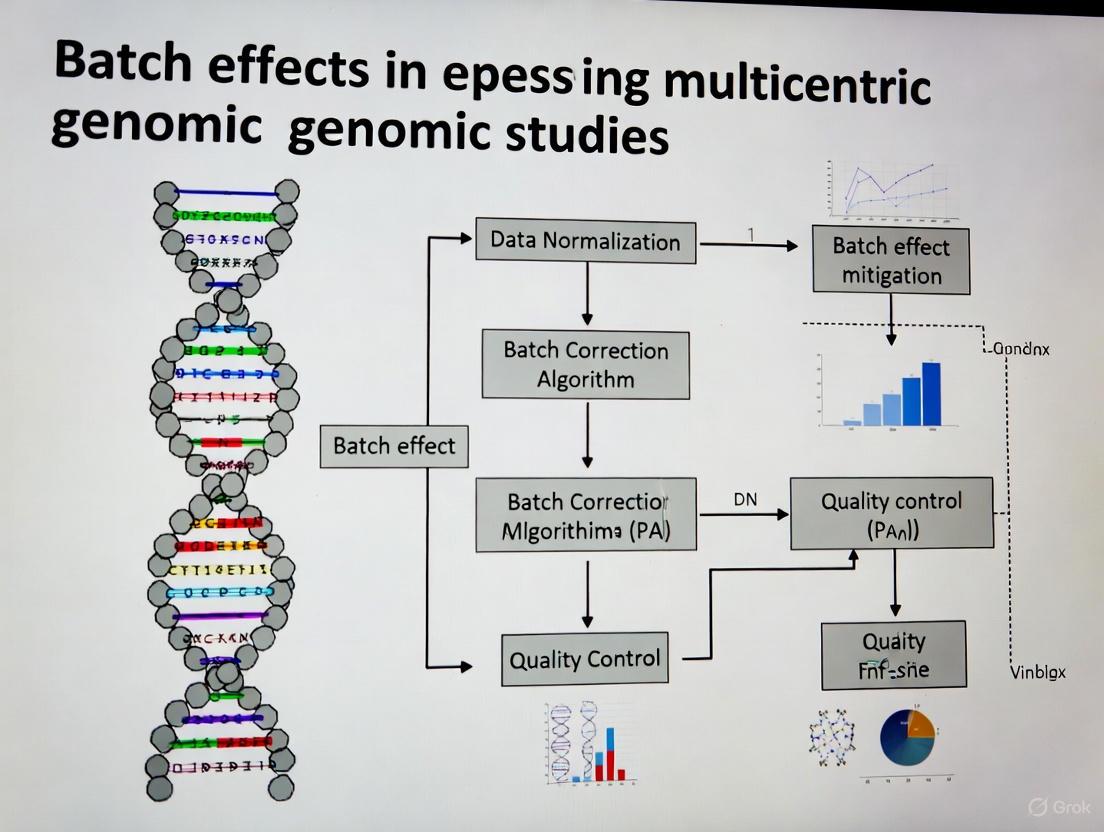
This article provides a systematic framework for researchers, scientists, and drug development professionals to address the critical challenge of batch effects in multi-center genomic studies.
Mitigating Batch Effects in Multicentric Genomic Studies: A Comprehensive Guide from Detection to Correction
Abstract
This article provides a systematic framework for researchers, scientists, and drug development professionals to address the critical challenge of batch effects in multi-center genomic studies. It covers the foundational understanding of how technical variations from different labs, platforms, and reagent batches can confound biological signals and lead to irreproducible results. The content details state-of-the-art methodologies for batch effect correction, including empirical Bayes frameworks like ComBat, deep learning approaches for single-cell data, and tools like HarmonizR for handling missing values in proteomics. It further offers practical strategies for troubleshooting and optimizing experimental design, such as the use of bridge samples and sample randomization. Finally, it outlines robust validation techniques and comparative analyses of correction algorithms to ensure biological signals are preserved while technical noise is removed, enabling reliable data integration and robust biomedical discovery.
Understanding the Enemy: What Are Batch Effects and Why Do They Threaten Genomic Discovery?
Frequently Asked Questions
What is a batch effect? A batch effect is a systematic technical variation in data caused by non-biological factors during an experiment. These variations are unrelated to the study's scientific objectives but can lead to inaccurate conclusions if their presence is correlated with an outcome of interest [1] [2] [3].
What are common causes of batch effects? Batch effects can arise at nearly every stage of a high-throughput study [1] [2] [3]. Common sources include:
- Reagent Variations: Changes in reagent lots or antibody batches [1] [4].
- Personnel Differences: Variations in technique between different technicians [1] [4].
- Instrumentation: Differences in instruments, calibration, or instrument drift over time [1] [5].
- Experimental Conditions: Variations in laboratory temperature, humidity, sample processing times, or protocols [1] [6].
- Study Design: Flawed or confounded study design where samples are not randomized across batches [2] [3].
How can I detect batch effects in my data? You can use both visual and quantitative methods to identify batch effects:
- Visual Methods:
- PCA Plot: Perform Principal Component Analysis (PCA) and color the data points by batch. Clustering of samples by batch, rather than biological condition, signals a batch effect [7] [8] [6].
- t-SNE/UMAP Plot: Visualize data using t-SNE or UMAP. If cells or samples from different batches form separate clusters, it indicates a batch effect [7] [8].
- Quantitative Metrics: Metrics like k-nearest neighbor batch effect test (kBET) or Adjusted Rand Index (ARI) provide a less biased assessment of batch effect severity [7] [8].
- Visual Methods:
What is the difference between normalization and batch effect correction? These are distinct steps that address different technical issues [7]:
- Normalization operates on the raw count matrix to correct for differences in sequencing depth, library size, and gene length across samples.
- Batch Effect Correction aims to remove technical variations caused by different sequencing platforms, reagent lots, personnel, or time. It often, but not always, uses normalized data as its input.
What are the signs of overcorrection? Overcorrection occurs when batch effect removal also removes genuine biological signal. Key signs include [7] [8]:
- Distinct biological cell types or sample groups are incorrectly clustered together.
- A complete overlap of samples from very different biological conditions.
- Cluster-specific markers are comprised of ubiquitous genes (e.g., ribosomal genes) or there is a significant overlap of markers between clusters.
- A notable absence of expected canonical markers for known cell types.
How do I choose a batch effect correction method? No single method is universally best. Selection depends on your data type and structure. The table below summarizes common algorithms. It is recommended to test multiple methods and validate the results visually and quantitatively [7] [8].
| Method Name | Primary Application | Key Principle | Considerations |
|---|---|---|---|
| ComBat-seq [6] | Bulk RNA-seq (count data) | Empirical Bayes framework | Good for small sample sizes; works directly on counts. |
| Harmony [7] [9] | Single-cell RNA-seq | Iterative clustering and correction | Fast runtime; good performance in benchmarks. |
| Seurat Integration [7] [9] | Single-cell RNA-seq | Canonical Correlation Analysis (CCA) and Mutual Nearest Neighbors (MNN) | Widely used; can have lower scalability for very large datasets. |
| MNN Correct [7] [9] | Single-cell RNA-seq | Mutual Nearest Neighbors | Can be computationally intensive. |
| SVR (in metaX) [5] | Metabolomics | Support Vector Regression | QC-based; requires quality control samples; models signal drift. |
| Ensemble Learning [10] | Genomic Classifiers | Integrates predictions from models trained per batch | A different strategy; can be more robust to high heterogeneity. |
Troubleshooting Guides
Guide 1: Diagnosing Batch Effects in Multicentric Genomic Studies
Objective: To systematically identify the presence and severity of batch effects in data from multiple centers.
Protocol:
- Data Preparation: Begin with a normalized count or expression matrix. Ensure you have comprehensive metadata that includes the batch identifier (e.g., sequencing center, processing date) and key biological variables (e.g., disease status, cell type).
- Visual Inspection with PCA:
- Perform PCA on the normalized data.
- Generate a scatter plot of the first two principal components (PC1 vs. PC2).
- Interpretation: Color the data points by
batch. If the points cluster strongly by batch, a significant batch effect is present. Next, color the points bybiological condition. If the batch-driven clustering is stronger than the biology-driven clustering, correction is necessary [6].
- Visual Inspection with UMAP:
- Quantitative Assessment:
This workflow for diagnosis can be visualized as follows:
Guide 2: Correcting Batch Effects in RNA-seq Data from Multiple Centers
Objective: To apply and evaluate a batch effect correction method for bulk RNA-seq data.
Protocol (Using ComBat-seq):
- Input Data Preparation: ComBat-seq works directly on raw count data. Ensure your data is in a count matrix (genes x samples) and you have a vector specifying the batch for each sample [6].
- Run ComBat-seq:
- In R, use the
ComBat_seqfunction from thesvapackage. - The basic command is:
- In R, use the
- Validation of Correction:
- Repeat Visualization: Perform PCA on the corrected count matrix (you may need to normalize it first for visualization). Generate the same PCA and UMAP plots as in the diagnostic guide. Successful correction should show batches mixed together, with clustering driven by biological condition [6].
- Check for Overcorrection: Ensure that known biological groups (e.g., case vs. control) remain separable after correction. A loss of this separation indicates overcorrection [8].
Guide 3: An Alternative Strategy via Ensemble Learning for Classifiers
Objective: To build a robust genomic classifier that is less sensitive to batch effects from multiple centers.
Rationale: Instead of merging and correcting data, this method builds models on individual batches and integrates their predictions, which can be more robust to high heterogeneity [10].
Protocol:
- Subset Data by Batch: Split your multi-center training data by batch or study center.
- Train Base Learners: Train a chosen prediction algorithm (e.g., random forest, logistic regression) on each batch independently.
- Integrate via Ensemble:
- Make Final Predictions: The final prediction for a new sample is a weighted average of the predictions from all base models.
The choice between a traditional correction pipeline and an ensemble approach can be guided by the nature of your data, as shown below:
The Scientist's Toolkit: Essential Research Reagent Solutions
For longitudinal or multicentric studies, proactive planning with these materials is crucial for mitigating batch effects.
| Item | Function in Mitigating Batch Effects |
|---|---|
| Bridge/Anchor Samples | A consistent control sample (e.g., aliquots from a large PBMC pool) included in every batch to monitor and quantify technical drift across batches [4]. |
| Pooled QC Samples | A quality control sample made by pooling a small amount of all experimental samples. Inserted at regular intervals during a run to monitor and model instrument drift [5]. |
| Internal Standards (Metabolomics) | Isotopically labeled compounds added to each sample to correct for variations in sample preparation and instrument response [5]. |
| Single Lot of Reagents | Using reagents (especially antibodies with tandem dyes) from a single manufacturing lot for an entire study to avoid lot-to-lot variability [1] [4]. |
| Fluorescent Cell Barcoding Kits | Kits to uniquely label individual samples with different fluorescent tags, allowing them to be pooled, stained, and acquired in a single tube, eliminating staining and acquisition variability [4]. |
FAQs: Understanding Batch Effects in Multicentric Studies
Q1: What are batch effects and why are they a critical problem in multicentric studies? Batch effects are non-biological, technical variations introduced into data due to differences in experimental conditions across different batches. These can arise from using different labs, platforms, reagent lots, or personnel [3]. They are critical because they can obscure true biological signals, reduce statistical power, and lead to misleading or irreproducible conclusions [3] [11]. In severe cases, they have led to incorrect patient classifications in clinical trials and the retraction of high-profile scientific articles [3].
Q2: What are the most common sources of batch effects? The common sources of batch effects can be categorized and are present throughout the experimental workflow:
- Laboratory and Platform Sources: Data generated in different labs, on different instruments (e.g., sequencers, scanners), or using different analysis software can exhibit strong batch effects [3] [12] [13].
- Reagent and Kit Sources: Variations between different lots of reagents, kits, or staining solutions are a frequent source of technical variation [3] [14]. Shortages can exacerbate this by forcing labs to use alternative or lower-quality reagents [14].
- Personnel and Procedural Sources: Differences in how individual technicians perform protocols (e.g., manual pipetting, sample handling) can introduce variation [15]. Personnel shortages can lead to overwork and increased error rates, while staff turnover can create expertise gaps [14] [16].
- Sample Preparation and Storage Sources: Inconsistencies in how samples are collected, processed, fixed, or stored before analysis are a major contributor to batch effects [3] [13].
Q3: In a confounded study design, why do most batch-effect correction algorithms fail? A confounded design occurs when a biological factor of interest (e.g., a specific disease group) is processed entirely in a separate batch [11]. In this scenario, the technical variation (batch effect) is perfectly mixed with the biological variation you want to study. Most computational algorithms struggle to distinguish between the two, meaning they might remove the genuine biological signal along with the technical noise [11]. Using a reference material, which is measured in every batch, provides a stable anchor to correct against. The ratio-based method is particularly effective here, as it scales the data from study samples relative to the reference, effectively canceling out the batch-specific noise [11].
Q4: How can I check if my dataset has batch effects? Several open-source tools are available to diagnose batch effects. For omics data, this often involves visualization techniques like PCA or t-SNE plots to see if samples cluster more strongly by batch (e.g., processing date) than by biological group [3] [17]. For medical images, tools like Batch Effect Explorer (BEEx) can qualitatively and quantitatively identify batch effects by analyzing image features like intensity and texture across different sites or scanners [12].
Troubleshooting Guides
Guide 1: Troubleshooting Low Yield in Sequencing Library Preparation
Low library yield is a common issue that can severely impact downstream data quality and introduce biases. The following table outlines the common causes and solutions.
| Observation / Symptom | Potential Cause | Corrective Action |
|---|---|---|
| Low labeled DNA recovery [18] or low final library concentration [15]. | Poor input DNA quality or homogeneity. DNA may be degraded or contain contaminants (phenol, salts) that inhibit enzymes. | Re-purify input DNA. Ensure homogenization and check concentration with a fluorescence-based assay (e.g., Qubit) [18] [15]. |
| Low yield determined by fluorometry [15]. | Inaccurate quantification of input DNA. UV absorbance (e.g., NanoDrop) can overestimate concentration by counting contaminants. | Use fluorometric methods (Qubit, PicoGreen) for template quantification. Calibrate pipettes and use master mixes to reduce error [15]. |
| Unexpected fragment size distribution; inefficient ligation. | Suboptimal fragmentation or ligation. Over- or under-shearing DNA, or poor ligase performance. | Optimize fragmentation parameters (time, enzyme concentration). Titrate adapter-to-insert molar ratios and ensure fresh ligase buffer [15]. |
| Sharp peak at ~70-90 bp on electropherogram (adapter dimers). | Overly aggressive purification or size selection. Using an incorrect bead-to-sample ratio leads to loss of desired fragments. | Optimize bead-based cleanup ratios. Avoid over-drying beads, which leads to inefficient resuspension [15]. |
Guide 2: Troubleshooting Batch Effects from Reagent and Personnel Variations
This guide addresses systemic issues related to resource management and personnel that can introduce batch effects across multiple experiments or sites.
| Observation / Symptom | Potential Cause | Corrective Action |
|---|---|---|
| Results vary significantly between different reagent lots. | Reagent lot-to-lot variability. Different lots may have slightly different compositions or activities. | Use reference materials. Incorporate a common reference material (e.g., Quartet reference materials) in every batch/experiment to monitor and correct for lot-specific variations [11]. |
| Intermittent, hard-to-diagnose failures that correlate with the operator. [15] | Personnel-based variation. Deviations from standard protocols due to different technicians' techniques (e.g., pipetting, mixing, timing). | Standardize and automate. Implement detailed SOPs, use master mixes, and automate repetitive tasks where possible. Introduce "waste plates" to catch pipetting errors and use checklists [15]. |
| Increased error rates and inconsistencies over time. | Personnel shortages and burnout. A shrinking workforce leads to overwork, reduced efficiency, and higher error rates [16]. | Cross-training and task prioritization. Cross-train staff to diversify skills and allow for coverage. Prioritize critical tasks and delegate effectively to manage workload [14]. |
| Inability to reproduce results from another lab. | Confounded study design and unaccounted technical variation. Biological groups are processed in separate batches/labs, and technical variation is not measured or corrected. | Implement a ratio-based correction. If a reference material was used, apply a ratio-based method (scaling study samples to the reference) to integrate data across labs [11]. |
Experimental Protocols for Batch Effect Mitigation
Protocol 1: Reference Material-Based Ratio Method for Multiomics Data
This protocol is highly effective for correcting batch effects in confounded study designs, where biological groups and batches are intertwined [11].
Methodology:
- Select a Reference Material: Choose a well-characterized and stable reference material. In the Quartet Project, reference materials are derived from immortalized cell lines available for DNA, RNA, protein, and metabolite analyses [11].
- Concurrent Profiling: In every batch of your experiment (whether defined by time, lab, or reagent lot), profile both your study samples and one or more aliquots of the reference material under identical conditions [11].
- Data Transformation: For each feature (e.g., gene, protein) in each study sample, transform the absolute measurement (e.g., intensity, count) into a ratio value. The denominator is the corresponding feature's measurement from the reference material profiled in the same batch.
- Downstream Analysis: Use the resulting ratio-scale data for all integrative downstream analyses, such as clustering, differential expression, and predictive modeling.
Protocol 2: Dissimilarity Matrix Correction for Clustering Analysis
This method directly corrects the sample-to-sample distance matrix instead of the original data matrix, which is useful for clustering applications in RNA-seq data [17].
Methodology:
- Preprocessing and Dissimilarity Calculation: Preprocess your multi-batch dataset (e.g., log transformation). Calculate an N x N dissimilarity matrix between all samples, for example, using 1 minus the correlation coefficient [17].
- Identify Reference Batch: View the dissimilarity matrix as a combination of blocks (within-batch and between-batch). Select the largest within-batch block as your reference block [17].
- Apply Interpolating Quantile Normalization: Use an algorithm to normalize all other blocks within the dissimilarity matrix with respect to the reference block. This can be done by either:
- Clustering: Perform clustering (e.g., hierarchical clustering) on the corrected dissimilarity matrix to recover the true biological sample patterns.
Visualization of Workflows and Relationships
Batch Effect Troubleshooting Pathway
Ratio-Based Correction for Confounded Designs
The Scientist's Toolkit: Key Research Reagent Solutions
The following table lists essential materials for implementing effective batch effect correction strategies.
| Item | Function in Mitigating Batch Effects |
|---|---|
| Reference Materials (e.g., Quartet) | Provides a stable, well-characterized benchmark measured across all batches and labs. Enables the ratio-based correction method, which is robust in confounded study designs [11]. |
| Master Mixes | Pre-mixed, aliquoted reagents reduce pipetting steps and operator-to-operator variation, enhancing reproducibility and minimizing personnel-based batch effects [15]. |
| Automated Liquid Handlers | Automates repetitive pipetting tasks, standardizing protocols across different users and labs, thereby reducing a major source of technical variation [16]. |
| Fluorometric Quantification Kits (e.g., Qubit) | Provides accurate, specific quantification of nucleic acids or proteins, unlike UV absorbance, which is skewed by contaminants. Prevents yield issues rooted in inaccurate input measurements [15]. |
| BEEx Software | An open-source tool for qualitatively and quantitatively assessing batch effects in medical images from different sites or scanners, enabling prescreening before analysis [12]. |
FAQs: Understanding Batch Effects and Their Consequences
What are batch effects and why are they a critical concern in genomic studies? Batch effects are technical variations introduced into high-throughput data due to changes in experimental conditions, such as different processing times, reagent lots, laboratory personnel, or sequencing instruments [2]. These variations are unrelated to the biological factors of interest but can profoundly impact data analysis. In the most benign cases, they increase variability and reduce statistical power to detect real biological signals. In worse scenarios, they can lead to incorrect conclusions, irreproducible findings, and invalidated research, potentially causing economic losses and even affecting patient treatment decisions [2].
Can you provide a real-world example of how severe the impact of batch effects can be? A stark example comes from a clinical trial where a change in the RNA-extraction solution caused a shift in gene-based risk calculations. This technical variation resulted in incorrect classification outcomes for 162 patients, 28 of whom subsequently received incorrect or unnecessary chemotherapy regimens [2]. This case highlights the direct, real-world consequences that batch effects can have on human health and treatment efficacy.
How do batch effects contribute to the "reproducibility crisis" in science? Batch effects are a paramount factor contributing to irreproducibility. A survey by Nature found that 90% of respondents believed there was a reproducibility crisis, with over half considering it significant [2]. Batch effects from reagent variability and experimental bias can lead to rejected papers, discredited research findings, and financial losses. For instance, the Reproducibility Project: Cancer Biology team failed to reproduce over half of high-profile cancer studies, with batch effects across laboratories being a significant hurdle [2].
Are batch effects still a relevant problem with modern, large-scale omics data? Yes, batch effects remain highly relevant. As data expands in size and complexity, particularly with the advent of high-resolution technologies like single-cell RNA sequencing, batch effect correction has become even more important [19]. The increased complexity of next-generation biotechnological data means increased complexities in batch effect management. Experts forecast that batch effects will not only remain relevant in the age of big data but will become even more important to address [19].
What is the key difference between normalization and batch effect correction? Normalization and batch effect correction address different technical variations. Normalization operates on the raw count matrix and mitigates issues like sequencing depth across cells, library size, and amplification bias caused by gene length. In contrast, batch effect correction mitigates variations arising from different sequencing platforms, timing, reagents, or different conditions and laboratories [7].
Troubleshooting Guides
Guide 1: How to Detect and Diagnose Batch Effects
Before correcting batch effects, you must first assess whether they are present in your data. The following workflow provides a systematic approach for detection and diagnosis.
Diagram 1: Workflow for detecting and diagnosing batch effects in omics data.
Step-by-Step Instructions:
Visual Inspection with Principal Component Analysis (PCA):
- Action: Perform PCA on your raw data and create a scatter plot of the top principal components (PCs).
- Interpretation: If the plot shows clear separation of samples based on their batch identity (e.g., all samples from batch 1 cluster together, separate from batch 2), this signals the presence of batch effects [7] [8].
- Tools: This can be done with standard statistical packages in R or Python.
Visual Inspection with t-SNE or UMAP:
- Action: Perform clustering analysis and visualize cell groups on a t-SNE or UMAP plot. Label the cells based on their batch number and biological group (e.g., case/control).
- Interpretation: In the presence of batch effects, cells from different batches tend to form distinct clusters, even if they share the same biological characteristics. After successful batch correction, you expect a more cohesive mixing of cells from different batches based on biological similarities [7] [8].
Quantitative Assessment with Metrics:
- Action: Use quantitative metrics to objectively evaluate the level of batch effect with less human bias.
- Interpretation: Several metrics can be used. The table below summarizes key metrics and their interpretation.
Table 1: Quantitative Metrics for Assessing Batch Effects [7] [8].
| Metric | Full Name | Interpretation |
|---|---|---|
| kBET | k-nearest neighbor batch effect test | Measures how well batches are mixed at a local level. Lower rejection rates indicate better correction. |
| ARI | Adjusted Rand Index | Measures the similarity between two clusterings. Used to compare clustering results before and after correction. |
| NMI | Normalized Mutual Information | Measures the agreement between two clusterings, adjusted for chance. |
| Graph iLISI | Graph-integrated Local Inverse Simpson's Index | Measures the mixing of batches in a shared neighborhood graph. Values closer to 1 indicate better mixing. |
Guide 2: How to Correct Batch Effects and Avoid Over-correction
Once batch effects are diagnosed, selecting an appropriate correction method is crucial. The following guide outlines a standard protocol for correction and validation.
Protocol: Reference-Material-Based Ratio Method for Multiomics Studies
This protocol is based on a comprehensive study from the Quartet Project, which found the ratio-based method to be highly effective, especially when batch effects are confounded with biological factors [11].
Principle: Expression profiles of each study sample are transformed to ratio-based values using expression data from a concurrently profiled reference material as the denominator. This scaling effectively minimizes technical variations across batches [11].
Table 2: Research Reagent Solutions for Batch Effect Correction.
| Item / Reagent | Function in Batch Effect Mitigation |
|---|---|
| Reference Materials (RMs) | Well-characterized control samples (e.g., Quartet Project RMs) profiled in every batch to provide a stable baseline for ratio-based scaling [11]. |
| Standardized Reagent Lots | Using the same lot of key reagents (e.g., RNA-extraction kits, enzymes) across all batches to minimize a major source of technical variation [2]. |
| Platform-Specific Controls | Controls provided by platform manufacturers (e.g., 10x Genomics, Fluidigm) to monitor technical performance within and across runs. |
Procedure:
Experimental Design:
- Plan your study so that a common reference material (RM) is included in every processing batch alongside your study samples.
- Ideally, distribute samples from different biological groups evenly across batches (a balanced design). However, the ratio method is also powerful in confounded scenarios where this is not possible [11].
Data Generation:
- Process all samples and the reference material concurrently within each batch using identical protocols.
- Generate your omics data (e.g., RNA-seq, proteomics) as per standard laboratory protocols.
Data Transformation (Ratio Calculation):
- For each feature (e.g., gene, protein) in each study sample within a batch, calculate a ratio value:
Ratio_value = Absolute_feature_value_study_sample / Absolute_feature_value_Reference_Material
- This creates a new, normalized matrix of ratio-based expression values.
- For each feature (e.g., gene, protein) in each study sample within a batch, calculate a ratio value:
Downstream Analysis:
- Use the transformed ratio-based matrix for all subsequent biological analyses (e.g., differential expression, clustering).
Validation and Checking for Over-correction:
After applying any batch correction method, it is vital to check for signs of over-correction, where genuine biological signal has been erroneously removed [7] [8].
Diagram 2: A guide to diagnosing over-correction after applying batch effect correction algorithms.
Troubleshooting Common Problems:
- Problem: Distinct biological cell types are clustered together in UMAP/t-SNE plots after correction.
- Solution: This is a sign of over-correction. Try a different, potentially less aggressive batch correction method (e.g., switch from a strong deep learning model to Harmony or Seurat) [8].
- Problem: Batch effects remain strong after correction in the PCA plot.
- Solution: The chosen method may be inadequate for the strength of your batch effect. Verify you have used the method correctly. Consider a more powerful method or ensure that you are including all relevant batch factors in your model.
- Problem: The results are not reproducible in a downstream analysis like differential expression.
- Solution: Ensure that batch was included as a covariate in your statistical model during differential analysis, rather than relying on pre-corrected data alone [6]. Also, re-check the diagnostic plots for residual batch effects.
Guide 3: Choosing a Batch Effect Correction Algorithm
The choice of algorithm depends on your data type and experimental scenario. The following table summarizes commonly used algorithms.
Table 3: Overview of Common Batch Effect Correction Algorithms (BECAs).
| Algorithm | Primary Application | Key Principle | Considerations |
|---|---|---|---|
| ComBat / ComBat-seq [6] | Bulk RNA-seq (ComBat-seq for counts) | Empirical Bayes framework to adjust for batch effects. | Powerful but can be prone to over-correction if batches are confounded with biology [11]. |
| Harmony [7] [11] | Single-cell RNA-seq, Multiomics | Iteratively clusters cells and removes batch effects via PCA-based dimensionality reduction. | Known for fast runtime and good performance in many benchmarks [8]. |
| Seurat (CCA) [7] | Single-cell RNA-seq | Uses Canonical Correlation Analysis (CCA) and Mutual Nearest Neighbors (MNNs) as "anchors" to align datasets. | Well-established and widely used, though can have lower scalability than some newer methods [8]. |
| MNN Correct [7] | Single-cell RNA-seq | Detects Mutual Nearest Neighbors (MNNs) across batches to estimate and remove the batch effect. | Computationally intensive as it works in high-dimensional gene expression space. |
| Ratio-based (e.g., Ratio-G) [11] | Multiomics (Transcriptomics, Proteomics, Metabolomics) | Scales absolute feature values of study samples relative to a concurrently profiled reference material. | Highly effective in confounded scenarios; requires careful planning to include reference material in all batches [11]. |
| scGen [7] | Single-cell RNA-seq | Employs a variational autoencoder (VAE) model trained on a reference dataset to correct batch effects. | A deep learning approach that can model complex, non-linear batch effects. |
Why should I be concerned about batch effects in my multi-center study?
Batch effects are technical variations that are unrelated to your study's biological or clinical questions. In multi-center genomic studies, where data is collected from different locations, machines, and over time, these effects are notoriously common. If not corrected, they can dilute true biological signals, reduce the statistical power of your study, and lead to increased false positives or false negatives. In the worst cases, they can cause irreproducible results, misleading conclusions, and even lead to retracted papers [3].
The table below summarizes profound real-world impacts of uncorrected batch effects.
| Case Study | Impact of Batch Effect | Consequence |
|---|---|---|
| Clinical Trial Gene Expression Analysis [3] | A change in RNA-extraction solution caused a shift in gene expression profiles. | Incorrect risk classification for 162 patients, 28 of whom received incorrect or unnecessary chemotherapy. |
| Cross-Species Transcriptomics [3] | Human and mouse data were generated 3 years apart on different platforms. | Misleading conclusion that cross-species differences outweighed cross-tissue differences; after correction, data clustered by tissue type. |
| High-Profile Retracted Paper [3] | Sensitivity of a fluorescent serotonin biosensor was dependent on the batch of fetal bovine serum (FBS). | Key results could not be reproduced when the FBS batch was changed, leading to the article's retraction. |
How can I identify if my data has significant batch effects?
Before any correction, it is crucial to diagnose the presence and extent of batch effects. The following workflow outlines a standard diagnostic process, and the table below details common methods.
| Method | Description | What to Look For |
|---|---|---|
| Principal Component Analysis (PCA) | A linear dimensionality reduction technique. | In the plot of the first few principal components, samples cluster strongly by batch (e.g., lab, sequencing run) rather than by biological condition [8]. |
| UMAP/t-SNE | Non-linear dimensionality reduction techniques. | When batch labels are overlaid on the plot, cells or samples from different batches form distinct clusters instead of mixing by cell type or disease state [8]. |
| Clustering & Heatmaps | Unsupervised clustering of samples based on gene expression. | The resulting dendrogram or heatmap shows samples primarily grouping by batch identifier [8]. |
| Quantitative Metrics (kBET) | The k-nearest neighbor batch effect test provides a quantitative score. | kBET measures local batch mixing. A low acceptance rate indicates that batches are not well-mixed, confirming a significant batch effect [19] [8]. |
What are the key methods for correcting batch effects, and how do I choose?
Multiple batch effect correction algorithms (BECAs) exist, and the choice depends on your data type and experimental design. The field is rapidly evolving, especially with the rise of single-cell technologies and deep learning methods [19].
Method 1: Empirical Bayes Frameworks (e.g., ComBat)
This is one of the most widely used families of methods. ComBat uses an empirical Bayes framework to adjust for batch-specific mean and variance, pooling information across all genes. Its Python implementation, pyComBat, has been shown to offer identical correction power to the original R version with faster computation times [20].
- Best for: Microarray and bulk RNA-seq data (ComBat-Seq for count data).
- Experimental Protocol for ComBat-Seq on RNA-seq data:
- Input Data: Start with a matrix of raw RNA-seq counts.
- Software Implementation: Use the
pycombat_seqfunction from theinmoosePython package or theComBat_seqfunction from thesvaR package. - Define Variables: Specify the
batchvariable (e.g., plate ID, sequencing run). You can also include amodargument to specify biological covariates of interest (e.g., disease status) to preserve during correction. - Output: The function returns a batch-corrected matrix of integer counts, which can be used for downstream differential expression analysis [20].
Method 2: Matrix Factorization and PCA-Based Methods (e.g., Harmony, SVA)
These methods identify and remove unwanted variation, often represented by principal components or surrogate variables, that is associated with batch.
- Best for: Single-cell RNA-seq (scRNA-seq) data integration and complex study designs.
- Experimental Protocol for Harmony on scRNA-seq data:
- Input Data: A normalized and scaled expression matrix (e.g., from Seurat or Scanpy), or a PCA projection of the data.
- Software Implementation: Use the
harmonypackage in R or Python. - Run Integration: Apply the
RunHarmonyfunction (in Seurat) or theharmonypy.runfunction in Python, providing the object, the name of the batch covariate (group.by.vars), and the number of PCA dimensions to use. - Output: A corrected low-dimensional embedding (e.g., Harmony dimensions) where cells are clustered by cell type rather than batch. These embeddings are used for downstream clustering and UMAP visualization [8].
Method 3: Bridging Control-Based Methods (e.g., BAMBOO, SERRF)
These methods require specific experimental designs that include repeated control samples (bridging controls or quality control samples) across all batches. They use these controls to model and correct for technical variation directly.
- Best for: Proteomics (e.g., PEA data), metabolomics, and lipidomics studies where such controls are feasible.
- Experimental Protocol for BAMBOO on Proteomics Data:
- Experimental Design: Include a minimum of 8-12 bridging controls (BCs) on every measurement plate. These are identical aliquots of the same sample pool [21].
- Quality Filtering: Remove BCs that are outliers based on their total batch effect amount. Proteins with too many measurements below the limit of detection should be flagged.
- Model Estimation: Use robust linear regression on the BC data to estimate plate-wide adjustment factors (slope and intercept).
- Apply Correction: Adjust the non-control samples on each plate using the estimated model and protein-specific adjustment factors [21].
The following table benchmarks several popular methods based on independent studies.
| Method | Data Type | Key Strengths | Reported Limitations / Performance |
|---|---|---|---|
| ComBat/pyComBat [20] | Microarray, bulk RNA-seq | Works with small sample sizes; fast parametric version. | Can be affected by outliers in bridging controls [21]. |
| Harmony [8] | scRNA-seq | Fast; good performance and scalability in benchmarks. | Less scalable than some newer deep learning methods [19]. |
| BAMBOO [21] | Proteomics (PEA) | Robust to outliers; corrects protein, sample, and plate-wide effects. | Requires bridging controls to be included in experimental design. |
| SERRF [22] | Metabolomics/Lipidomics | Uses random forest to model complex errors; leverages correlation between compounds. | Requires QC samples; web-based or custom script implementation. |
| limma (with PCs) [23] | Microarray | Flexible; including 2-3 PCs as covariates in the model can be effective. | Performance is best with sufficient sample size (e.g., >40 total samples) [23]. |
| scANVI [8] | scRNA-seq | Top-performing in comprehensive benchmarks; uses deep learning. | Lower computational scalability [8]. |
What are the common pitfalls and how can I avoid them?
Pitfall 1: Over-Correction and Loss of Biological Signal
Aggressive batch effect correction can sometimes remove genuine biological variation. Signs of over-correction include:
- Distinct cell types clustering together on a UMAP plot that should be separate [8].
- A complete overlap of samples from very different biological conditions, suggesting minor but important differences have been removed [8].
- Cluster-specific markers being dominated by housekeeping genes (e.g., ribosomal genes) with widespread expression [8].
- Solution: If you see these signs, try a less aggressive correction method or adjust the parameters of your current method (e.g., using fewer dimensions for correction).
Pitfall 2: Confounded Study Design
This is a critical issue that is difficult to fix computationally. It occurs when a batch variable is perfectly correlated with a biological variable of interest.
- Example: Running all control samples on one plate and all treatment samples on another plate. In this case, it is impossible to distinguish whether the differences are due to the treatment or the plate [3] [24].
- Solution: Always randomize samples across batches whenever possible. A confounded design often cannot be salvaged, highlighting the supreme importance of proper experimental planning [24].
Pitfall 3: Applying the Wrong Correction Tool
Using a method designed for bulk data on single-cell data, or vice-versa, can yield poor results. Single-cell data has unique characteristics, such as high dropout rates and cell-to-cell variation, that require specialized tools [3] [19].
- Solution: Select a BECA that is appropriate for your data type (e.g., bulk vs. single-cell, RNA-seq vs. metabolomics) and has been validated in the literature for that purpose.
Pitfall 4: Ignoring Sample Imbalance
In single-cell studies, sample imbalance (different numbers of cells per cell type across batches) is common and can negatively impact integration results.
- Solution: Be aware of this issue and refer to benchmarking studies that evaluate integration methods specifically under imbalanced conditions [8].
The Scientist's Toolkit: Essential Reagents & Materials for Batch Effect Management
Proper experimental planning is the first and best defense against batch effects. The following materials are crucial for mitigating and correcting technical variation.
| Item | Function in Batch Effect Management |
|---|---|
| Bridging Controls (BCs) | Aliquots of the same sample pool run on every batch/plate. They are used to quantify and model technical variation across runs, enabling methods like BAMBOO [21]. |
| Quality Control (QC) Samples | Similar to BCs, these are typically pooled samples analyzed at regular intervals throughout the analytical sequence. They are essential for methods like SERRF and LOESS to model and correct for instrumental drift [22]. |
| Validated Reagent Lots | Using a single, validated lot of critical reagents (e.g., fetal bovine serum, enzymes) for an entire study prevents reagent lot-specific batch effects, which have been known to cause irreproducible results and retractions [3]. |
| Internal Standards (IS) | For mass spectrometry-based omics (proteomics, metabolomics), known amounts of synthetic compounds spiked into each sample. They correct for variation in sample preparation and instrument response [25]. |
| Tissue-Mimicking Quality Control Standards | In mass spectrometry imaging (MSI), a homogeneous, synthetic material (e.g., propranolol in gelatin) spotted alongside tissue sections. It monitors technical variation from sample preparation and instrument performance [25]. |
Frequently Asked Questions
What is the "fluctuating sensitivity" problem in omics data? The core assumption in quantitative omics is that instrument readout (I) has a fixed, linear relationship with analyte abundance (C): I = f(C). In reality, the sensitivity function (f) fluctuates due to changes in experimental conditions (e.g., different reagent lots, operators, or instruments). This makes the same biological concentration appear as different measured values across batches, creating batch effects [2] [3].
What is the most reliable method to correct for these fluctuations? Evidence from large-scale multiomics studies shows that a ratio-based method is highly effective, especially in common but challenging scenarios where batch effects are completely confounded with biological groups of interest. This method scales the absolute feature values of study samples relative to those of a concurrently profiled reference material in each batch [11].
Can I correct for batch effects if my study design is flawed? While correction algorithms exist, a flawed or confounded study design remains a critical source of irreproducibility. If all samples from one biological group are processed in a single batch and all samples from another group in a different batch, it becomes nearly impossible to distinguish true biological signals from technical artifacts, even with advanced algorithms [2] [3] [11]. Proper, randomized study design is paramount.
Are batch effects more severe in any specific omics technology? Yes. Single-cell RNA-seq (scRNA-seq) technologies suffer from higher technical variations compared to bulk RNA-seq due to lower RNA input, higher dropout rates, and greater cell-to-cell variation. These factors make batch effects more complex and pronounced in single-cell data [2] [3].
Troubleshooting Guides
Problem 1: Poor Discrimination of Biological Groups After Data Integration
Issue: After integrating data from multiple batches or centers, your biological groups of interest (e.g., healthy vs. diseased) do not cluster together in a PCA plot.
Diagnosis: This indicates that technical variations (batch effects) are stronger than the biological signal, obscuring the patterns you want to study.
Solution:
- Diagnose: Use Principal Component Analysis (PCA) to visualize your data before correction. Color the data points by batch and by biological group. If points cluster strongly by batch, a batch effect is present.
- Correct: Apply a batch effect correction algorithm (BECA). The following table summarizes the performance of various methods in different scenarios, based on large-scale multiomics assessments [11].
Table 1: Performance Overview of Batch Effect Correction Algorithms (BECAs)
| Algorithm | Brief Description | Balanced Batch-Group Scenario | Confounded Batch-Group Scenario |
|---|---|---|---|
| Ratio-Based (e.g., Ratio-G) | Scales data relative to a common reference material measured in each batch. | Effective | Highly Effective - Highly recommended for this challenging case |
| ComBat | Empirically Bayesian framework to adjust for batch effects. | Effective | Limited Effectiveness - Can remove biological signal |
| Harmony | Uses PCA and clustering to integrate datasets. | Effective | Performance varies by data type and structure |
| BMC (Per Batch Mean-Centering) | Centers the mean of each feature within a batch to zero. | Effective | Not Recommended - Fails in confounded designs |
| SVA | Estimates and removes surrogate variables representing batch. | Effective | Limited Effectiveness |
| RUV (RUVg, RUVs) | Uses control genes or samples to remove unwanted variation. | Effective | Limited Effectiveness |
Implementation Protocol: Ratio-Based Correction
- Materials: A well-characterized, stable reference material (e.g., commercial reference standards or a pooled sample from your study).
- Method:
- Experimental Design: Include the same reference material in every batch of your experiment.
- Data Generation: Process study samples and the reference material concurrently under identical conditions in each batch.
- Calculation: For each feature (e.g., gene, protein) in a given batch, transform the absolute measurement (Istudy) of every study sample into a ratio relative to the measurement of the reference material (Iref) in the same batch.
- Formula:
Corrected_Value = I_study / I_ref
This workflow transforms your data from an absolute intensity scale, which is susceptible to fluctuating sensitivity (f), to a relative ratio scale, which is more stable and comparable across batches [11].
Problem 2: Inconsistent Findings in a Longitudinal or Multi-Center Study
Issue: Biomarkers or differential features identified in one batch, center, or timepoint fail to validate in another.
Diagnosis: This is a classic symptom of batch effects confounding biological conclusions. In longitudinal studies, the timing of sample processing is often perfectly correlated with the exposure time, making it impossible to separate technical from biological changes [2] [3].
Solution:
- Standardize with Reference Materials: Implement a standardized operating procedure (SOP) across all centers and timepoints that mandates the use of common reference materials in every processing batch.
- Utilize Reference-Based BECAs: Apply the ratio-based method during data analysis to anchor all measurements to a consistent baseline [11].
- Centralized QC: If possible, perform all assays in a single, centralized lab. If not, establish a system where a central lab distributes pre-qualified reference materials and reagents (e.g., RNA-extraction solutions, reagent lots) to all participating centers to minimize variability at the source [2] [26].
Problem 3: Failure to Reproduce Published Results
Issue: You cannot replicate a key finding from a high-profile paper in your own lab.
Diagnosis: Batch effects are a paramount factor contributing to the "reproducibility crisis" in science. Differences in reagent batches (e.g., fetal bovine serum) or other unrecorded experimental conditions can make results irreproducible [2] [3].
Solution:
- Troubleshoot Reagents: If a specific reagent is critical to the protocol, attempt to source it from the same lot used in the original publication.
- Document Everything: Meticulously record all protocol details, including reagent lot numbers, instrument models, software versions, and operator IDs. This metadata is crucial for diagnosing batch effects later.
- Validate with Orthogonal Methods: Where possible, confirm key omics findings using an orthogonal, low-throughput method (e.g., qPCR for transcriptomics, Western blot for proteomics) to ensure the finding is biological and not a technical artifact [27].
The Scientist's Toolkit: Essential Research Reagent Solutions
Table 2: Key Materials for Mitigating Batch Effects
| Item | Function in Batch Effect Control |
|---|---|
| Certified Reference Materials (CRMs) | Commercially available or community-developed standards (e.g., from the Quartet Project) with well-characterized properties. Provides a gold-standard baseline for scaling data across batches [11]. |
| Internal Standard Pool | A pooled sample created from a representative subset of your own study samples. Serves as a cost-effective, study-specific reference material for ratio-based correction. |
| Standardized Reagent Lots | Purchasing large lots of critical reagents (e.g., enzymes, buffers, serum) for use across an entire multi-center study. Minimizes a major source of technical variation [2] [26]. |
| Process Control Samples | Samples with known expected values (e.g., synthetic spikes) that are not part of the biological study. Used to monitor the performance and sensitivity (f) of the assay platform over time. |
The Correction Toolbox: Statistical and Deep Learning Methods for Data Harmonization
Frequently Asked Questions (FAQs)
1. What is the core principle behind the ComBat method for batch effect correction? ComBat and its successors, like ComBat-seq and ComBat-ref, use an empirical Bayes framework to adjust for systematic non-biological variations, or batch effects, in datasets. These methods estimate parameters for location (additive effects) and scale (multiplicative effects) from the data itself and use these estimates to adjust the data from all batches towards a common overall mean, thereby preserving biological signals while removing technical artifacts [28] [3].
2. My data is RNA-seq count data. Should I use the original ComBat or ComBat-seq? You should use ComBat-seq. The original ComBat was designed for microarray data or normalized, continuous data. ComBat-seq uses a negative binomial regression model specifically for RNA-seq count data, which preserves the integer nature of the counts and has been shown to provide better statistical power for downstream differential expression analysis [28].
3. What is the key innovation in the newer ComBat-ref method? ComBat-ref introduces a reference batch approach. It selects the batch with the smallest dispersion as a reference and adjusts all other batches toward this reference. This strategy is particularly effective when batches have different dispersion parameters, as it helps maintain high statistical power comparable to data without batch effects [28].
4. Can batch effects really lead to incorrect scientific conclusions? Yes, profoundly. The literature documents instances where batch effects, such as a change in RNA-extraction solution, led to incorrect gene-based risk calculations for patients, some of whom subsequently received incorrect chemotherapy regimens. In other cases, what appeared to be significant cross-species differences were later attributed to batch effects after re-analysis [3].
5. What are some common sources of batch effects I should document? Batch effects can originate at nearly every stage of a study [3]:
- Study Design: Non-randomized sample collection or a confounded design where batch is correlated with an outcome.
- Sample Preparation: Variations in reagents, kits, personnel, or lab protocols.
- Instrumentation: Using different machines or the same machine calibrated differently over time.
- Data Generation: Processing samples in different sequencing lanes or on different days.
Troubleshooting Guides
Problem: Low Statistical Power After Batch Correction You run ComBat but find that your downstream differential expression (DE) analysis has low sensitivity (high false negative rate).
| Potential Cause | Diagnostic Steps | Solution |
|---|---|---|
| High dispersion differences between batches. | Check the dispersions of your batches before correction. A large disparity suggests this issue. | Consider using ComBat-ref, which is specifically designed to handle batches with varying dispersions by aligning them to a stable reference batch [28]. |
| Using ComBat on raw counts. | Check your input data format. | For RNA-seq count data, use ComBat-seq instead of the standard ComBat to properly model the data distribution [28]. |
| Over-correction removing biological signal. | If possible, compare the corrected data to a known biological truth. | Ensure your model is correctly specified. If the batch effect is mild, using a simpler model (e.g., including batch as a covariate in DESeq2 or edgeR) might be preferable [3]. |
Problem: Inconsistent or Misleading Results After Correction The batch-corrected data yields results that contradict established biology or show unexpected patterns.
| Potential Cause | Diagnostic Steps | Solution |
|---|---|---|
| Batch effect is confounded with a biological variable of interest (e.g., all cases processed in one batch and controls in another). | Examine your study design matrix. Check for high correlation between batch and biology. | This is a fundamental design flaw that is extremely difficult to correct computationally. The best solution is prevention through randomized sample processing. Results from confounded studies should be interpreted with extreme caution [3]. |
| The chosen method is inappropriate for the data type. | Verify that the assumptions of your chosen ComBat method match your data (e.g., counts vs. continuous). | Switch to the method suited for your data (e.g., ComBat-seq for counts). Exploratory data analysis (PCA plots) before and after correction can help assess performance [28] [3]. |
Experimental Protocols & Data Presentation
Summary of ComBat-ref Performance vs. Other Methods The following table summarizes key comparative metrics as reported in simulation studies. Performance was evaluated based on the ability to detect differentially expressed (DE) genes while controlling false discoveries [28].
| Method | Data Type | Key Model / Approach | True Positive Rate (TPR) | False Positive Rate (FPR) | Key Use Case |
|---|---|---|---|---|---|
| ComBat-ref | RNA-seq Counts | Negative Binomial GLM with Reference Batch | High (Comparable to batch-free data) | Controlled with FDR | Batches with significant dispersion differences |
| ComBat-seq | RNA-seq Counts | Negative Binomial GLM with Mean Dispersion | High (but lower than ComBat-ref with high disp_FC) | Controlled with FDR | Standard batch correction for count data |
| ComBat | Microarray / Continuous | Empirical Bayes on Normalized Data | Moderate | Low | Continuous, normally distributed data |
| NPMatch | Various | Nearest-Neighbor Matching | Good | High (>20% in simulations) | -- |
Detailed Methodology for Implementing ComBat-ref This protocol outlines the key steps for implementing the ComBat-ref method as described in the literature [28].
Data Preparation and Modeling:
- Format your RNA-seq data as a count matrix (genes x samples).
- Model the count data using a negative binomial generalized linear model (GLM). The model is specified as:
log(μ_ijg) = α_g + γ_ig + β_cjg + log(N_j) - Where:
μ_ijgis the expected expression of gene g in sample j from batch i.α_gis the global background expression for gene g.γ_igis the effect of batch i on gene g.β_cjgis the effect of biological condition c on gene g.N_jis the library size for sample j (can be replaced with other normalization factors).
Dispersion Estimation and Reference Selection:
- Pool the gene count data within each batch and estimate a batch-specific dispersion parameter,
λ_i. - Compare the dispersion estimates for all batches.
- Select the batch with the smallest dispersion (
λ_1) as the reference batch.
- Pool the gene count data within each batch and estimate a batch-specific dispersion parameter,
Data Adjustment:
- For all batches
ithat are not the reference batch, adjust the gene expression levels using the formula:log(μ~_ijg) = log(μ_ijg) + γ_1g - γ_ig - This adjusts the expected counts from other batches toward the reference batch's parameters.
- Set the adjusted dispersion for all batches to that of the reference batch,
λ~_i = λ_1.
- For all batches
Count Adjustment:
- The final adjusted counts,
n~_ijg, are calculated by matching the cumulative distribution function (CDF) of the original distributionNB(μ_ijg, λ_i)at the original countn_ijgand the CDF of the adjusted distributionNB(μ~_ijg, λ~_i)at the new countn~_ijg. This ensures the adjusted data remains as integer counts.
- The final adjusted counts,
Workflow Visualization
The following diagram illustrates the logical workflow and decision points for applying ComBat methods within a genomic analysis pipeline.
The Scientist's Toolkit: Research Reagent Solutions
This table details key computational tools and statistical concepts essential for implementing ComBat and related batch correction methods.
| Item / Concept | Function / Description | Relevance to Combat |
|---|---|---|
| Negative Binomial Model | A statistical distribution used to model count data where the variance exceeds the mean (overdispersion). | ComBat-seq and ComBat-ref use this model instead of a normal distribution, making them suitable for raw RNA-seq count data [28]. |
| Empirical Bayes Framework | A statistical method that borrows information across all genes to compute stable parameter estimates for batch effects. | The core of all ComBat methods; it provides robust estimates of batch effect parameters, especially for studies with a small number of samples per batch [28] [3]. |
| Dispersion Parameter | In negative binomial models, this parameter quantifies the extra variance (overdispersion) in the data beyond what a Poisson model would expect. | ComBat-ref innovates by using this parameter to select the most stable batch as a reference, improving correction when dispersions vary widely [28]. |
| R Statistical Language | An open-source programming environment for statistical computing and graphics. | The primary platform for running ComBat and its variants (e.g., via the sva package). Essential for implementing the described methodologies [28]. |
| DESeq2 / edgeR | Bioconductor packages specifically designed for differential expression analysis of RNA-seq count data. | The primary tools for downstream analysis after using ComBat-seq or ComBat-ref. These tools use the adjusted integer counts for robust DE analysis [28]. |
Frequently Asked Questions (FAQs)
Q1: What makes deep learning-based autoencoders superior to traditional methods for single-cell data integration?
Autoencoders, particularly variational autoencoders (VAEs), offer a powerful framework for single-cell data integration because they can learn complex, non-linear relationships in the data and project it into a lower-dimensional, batch-corrected latent space [19]. Unlike linear methods, they are better equipped to handle the high dimensionality, sparsity, and technical noise inherent in single-cell RNA-sequencing (scRNA-seq) data [29]. They scale linearly with the number of cells, making them suitable for datasets of millions of cells [29]. Furthermore, their flexibility allows for the incorporation of specialized count-based loss functions (e.g., Negative Binomial or Zero-Inflated Negative Binomial) that appropriately model scRNA-seq data, unlike mean squared error loss used on log-transformed data [29] [30].
Q2: My integrated data shows good batch mixing, but my known cell types are no longer distinct. What is happening?
This is a classic sign of overcorrection or loss of biological variation [31]. It occurs when the integration process removes not only technical batch effects but also biologically meaningful signal. This can happen if:
- The integration method is too aggressive: Methods that do not distinguish between biological and technical variation, such as those relying solely on high Kullback-Leibler (KL) divergence regularization, can strip away both [32].
- Incorrect assumptions of cell type alignment: Some methods, particularly those using adversarial learning, may incorrectly "mix" cell types that have unbalanced proportions across batches if the model assumes all differences are technical [32].
- Solution: Consider using a semi-supervised approach that incorporates prior cell type knowledge (e.g., STACAS, scANVI) to guide the integration and preserve biological structure [31]. Alternatively, explore models with better priors and consistency losses, such as those combining VampPrior and cycle-consistency (e.g., sysVI) [32].
Q3: How do I choose the right noise model or loss function for my autoencoder?
The choice depends on your scRNA-seq technology and the characteristics of your data [29]:
- Negative Binomial (NB): Recommended for UMI-based datasets (e.g., 10x Genomics), where evidence for zero-inflation is often weaker [29]. It models overdispersed count data effectively.
- Zero-Inflated Negative Binomial (ZINB): May be more suitable for non-UMI, full-length transcript protocols where dropout events are more pronounced [29].
- Guidance: You can perform a likelihood ratio test between NB and ZINB fits on your data to determine if zero-inflation is statistically significant [29]. Starting with a Negative Binomial model is often a good default for UMI data.
Q4: What are the key architectural choices for building an effective denoising autoencoder for scRNA-seq data?
Empirical studies provide specific guidance for optimizing autoencoder design [30]:
- Architecture: Deeper and narrower networks (more layers with fewer neurons per layer) generally lead to better imputation performance compared to wide, shallow networks.
- Activation Functions: The sigmoid and tanh activation functions consistently outperform ReLU and others for scRNA-seq imputation tasks. This differs from common practices in computer vision.
- Regularization: Applying regularization (e.g., L1/L2) improves imputation accuracy and the quality of downstream analyses like cell clustering and differential expression.
Troubleshooting Common Experimental Issues
Problem: Failure to Integrate Datasets with Substantial Batch Effects
Scenario: You are trying to integrate datasets from different biological systems (e.g., human and mouse, organoid and primary tissue, single-cell and single-nuclei RNA-seq), and standard cVAE methods are failing to align the batches effectively.
Diagnosis: Standard cVAE models and their default regularization may be insufficient for "substantial batch effects" where technical and biological differences are deeply confounded [32].
Solution: Implement an advanced cVAE model with stronger and more specific regularization constraints.
- Recommended Model: Use a model that combines a VampPrior and cycle-consistency loss (e.g., the sysVI model) [32].
- Why it works:
- VampPrior: A multimodal prior that better captures the complex structure of biological data, improving the preservation of biological variation.
- Cycle-Consistency Loss: Ensures that translating a cell's profile from one batch to another and back again preserves its original identity, leading to more accurate and biologically meaningful integration.
- Avoid: Relying solely on increasing KL divergence regularization strength, as it removes both biological and technical information non-discriminately [32].
Problem: Inefficient Scaling and Long Runtime with Large Datasets
Scenario: The data integration process is prohibitively slow or runs out of memory when processing a large-scale dataset (e.g., >100,000 cells).
Diagnosis: Not all methods are optimized for computational efficiency on large data. The choice of algorithm and its implementation critically impacts scalability.
Solution:
- Select Scalable Algorithms: Prioritize methods known for their efficiency. Benchmarks indicate that Harmony, LIGER, and Seurat are capable of handling large datasets [33]. Due to its fast runtime, Harmony is often recommended as a first attempt [33].
- Leverage GPU Acceleration: Many deep learning frameworks (e.g., scvi-tools) support GPU acceleration, which can dramatically reduce training times for models like scVI, scANVI, and DCA [29].
- Check Implementation: Ensure you are using the most recent versions of software and following best practices for large data, such as using sparse matrix representations and appropriate batch sizes.
Problem: Poor Integration Results on Complex Data with Cell Type Imbalances
Scenario: Integration works well for abundant cell types but fails for rare cell populations, or it incorrectly merges distinct cell types that are unique to different batches.
Diagnosis: This is a common challenge when batches have highly variable cell type compositions. Unsupervised methods may mistake a rare cell type for noise or incorrectly align transcriptionally similar but biologically distinct cell types.
Solution: Adopt a semi-supervised integration strategy.
- Method: Use tools like STACAS or scANVI that can incorporate prior cell type annotations [31].
- Workflow:
- Generate an initial, preliminary cell type annotation (e.g., by clustering and annotating each batch individually or using an automated classifier).
- Provide these labels—even if they are incomplete or partially inaccurate—to the semi-supervised integration algorithm.
- The method will use this information to guide the search for mutual nearest neighbors (MNNs) or to structure the latent space, ensuring that only cells of the same type are aligned across batches, thereby preserving rare populations and preventing incorrect merging [31].
- Robustness: These methods are designed to be robust to incomplete and imprecise input labels, making them practical for real-world scenarios [31].
Experimental Protocols & Methodologies
Detailed Protocol: Denoising scRNA-seq Data with a Deep Count Autoencoder (DCA)
This protocol outlines the steps for denoising single-cell data using DCA, which can also serve as a preprocessing step for integration [29].
I. Preprocessing
- Data Input: Start with a raw count matrix (cells x genes). Filter out low-quality cells and genes based on standard QC metrics (mitochondrial counts, number of genes/cell).
- Normalization: Normalize the count data for sequencing depth (e.g., counts per 10,000) and log-transform. Optionally, identify highly variable genes to subset the matrix and reduce computational load.
II. Model Configuration and Training
- Software Installation: Install DCA via Python PIP (
pip install dca) or use its integration within the Scanpy preprocessing package. - Noise Model Selection: Choose the appropriate noise model based on your data. As a default for UMI data, use the Negative Binomial (
--type nb) model. For non-UMI data, consider Zero-Inflated Negative Binomial (--type zinb). A likelihood ratio test can guide this choice [29]. - Architecture: The default DCA architecture is typically three hidden layers (e.g., 64, 32, 64 neurons). This follows the "deeper and narrower" principle found to be effective [30].
- Training: Execute the DCA command on your input data. For example:
dca your_data.h5ad output_dir --type nb. The model will learn to reconstruct a denoised expression matrix.
III. Output and Downstream Analysis
- Output: The primary output is a denoised expression matrix, where the counts have been imputed and technical noise suppressed.
- Analysis: Use this denoised matrix for downstream tasks like clustering, visualization (PCA, UMAP), and trajectory inference. Denoising with DCA has been shown to improve the clarity of these analyses [29].
Workflow Diagram: Semi-Supervised Integration with STACAS
The following diagram illustrates the workflow for the STACAS integration method [31].
Performance Benchmarking Data
Table 1: Benchmarking of Batch-Effect Correction Methods
A comprehensive benchmark evaluating 14 methods across multiple datasets provides the following insights into popular algorithms [33].
| Method | Underlying Principle | Scalability to Large Datasets | Key Strength / Recommended Scenario |
|---|---|---|---|
| Harmony | Linear PCA with iterative clustering | Excellent / Fastest runtime | General-purpose; first choice for balanced and confounded scenarios [11] [33]. |
| Seurat v4 | CCA + Mutual Nearest Neighbors (MNN) | Good | High performance in preserving biological variation; robust for diverse data [33]. |
| LIGER | Integrative Non-negative Matrix Factorization (iNMF) | Good | Separates shared and dataset-specific factors; good for cross-species or when biological differences are expected [33]. |
| scVI / scANVI | Variational Autoencoder (VAE) | Excellent (with GPU) | Handles non-linear effects; scalable. scANVI (semi-supervised) improves performance with cell type labels [31] [33]. |
| FastMNN | PCA + Mutual Nearest Neighbors | Good | A fast variant of the original MNN approach, effective for many use cases [33]. |
| DCA | Deep Count Autoencoder | Excellent (with GPU) | Superior for denoising and imputation as a preprocessing step; uses count-based loss [29]. |
Table 2: Evaluation Metrics for Integration Quality
It is crucial to use multiple metrics to evaluate integration success, balancing batch mixing with biological preservation [31].
| Metric | What It Measures | Ideal Value | Interpretation Notes |
|---|---|---|---|
| Cell-type LISI (cLISI) | Preservation of biological variation (cell type separation). | Close to 1 | Measures local cell type purity. A value of 1 indicates all neighbors are the same cell type [31]. |
| Integration LISI (iLISI) | Mixing of batches. | Close to the number of batches being mixed. | Measures local batch diversity. Can be misleading if biological variation is also removed [31]. |
| Per-Cell-type iLISI (CiLISI) | Mixing of batches within the same cell type. | Close to 1 (normalized) | Recommended. A cell type-aware batch mixing metric that does not penalize biological separation [31]. |
| Cell-type ASW | Separation between different cell types. | Close to 1 | Average silhouette width for cell labels. Higher values indicate better-defined clusters [31]. |
| kBET | Local batch mixing based on chi-square test. | Low rejection rate (e.g., <0.1) | Measures if local batch composition matches the global expectation. A low rejection rate indicates good mixing [33]. |
Table 3: Key Computational Tools for Autoencoder-Based Integration
| Tool / Resource | Function | Key Feature | Access |
|---|---|---|---|
| scvi-tools (Python) | A comprehensive library for deep probabilistic analysis of single-cell omics. | Contains implementations of scVI, scANVI, and other VAE models. The sysVI model for substantial batch effects is also available here [32]. | https://scvi-tools.org |
| DCA (Python CLI) | Denoising single-cell data using a deep count autoencoder. | Specialized for scRNA-seq count data with NB/ZINB loss; often used as a preprocessing step [29]. | pip install dca / GitHub |
| STACAS (R) | Semi-supervised integration using reciprocal PCA and cell type labels. | Leverages prior cell type knowledge to guide integration and prevent overcorrection [31]. | GitHub |
| Seurat (R) | A general toolkit for single-cell genomics, including integration. | Provides the popular Seurat Integration (anchor-based) method and workflows [33]. | https://satijalab.org/seurat/ |
| Scanpy (Python) | A general toolkit for single-cell genomics, including integration. | Works seamlessly with scvi-tools and DCA; provides a full ecosystem for analysis [29]. | https://scanpy.readthedocs.io |
HarmonizR FAQs: Core Principles and Applications
What is the primary function of HarmonizR?
HarmonizR is a data harmonization tool designed to reduce batch effects across independent proteomic and metabolomic datasets without relying on data imputation. It achieves this through a missing-value-tolerant matrix dissection strategy, enabling the use of established batch-effect correction methods like ComBat and limma's removeBatchEffect() on datasets with significant missing values [34].
How does HarmonizR's approach to missing values differ from imputation? Traditional imputation methods estimate missing values, which can be error-prone and skew results if the values are not missing at random. HarmonizR instead dissects the data matrix into smaller sub-matrices containing proteins/features present in common sets of batches. It performs batch-effect correction on these complete sub-matrices before recombining them, thereby preserving the integrity of the original data and avoiding the introduction of imputation-related artifacts [34].
What types of batch effects can HarmonizR correct? HarmonizR has been successfully demonstrated to correct for technical variances arising from different tissue preservation techniques, varied LC-MS/MS instrumentation setups, and diverse quantification approaches in proteomic studies. It is designed to handle the complex batch effects common in multi-center, multi-platform omics studies [34] [3].
What are the key recent improvements to the HarmonizR framework? Recent updates to HarmonizR introduce two major enhancements:
- Blocking Strategy: Neighboring batches are grouped and treated as a single unit during matrix dissection, drastically reducing the number of sub-matrices and improving computational runtime without affecting the granularity of the batch-effect correction [35].
- Singular Feature Adjustment: Features that would otherwise be discarded because they appear in a unique combination of batches are "cropped" to fit a more common batch pattern, rescuing valuable data. This has been shown to increase feature rescue by up to 103.9% in tested datasets [35].
Troubleshooting Common Experimental Issues
My dataset has a very large number of batches, and HarmonizR is running slowly. What can I do?
Use the blocking parameter. This is a strategy specifically implemented to address runtime inefficiency in datasets with many batches. By blocking batches together (e.g., setting the parameter to 2 groups two neighboring batches as one during dissection), you severely reduce the number of sub-matrices created, which accelerates processing. The batch effect correction itself still operates on the original, unblocked batch information [35].
After data integration, I am concerned about losing proteins that only appear in one batch. Does HarmonizR handle these? Yes. Proteins or metabolites that are detected in only a single batch do not undergo harmonization, as there is no cross-batch technical variation to correct. However, these features are not discarded; they are retained and added back into the final harmonized matrix, ensuring all available data is preserved for downstream analysis [34].
What should I do if I suspect my study design has confounded batch and biological effects? This is a challenging scenario where biological groups of interest are completely aligned with batch groups (e.g., all controls in one batch and all cases in another). While HarmonizR is an effective tool, its performance, like most batch-effect correction algorithms, can be limited in severely confounded scenarios. The best practice is proactive study design. If possible, process samples in a randomized order across batches. Furthermore, consider using a ratio-based scaling approach with reference materials, where expression profiles of study samples are transformed relative to a common reference sample processed in every batch. This method has been shown to be particularly effective in confounded designs [36].
Experimental Protocols and Data
Protocol: Implementing HarmonizR for Proteomic Data Integration
- Input Data Preparation: Combine your individual, pre-processed datasets into a single matrix. Rows should represent proteins, and columns should represent samples. The matrix must include batch annotation for each sample.
- Matrix Dissection: The HarmonizR algorithm scans the input matrix and creates sub-data frames. Each sub-matrix contains only those proteins that share an identical pattern of batch presence (i.e., are found in the same combination of batches) [34].
- Batch Effect Correction: For each sub-matrix, run the selected batch-effect correction algorithm (ComBat or limma's
removeBatchEffect()). ComBat can be used in parametric or non-parametric mode, with or without scale adjustment, depending on the distribution of your data [34]. - Matrix Reintegration: The corrected sub-matrices are merged to reconstruct the full, harmonized dataset. Proteins found in only one batch are added back to this final matrix without correction [34].
Performance Comparison of Batch-Effect Correction Strategies
The table below summarizes a quantitative comparison from a controlled study where HarmonizR was evaluated against imputation-based strategies [34].
Table 1: Evaluation of Different Batch-Effect Correction Strategies on a Multi-Setup LC-MS/MS Dataset
| Strategy | Description | Key Finding (Hierarchical Clustering) | Data Integrity |
|---|---|---|---|
| Strategy 1: HarmonizR | ComBat with matrix dissection, no imputation. | Clear distinguishability of biological phenotypes. | High (No data imputation) |
| Strategy 2: ComBat + Matrix Imputation | Imputation from normal distribution (matrix-wise) before ComBat. | Clear distinguishability of biological phenotypes. | Medium (Risk of imputation artifacts) |
| Strategy 3: ComBat + Column Imputation | Imputation from normal distribution (column-wise) before ComBat. | Clear distinguishability of biological phenotypes. | Medium (Risk of imputation artifacts) |
| Strategy 4: ComBat + RF Imputation | Random Forest imputation before ComBat. | Clear distinguishability of biological phenotypes. | Medium (Risk of imputation artifacts) |
| Strategy 5: RF Imputation after HarmonizR | Random Forest imputation applied after HarmonizR correction. | Reintroduction of technical variances, poor clustering. | Low (Imputation negates harmonization benefits) |
The Scientist's Toolkit: Key Research Reagents and Materials
Table 2: Essential Materials for Multi-Batch Omics Studies
| Item | Function in Experimental Workflow |
|---|---|
| Reference Materials (e.g., Quartet Project RMs) | Commercially available or in-house standardized samples processed in every batch to enable ratio-based correction and quality control [36]. |
| Defined Cell Lysate Mixtures (e.g., Human, E. coli, Yeast) | Used as a controlled model system with known abundance ratios to benchmark and validate batch-effect correction methods [34]. |
| Tandem Mass Tag (TMT) Kits | Multiplexing reagent that allows pooling of samples to reduce missing values, though it introduces plex-based batch effects that require correction [35]. |
Workflow and Data Flow Visualization
HarmonizR Core Workflow
Matrix Dissection and Blocking Strategy
In multicentric genomic studies, combining single-cell RNA sequencing (scRNA-seq) datasets from different batches, laboratories, or experimental conditions is essential for robust statistical analysis. However, this integration is confounded by technical variations known as batch effects, which can obscure true biological differences [9]. These technical artifacts arise from factors such as different reagent lots, handling personnel, sequencing protocols, or equipment [9]. Computational batch correction aims to remove this technical variation, allowing researchers to perform valid comparative analyses across multiple samples [9].
The SCTransform and Harmony workflow provides a powerful, industry-standard approach for normalizing single-cell data and correcting for batch effects [37]. This workflow is particularly valuable for 10x Genomics platform users, as it is directly accessible via the 10x Genomics Cloud Analysis platform. SCTransform normalizes gene expression data within each sample, accounting for technical variation and stabilizing variance, while Harmony integrates data from multiple samples, removing batch-specific effects while preserving biological differences [37].
Frequently Asked Questions (FAQs)
1. What is the difference between the SCTransform/Harmony workflow and Cell Ranger aggr?
| Comparison Point | Cell Ranger aggr | SCTransform/Harmony |
|---|---|---|
| Normalization | Equalizes average read depth per cell between groups [37] | Uses regularized negative binomial regression [37] |
| Batch Correction | Mutual Nearest Neighbors (MNN) [37] | Harmony algorithm [37] |
| Input | molecule_info.h5 files from Cell Ranger runs [37] |
.cloupe files [37] |
| Environment | Local environment or Cloud Analysis [37] | Cloud Analysis only [37] |
| Flexibility | Primarily for chemistry batch correction [37] | Normalization & correction within/across chemistries [37] |
2. When should I use SCTransform/Harmony instead of the standard Seurat workflow?
SCTransform replaces the need for multiple separate steps in the standard Seurat workflow, including NormalizeData(), ScaleData(), and FindVariableFeatures() [38]. It provides more effective normalization by directly modeling the mean-variance relationship inherent in single-cell data, which often results in sharper biological distinctions in downstream analyses [38].
3. Which libraries are compatible with the SCTransform/Harmony workflow on 10x Cloud?
The workflow supports Gene Expression (GEX) data from Universal 3', 5', and Flex chemistries [37]. However, VDJ, Antibody Capture, or CRISPR Guide Capture libraries present in your data will be ignored for normalization and batch correction purposes [37].
4. What are the input requirements and limitations?
- Input: Requires
.cloupefiles generated by thecellranger countorcellranger multipipeline [37] - Cell Limit: Supports integration of up to 500,000 cells [37]
- Not Supported:
.cloupefiles aggregated usingcellranger aggr, previously batch-corrected data, orraw_cloupe.cloupefiles from Cell Ranger multi [37]
Step-by-Step Experimental Protocol
The following diagram illustrates the complete SCTransform and Harmony integration workflow:
Phase 1: Data Preparation and Quality Control
Step 1: Process Raw Data with Cell Ranger
- Use either the
cellranger count(for gene expression only) orcellranger multi(for multi-modal data) pipeline to process FASTQ files [39] - This generates the essential
.cloupefiles needed for downstream integration [37] - For 10x Cloud users: Create a project, upload FASTQ files via web browser or CLI, and run the Cell Ranger multi pipeline [39]
Step 2: Quality Control and Filtering
- Examine the
web_summary.htmlfile for each sample to identify potential quality issues [39] - Use Loupe Browser to filter out low-quality cells based on:
Phase 2: SCTransform Normalization
Step 3: Individual Sample Normalization with SCTransform
The following code example demonstrates the SCTransform normalization process in R:
Key Parameters:
vars.to.regress: Variables to regress out during normalization (e.g., mitochondrial percentage, cell cycle scores)n_cells: Number of cells to use for parameter estimation (default: 5000) [37]variable.features.n: Number of variable features to retain (default: 3000) [37]
Technical Note: SCTransform performs multiple steps in one command:
- Normalizes counts using regularized negative binomial regression
- Identifies variable features
- Returns Pearson residuals for use in downstream dimensionality reduction [38]
Phase 3: Data Integration with Harmony
Step 4: Merge Samples and Run Harmony
After processing samples individually with SCTransform, merge them for integration:
Step 5: Downstream Analysis with Integrated Data
Troubleshooting Common Issues
Problem 1: SCTransform Future Launch Errors
Symptoms:
- Error: "Caught FutureLaunchError. Canceling all iterations..."
- Command fails to execute, particularly on systems with limited resources [40]
Solutions:
- Ensure you have the
glmGamPoipackage installed, which improves speed and stability [38] - Reduce the
n_cellsparameter to decrease computational demand [37] - For large datasets, use
conserve.memory = TRUEin the SCTransform call [40]
Problem 2: FindMarkers Errors After SCTransform + Harmony
Symptoms:
- Error: "Minimum UMI unchanged. Skipping re-correction" when running
PrepSCTFindMarkers()[41] - Warning: "Object contains multiple models with unequal library sizes" during
FindMarkers()[41]
Solutions:
- This occurs when merging samples normalized with separate SCTransform runs
- Run
PrepSCTFindMarkers()before differential expression analysis [41] - As an alternative, clear the SCTModel list:
combined@misc$SCTModel.list <- list()[41]
Problem 3: Poor Integration Results
Symptoms:
- Batch effects still visible in UMAP plots after Harmony
- Biological variation appears to be lost
Solutions:
- Ensure you're using an appropriate number of dimensions in Harmony (
dims = 1:30is commonly used) [37] - Verify that the batch variable correctly captures the technical variation sources
- Consider adjusting the number of variable features in SCTransform [37]
| Resource | Function/Purpose | Usage Context |
|---|---|---|
| 10x Genomics Cloud Analysis | Platform for running SCTransform/Harmony workflow | Cloud-based analysis with web interface [37] |
| Cell Ranger | Processing pipeline for 10x Genomics data | Generating feature-barcode matrices from FASTQ files [39] |
| Loupe Browser | Interactive visualization of single-cell data | Quality control, filtering, and exploratory analysis [37] |
| Seurat R Package | Comprehensive toolkit for single-cell analysis | Implementing SCTransform and integration workflows [38] |
| Harmony R Package | Batch effect correction algorithm | Integrating multiple datasets after normalization [37] |
| glmGamPoi R Package | Accelerated GLM fitting for count data | Improving SCTransform performance and stability [38] |
Advanced Configuration and Optimization
SCTransform Advanced Parameters
When configuring SCTransform on the 10x Cloud platform or in R, these advanced options can optimize performance:
- Number of cells: Controls the number of cells randomly sampled to estimate model parameters. Lower values reduce computation time but may decrease normalization quality for highly diverse datasets [37]
- Variable features: Determines the number of top variable genes kept for downstream analysis. Increasing captures more features but may introduce noise [37]
- Only variable genes: When enabled, excludes non-variable genes to save memory and focus analysis [37]
Feature Selection Considerations
Recent research emphasizes that feature selection methods significantly impact integration performance [42]. The standard approach of selecting 2,000-3,000 highly variable genes is generally effective, but batch-aware feature selection methods may further improve results in multicentric studies [42].
Algorithm Specifications
The SCTransform/Harmony workflow on 10x Cloud uses specific tool versions for reproducibility [37]:
- R: 4.4.1
- SCTransform: 0.4.1
- Harmony: 1.2.1
- Seurat: 5.1.0
Batch effects are technical sources of variation introduced into high-throughput data due to differences in experimental conditions, such as sample preparation, sequencing protocols, handling personnel, or equipment used across different labs or at different times [43] [2]. In multi-centric genomic studies, where data from multiple sources is integrated, these effects can be profound. If not corrected, batch effects can obscure true biological signals, reduce statistical power, and lead to misleading or irreproducible conclusions, potentially invalidating research findings [2] [44]. Consequently, selecting and applying an appropriate batch-effect correction algorithm (BECA) is a critical step in ensuring the reliability and biological validity of your data analysis.
This guide provides a technical support center to help you navigate the selection and application of four key algorithms: ComBat, limma's removeBatchEffect, Harmony, and MNN Correct.
Algorithm Comparison & Selection Guide
The table below summarizes the core characteristics, strengths, and weaknesses of each algorithm to guide your initial selection.
| Algorithm | Primary Methodology | Best For | Key Advantages | Key Limitations |
|---|---|---|---|---|
| ComBat [43] [20] | Empirical Bayes framework to model and adjust for additive and multiplicative batch effects. | Microarray data or normalized RNA-Seq data (log-values). | Effective for small sample sizes; accounts for batch-specific variance; widely used and tested. | Originally for normally distributed data; can introduce negative values; may over-correct if batches are confounded with biology [45]. |
| limma's removeBatchEffect [46] [45] | Fits a linear model to the data, including batch and treatment effects, then removes the batch component. | Preparing data for visualization (PCA, MDS) or clustering, not for direct use in linear modeling. | Fast and simple; allows preservation of biological variation via the design matrix. |
Not recommended for use prior to differential expression analysis; batch should be included in the linear model instead [46] [45]. |
| Harmony [43] [47] | Iterative clustering and integration in a PCA-reduced space to maximize batch mixing and cell type purity. | Integrating large single-cell datasets (e.g., scRNA-seq) with high computational efficiency. | Fast, handles large datasets (>1M cells); performs well even with large experimental differences. | Input is a PCA embedding, not a gene expression matrix, limiting some downstream analyses [48]. |
| MNN Correct [43] | Identifies Mutual Nearest Neighbors (MNNs) across batches to infer and correct for the batch effect vector. | Integrating scRNA-seq data where a normalized gene expression matrix is required for downstream steps. | Returns a corrected gene expression matrix; makes minimal assumptions about the data distribution. | Computationally demanding for very large datasets; performance can depend on the choice of MNN pairs [43]. |
Decision Workflow
The following diagram outlines a logical workflow to help you choose the most appropriate algorithm based on your data type and research goal.
Frequently Asked Questions (FAQs)
1. Should I use ComBat or simply include batch as a covariate in my model (e.g., in DESeq2/limma)?
This is a critical decision. The prevailing best practice, where possible, is to include batch as a covariate in your statistical model for differential expression analysis rather than pre-correcting the data with ComBat [45]. Here's why:
- Modeling Batch: When you include
batchin your design formula (e.g.,~ group + batchin DESeq2 or limma), you are estimating the effect size of the batch and accounting for it during statistical testing without directly altering the raw expression data. This is often a more statistically sound approach [45]. - Correcting Data: ComBat directly modifies your data to "remove" the batch effect. This can sometimes introduce artifacts, such as negative expression values, and may inadvertently remove biological signal if the batch is confounded with the condition of interest [45]. Use ComBat when you need a batch-corrected matrix for exploratory analysis like clustering or visualization.
2. What is the difference between ComBat and limma's removeBatchEffect?
While both adjust for known batches, their intended uses differ:
- limma's
removeBatchEffectis designed for downstream visualization, such as creating PCA plots or heatmaps where batch effects would obscure the biological patterns. The function's documentation explicitly states it is not intended to be used prior to linear modelling [46]. For differential analysis, include batch in your linear model instead. - ComBat is a more formal correction method that models batch-specific variances using an Empirical Bayes framework. It is often used to create a corrected matrix that is then used for various downstream analyses, though this requires caution as noted above [20].
3. I work with single-cell RNA-seq data. Which method should I start with?
Based on comprehensive benchmark studies, Harmony is an excellent first choice due to its fast runtime and high performance in integrating batches while preserving cell type purity [43]. It is particularly effective for large datasets. LIGER and Seurat 3 are also top-performing alternatives. If you require a corrected gene expression matrix (rather than an integrated embedding) for downstream analysis, MNN Correct or its faster successor, fastMNN, are recommended [43].
4. What are the practical limits of batch-effect correction?
Batch-effect correction algorithms are remarkably robust in scenarios where sample classes and batches are only moderately confounded. However, their performance declines significantly when sample classes and batches are strongly confounded—for example, when all controls are in one batch and all cases in another [44]. In such extreme cases, no correction algorithm can reliably distinguish the technical batch effect from the true biological signal, and the results should be treated with extreme caution. Careful experimental design to avoid this confounding is always preferable.
Experimental Protocols & Workflows
Protocol 1: Batch Correction for Single-Cell RNA-seq Data Integration
Objective: To integrate multiple scRNA-seq datasets, correcting for technical batch effects to enable joint analysis of cell clusters and types.
Materials:
- Individual Count Matrices: Processed count matrices (e.g., from Cell Ranger) for each batch.
- Metadata: A table specifying the batch origin for each cell.
- Software Environment: R/Python with appropriate packages (e.g., Harmony, Seurat, Scanpy).
Procedure:
- Preprocessing & Normalization: Independently normalize each batch using standard scRNA-seq workflows (e.g., log-normalization in Seurat).
- Feature Selection: Identify highly variable genes (HVGs) that are shared across all batches.
- Dimensionality Reduction: Perform PCA on the combined dataset to obtain a low-dimensional embedding.
- Batch Correction: Apply the batch correction algorithm (e.g., Harmony) to the PCA embedding.
- Harmony Example in R:
harmony_embedding <- RunHarmony(seurat_object, "batch")
- Harmony Example in R:
- Downstream Analysis: Use the integrated embedding for clustering and UMAP/t-SNE visualization. Perform differential expression analysis on the corrected data, being mindful of potential residual confounding.
The workflow for this protocol is visualized below.
Protocol 2: Batch Correction for Bulk Transcriptomic Visualization
Objective: To remove batch effects from bulk RNA-seq or microarray data for the purpose of creating clear visualization plots (e.g., PCA, MDS).
Materials:
- Normalized Data: A normalized gene expression matrix (e.g., log2-CPM or RMA-normalized values).
- Batch Information: A vector defining the batch for each sample.
- Software: R with the
limmapackage.
Procedure:
- Input Data: Start with a normalized log-expression matrix.
- Apply Correction: Use the
removeBatchEffectfunction from thelimmapackage.- R Code Example:
corrected_data <- removeBatchEffect(expression_matrix, batch = batch_vector)
- R Code Example:
- Visualization: Perform PCA on the
corrected_datamatrix to create a plot where the influence of the specified batches is minimized. Note: This corrected matrix should not be used for differential expression testing.
The following table lists key software tools and resources essential for conducting batch-effect correction in genomic studies.
| Tool / Resource | Function | Brief Description |
|---|---|---|
| sva (R package) [20] | Batch Effect Correction | Contains the original implementations of ComBat (for microarrays/normalized data) and ComBat-Seq (for RNA-seq count data). |
| limma (R package) [46] | Linear Modeling & Correction | A powerful package for analyzing gene expression data, which includes the removeBatchEffect function for visualization purposes. |
| Harmony (R/Python) [43] [47] | Single-Cell Data Integration | An efficient algorithm for integrating single-cell data across multiple batches or conditions. |
| Seurat (R package) [43] | Single-Cell Analysis | A comprehensive toolkit for scRNA-seq analysis that includes its own integration methods (CCA, RPCA) in addition to supporting Harmony. |
| Scanpy (Python package) [49] | Single-Cell Analysis | A scalable Python-based toolkit for analyzing single-cell gene expression data, which includes various batch correction methods. |
| scRNA-tools.org [49] | Method Database | An online database cataloging over a thousand software tools for scRNA-seq analysis, helping researchers discover and evaluate new methods. |
Prevention and Problem-Solving: Optimizing Design and Diagnosing Batch Issues
Troubleshooting Guides
Troubleshooting Guide 1: Addressing Batch Effects in Multi-Center Genomic Studies
Problem: My multi-center genomic study is showing strong clustering of samples by sequencing center rather than biological group. What steps should I take?
Solution:
- Diagnose the Issue: First, use Principal Component Analysis (PCA) or similar exploratory methods to confirm that the batch effect (e.g., sequencing center) is a major source of variation in your data, potentially overshadowing the biological signal of interest [3] [50].
- Re-visit Design: For future studies, implement proactive measures. Integrate block randomization within each center to assign samples from different biological groups to processing batches. If possible, use bridge samples—a set of reference samples included in every processing batch—to technically link the batches and enable correction [3].
- Apply Correction: For existing data, use a batch effect correction algorithm (BECA) such as ComBat. The bridge samples you included can be crucial for assessing the success of the correction and ensuring that biological signals are not removed during the process [3] [50].
Prevention Checklist: ☐ Used stratified or block randomization to confound center and processing date with experimental groups? [51] [52] ☐ Included bridge/reference samples in every processing batch? [3] ☐ Documented all technical variables (reagent lots, technician, instrument ID) in metadata? [3]
Troubleshooting Guide 2: Managing Imbalanced Groups in a Small Clinical Trial
Problem: My small randomized controlled trial (RCT) for a new drug ended up with severely imbalanced groups for a key prognostic factor.
Solution:
- Analyze with Covariate Adjustment: In your statistical model, include the imbalanced prognostic factor as a covariate. This adjusts for the imbalance and provides a more valid estimate of the treatment effect [52].
- Revise the Design: For your next trial, avoid simple randomization when the sample size is small. Shift to a stratified randomization design. Identify the 1-2 most important prognostic factors (e.g., disease severity, age group) and create strata. Within each stratum, use block randomization to ensure perfect balance between treatment groups throughout the recruitment period [51] [52].
Comparison of Randomization Methods for Small Samples:
| Randomization Method | Prevents Sample Size Imbalance? | Prevents Covariate Imbalance? | Risk of Selection Bias |
|---|---|---|---|
| Simple Randomization | No | No | Low [51] |
| Block Randomization | Yes | Limited | Moderate (if blocks are small/unblinded) [51] |
| Stratified Block Randomization | Yes | For selected factors (within strata) | Moderate (if blocks are small/unblinded) [51] [52] |
Troubleshooting Guide 3: Low Engagement with an Indicated Preventive Intervention
Problem: A universal preventive program (e.g., for substance use) is effective for most, but high-risk individuals are not engaging with more intensive, indicated interventions.
Solution:
- Implement a Bridge Strategy: Develop a resource-light, technology-based "bridge" to connect high-risk individuals from the universal program to the indicated one. This acts as a proactive step to facilitate engagement [53].
- Design a Sequential Workflow: Use a Sequential Multiple Assignment Randomized Trial (SMART) design to test different bridging strategies. Participants can be initially randomized to receive the universal intervention at different times (e.g., before vs. during the semester). Those who continue to show high-risk behavior are then randomly re-assigned to different bridging strategies, such as an automated resource email versus an invitation to chat with a health coach, to see which is most effective at connecting them to further care [53].
The following workflow illustrates how these proactive design elements—bridge samples and adaptive interventions—integrate into a research pipeline to ensure robustness.
Diagram: Integrated Workflow for Robust Study Design
Frequently Asked Questions (FAQs)
FAQ 1: What is the single most important thing I can do in my experimental design to prevent batch effects? While a perfect design involves multiple steps, the most impactful single change is often proper randomization. Do not process all samples from one experimental group in a single batch. Instead, use block randomization to distribute samples from all groups across all processing batches. This confounds technical variation with biological variation and makes it possible for statistical methods to separate them later [3] [52].
FAQ 2: How do bridge samples differ from standard control samples? Standard control samples are used to measure the expected outcome in the absence of an experimental condition (e.g., a placebo group). Bridge samples are a technical control. They are a pooled set of samples that are aliquoted and included in every processing batch (e.g., on every sequencing run). Their purpose is to provide a constant biological signal against which technical variation between batches can be measured and corrected [3].
FAQ 3: My study has several important prognostic factors. Can I stratify by all of them? You can, but with caution. As you increase the number of stratification factors, you multiply the number of strata (e.g., 2 centers × 2 genders × 3 age groups = 12 strata). With a small sample size, this can lead to empty or sparse strata, defeating the purpose of balancing. The best practice is to stratify only by the 1-2 factors known to have the strongest correlation with your outcome. Other less critical factors can be adjusted for during the statistical analysis [51].
FAQ 4: What is an "Adaptive Preventive Intervention" and how does it use randomization differently? An Adaptive Preventive Intervention (API) is a multi-stage approach where the type or intensity of intervention is adjusted based on a participant's initial response or need. It uses sequential randomization (e.g., in a SMART design). Participants might be randomized first to receive Intervention A or B. After a period, non-responders to Intervention A might be randomized again to receive either a more intensive version of A or a different Intervention C. This design allows researchers to build dynamic, personalized intervention strategies [53].
The Scientist's Toolkit: Key Research Reagent Solutions
| Item | Function in Experimental Design |
|---|---|
| Block Randomization | A restrictive randomization method that ensures equal allocation of subjects to treatment groups over time. It balances the sample size at regular intervals (blocks), protecting against time-related trends and accidental bias [51] [52]. |
| Stratified Randomization | A method used to balance specific prognostic factors (e.g., study center, disease severity) across treatment groups. Randomization is performed separately within each defined stratum, ensuring that these key factors do not confound the treatment effect [51]. |
| Bridge Samples | A set of technical reference samples included in every experimental batch (e.g., each sequencing run). They are used to monitor technical variation and enable statistical correction of batch effects in post-processing [3]. |
| Batch Effect Correction Algorithms (BECAs) | Software tools (e.g., ComBat, SVA) applied to the final data to identify and remove technical variation due to batch processing, while preserving biological variation of interest [3] [50]. |
| Sequential Multiple Assignment Randomized Trial (SMART) | A trial design used to develop adaptive interventions. Participants are randomized multiple times at critical decision points, allowing researchers to optimize sequences of interventions based on individual patient needs and responses [53]. |
Batch effects are technical variations introduced during high-throughput experiments due to factors like different labs, experimental conditions, reagent batches, or analysis pipelines. These non-biological variations can obscure true biological signals, reduce statistical power, and lead to misleading conclusions if not properly detected and corrected. In multicentric genomic studies, where data integration from multiple sources is essential, batch effect detection becomes a critical quality control step to ensure data reliability and reproducibility.
The following table summarizes the core diagnostic techniques discussed in this guide, their primary functions, and key implementation considerations.
| Technique | Primary Diagnostic Function | Key Metrics/Outputs | Considerations |
|---|---|---|---|
| Principal Component Analysis (PCA) | Visual and quantitative assessment of batch-driven variation. | - PCA plots with batch coloring- Separation of batch centroids- Dispersion Separability Criterion (DSC) [54] | - Sensitive to outliers.- Captures largest sources of variation, which may be technical rather than biological. |
| k-Nearest Neighbour Batch-Effect Test (kBET) | Quantifies local batch mixing by testing if batch labels are randomly distributed among a cell's neighbours [55]. | - kBET rejection rate (lower is better)- p-value for the null hypothesis that batches are well-mixed. | - Performance depends on pre-defined number of neighbours (k).- May have lower power for partial batch effects [56]. |
| Jensen-Shannon (JS) Divergence | Measures similarity between two probability distributions; applied to assess distributional differences between batches [57]. | - JSD value between 0 (identical) and 1 (maximally different).- Can be used to compute a distance between batches. | - Provides a closed-form, symmetric measure.- Used in novel regression losses to avoid IoU sensitivity for tiny objects [58]. |
The logical relationship and application workflow for these techniques in a diagnostic pipeline can be visualized as follows:
Detailed Methodologies & Protocols
Enhanced Principal Component Analysis (PCA-Plus)
Objective: To visually identify and quantify batch effects by analyzing the largest sources of variation in the dataset.
Experimental Protocol:
- Input Data Preparation: Begin with a normalized data matrix (e.g., gene expression, DNA methylation) where rows represent features and columns represent samples. Ensure the data is appropriately transformed (e.g., log-transformed for RNA-seq data).
- Centering: Center the cloud of data points at the origin by subtracting the mean value for each feature.
- Covariance Matrix & Eigen Calculation: Compute the covariance matrix of the centered data. Calculate the eigenvalues and corresponding eigenvectors of this covariance matrix. The eigenvectors define the directions of the new feature space (principal components), and the eigenvalues indicate the magnitude of the variance carried by each component.
- Projection: Project the original data onto the top two or three principal components to create a low-dimensional representation for visualization.
- PCA-Plus Enhancements: To move beyond conventional PCA, implement the following enhancements as provided by the PCA-Plus R package [54]:
- Compute Group Centroids: Calculate and plot the average position (centroid) for all samples belonging to the same batch.
- Plot Sample-Dispersion Rays: Draw lines from each group centroid to the individual samples within that group to visualize intra-batch variation.
- Calculate Dispersion Separability Criterion (DSC): Quantify the overall batch effect using the formula:
DSC = trace(Sb) / trace(Sw)whereSbis the between-group scatter matrix andSwis the within-group scatter matrix. A higher DSC indicates greater dispersion among batches relative to dispersion within batches [54].
Troubleshooting:
- Problem: Biological groups are confounded with batches, making it difficult to distinguish biological signal from batch effect.
- Solution: If possible, include control reference samples across all batches. The ratio-based method (scaling study samples to reference samples) can be particularly effective in such confounded scenarios [36].
k-Nearest Neighbour Batch-Effect Test (kBET)
Objective: To provide a quantitative, statistical test for the null hypothesis that batches are well-mixed at a local level in the data's representation.
Experimental Protocol:
- Dimensionality Reduction: First, reduce the dimensionality of your data. This can be done using PCA (typically using the top 20-50 Principal Components), a neighbourhood graph, or a batch-corrected embedding.
- Parameter Selection: Select a value for
k, the number of nearest neighbours to consider for each test. The results can be sensitive to this choice; it is often recommended to run kBET with a range ofkvalues (e.g., from 10% to 50% of the smallest batch size) and use the mean rejection rate [55]. - Algorithm Execution:
- For a random subset of cells (e.g., 10%), identify the
knearest neighbours in the PCA/embedding space. - Construct a contingency table of the batch labels for the selected cell and its
kneighbours. - Perform a Pearson’s Chi-squared test against the null hypothesis that the local batch label distribution matches the global (overall) batch label distribution.
- Record whether the test is rejected for that cell.
- For a random subset of cells (e.g., 10%), identify the
- Result Interpretation: The final kBET result is the rejection rate, which is the proportion of tested cells for which the null hypothesis was rejected. A lower rejection rate indicates better batch mixing. A well-corrected dataset should ideally have a rejection rate close to the significance level used (e.g., 0.05) [55].
Troubleshooting:
- Problem: kBET results show a high rejection rate even after applying a batch effect correction method.
- Solution: This indicates residual batch effects. Consider trying a different correction algorithm or adjusting its parameters. Be aware that some methods like kBET may lose discrimination power when batch effect sizes are very large [56].
Jensen-Shannon Divergence Application
Objective: To measure the dissimilarity between the distributions of two or more batches, providing a scalar value to quantify the batch effect magnitude.
Experimental Protocol (Context: Cell Type Deconvolution):
Jensen-Shannon Divergence is a symmetric, bounded measure of the similarity between two probability distributions P and Q. In batch effect diagnostics, it can be applied to compare the distribution of a single feature (e.g., expression of a gene) or a set of features across batches.
- Define the Distributions: For a given cell type or feature, define the distribution for each batch. This could be the distribution of gene expression values across cells in that batch.
- Calculate JS Divergence: The JSD between two distributions
PandQis calculated as:JSD(P || Q) = ½ * D_KL(P || M) + ½ * D_KL(Q || M)whereM = ½ * (P + Q)andD_KLis the Kullback-Leibler divergence. - Interpretation: The JSD value ranges from 0 (indicating identical distributions) to 1 (maximally different distributions). A lower JSD value for a feature across batches suggests a smaller batch effect for that feature [57].
Advanced Application in Object Detection: While not a direct diagnostic for genomics, JSD's utility is demonstrated in other bioinformatics domains. For example, in tiny object detection from remote sensing images, modeling bounding boxes as 2D Gaussian distributions and using the closed-form geometric JS divergence as a regression loss avoids the sensitivity of traditional Intersection-over-Union (IoU) calculations to small pixel offsets [58]. This underscores JSD's robustness as a metric.
Frequently Asked Questions (FAQs)
Q1: My PCA plot shows clear separation by batch, but the DSC value is low. What does this mean?
This discrepancy suggests that while the centroids of the batches are separated (visible on the plot), the internal dispersion within each batch (Sw) might also be very high. The DSC is a ratio of between-batch to within-batch dispersion. A high within-batch variation can lead to a low DSC value even with visible separation, indicating that the batch effect might not be the most dominant source of variation in a global quantitative sense. Always correlate visual inspection with quantitative metrics [54].
Q2: After batch correction, kBET still indicates poor mixing. Is my correction method failing? Not necessarily. A high kBET rejection rate post-correction can indicate residual local batch effects. However, it could also be a sign of overcorrection, where true biological variation has been erroneously removed. This is a significant risk when batch effects are confounded with biological groups. Methods like RBET (Reference-informed Batch Effect Testing) are specifically designed to be sensitive to overcorrection by leveraging stably expressed reference genes. If overcorrection is suspected, inspect the data for the loss of known biological structures [56].
Q3: When should I use JS Divergence over kBET? JSD and kBET answer different questions. Use JSD when you want a global measure of distributional similarity for specific features or pre-defined groups (e.g., "How different is the expression distribution of this gene between batch A and batch B?"). Use kBET when you want to test the local mixing of batches in a reduced-dimensional space (e.g., "Are the cells from different batches randomly intermingled in this region of the graph?"). They are complementary diagnostics [55] [57].
Q4: What is the most critical step in designing a study to facilitate batch effect diagnosis later? Proper study design is paramount. Whenever possible, avoid completely confounded designs where biological groups are processed in entirely separate batches. If this is unavoidable, the most robust approach is to include reference materials or technical replicates (e.g., the same control sample) in every batch. The ratio-based correction method, which scales feature values in study samples relative to those in the concurrently profiled reference, has been shown to be highly effective in both balanced and confounded scenarios [36].
The Scientist's Toolkit: Essential Research Reagents & Software
The following table lists key software tools and resources essential for implementing the diagnostic techniques described in this guide.
| Tool/Resource Name | Function / Use Case | Key Feature / Note |
|---|---|---|
| PCA-Plus R Package | Enhanced PCA with quantitative DSC metric and visualization aids for group centroids and dispersion [54]. | Specifically designed for analyzing, visualizing, and quantitating batch effects and class differences. |
| kBET | Quantitative metric to test for local batch mixing in a pre-computed neighbourhood graph or PCA embedding [55]. | Often used as a standard benchmark to evaluate the performance of batch effect correction algorithms. |
| Scanpy (Python) | A scalable toolkit for single-cell data analysis that includes implementations of several batch-correction methods and diagnostic utilities [55]. | Provides a Python-based environment with high processing efficiency for large-scale datasets. |
| Harmony | Batch integration algorithm that can be used to create an integrated embedding for downstream kBET analysis [36]. | Effective in both balanced and confounded batch-group scenarios. |
| pyComBat | A Python implementation of the empirical Bayes framework for batch effect correction (ComBat and ComBat-Seq) [20]. | Offers similar correcting power to the original R implementation with reduced computational time. |
| Reference Materials | Commercially available or community-standard biological reference samples (e.g., from the Quartet Project) [36]. | Processed across all batches to enable ratio-based correction, which is powerful in confounded designs. |
FAQs & Troubleshooting Guides
Liquid Chromatography-Mass Spectrometry (LC-MS/MS)
Q1: My LC-MS/MS system is experiencing shifting retention times. What could be the cause and how can I fix it?
Shifting retention times are a common LC issue that can introduce variability and batch effects into your data. The most frequent causes are related to the LC system's mobile phase or column [59].
- Possible Causes & Solutions:
- Mobile Phase Degradation or Inconsistency: Ensure your mobile phase is fresh and prepared consistently. Use high-purity, volatile additives (e.g., formic acid, ammonium formate) and avoid non-volatile buffers like phosphate, which can contaminate the ion source [60].
- Column Degradation: A worn-out column can cause retention time drift. Follow the manufacturer's guidelines for column care and consider replacing the column if the problem persists.
- Insufficient Column Equilibration: Ensure the column is fully equilibrated with the starting mobile phase composition before starting a sequence.
- Temperature Fluctuations: Check that the column compartment temperature is stable.
Q2: How can I reduce contamination in my LC-MS/MS system to maintain signal stability?
Contamination is a primary source of technical variability and batch effects in LC-MS/MS [60].
- Best Practices:
- Use a Divert Valve: Install a valve between the HPLC and MS to direct only the peaks of interest into the mass spectrometer, diverting the solvent front and high-organic washes to waste [60].
- Implement Robust Sample Cleanup: Perform sufficient sample preparation, such as solid-phase extraction (SPE), to remove dissolved contaminants from complex samples [60].
- Employ Volatile Mobile Phases: Always use volatile buffers and additives to prevent contamination of the ion source, which leads to signal suppression and requires more frequent maintenance [60].
Single-Cell RNA Sequencing (scRNA-seq)
Q1: My scRNA-seq clustering results show a "novel" cell population. How can I be sure it's not a technical artifact like a doublet?
Doublets, where a droplet captures two cells, are a pervasive technical challenge that can be misinterpreted as novel cell types [61].
- Verification Steps:
- Use Doublet Detection Tools: Always run computational doublet detection tools (e.g., DoubletFinder, Scrublet) before clustering [62] [61].
- Check for Mixed Gene Signatures: Manually inspect the marker genes of the putative novel cluster. If it co-expresses marker genes from two distinct, well-defined cell types (e.g., a T-cell gene and a monocyte gene), it is likely a doublet [61].
- Leverage Cell Hashing: Techniques like cell hashing with sample barcodes can help identify and remove doublets during sample multiplexing [62].
Q2: After integrating datasets from two different sequencing batches, my biological signal seems weakened. What did I do wrong?
A common mistake is improper differential expression (DE) analysis. Performing DE at the single-cell level across conditions without accounting for sample-level replication inflates false discovery rates [63].
- Corrected Workflow:
- Use Pseudo-bulk Methods: Instead of pooling all cells from each condition, aggregate cell-level counts to the sample level to create "pseudo-bulk" samples. Then, perform DE analysis using standard bulk RNA-seq methods that account for inter-sample variation [63].
- Avoid Over-Correction with Integration Tools: Data integration algorithms are powerful but can inadvertently remove real biological signal if batch effects are confounded with the condition of interest. Use them judiciously and validate findings with pseudo-bulk [63].
Q3: My quality control (QC) filters seem to be removing a whole subset of cells. What is a more data-driven approach to QC?
Applying fixed, generic QC thresholds (e.g., "remove cells with >10% mitochondrial reads") can inadvertently filter out genuine biological populations, such as stressed, activated, or metabolically active cells [61].
- Data-Driven QC Strategy:
- Visualize Metrics by Cluster: After an initial clustering, always check the distribution of QC metrics (mitochondrial percentage, gene counts) per cluster. This reveals if certain biological groups are systematically tagged as "low-quality" [61].
- Avoid Pipeline Defaults: Do not blindly rely on default thresholds from analysis tools. They are starting points and must be tailored to your specific tissue and biological context [61].
- Incorporate Biology: If studying a process involving cellular stress or metabolism, expect and allow for higher mitochondrial content [61].
Low-Coverage Whole Genome Sequencing (lcWGS)
Q1: I am combining lcWGS data from different sequencing centers. How can I detect if there is a significant batch effect?
Batch effects in lcWGS can be subtle and are not always visible in standard genotype-based PCA. A more effective approach is to perform PCA on key quality metrics [64].
- Detection Protocol:
- Calculate Quality Metrics: For each sample, compute metrics like:
- Transition-transversion ratio (Ti/Tv) in coding and non-coding regions.
- Percentage of variants found in a reference panel (e.g., 1000 Genomes).
- Mean genotype quality (GQ).
- Median read depth.
- Percent heterozygotes [64].
- Perform PCA: Run PCA on the matrix of samples x quality metrics.
- Visualize and Interpret: Plot the principal components. Clear clustering of samples by sequencing batch, center, or year in this quality metric PCA indicates a detectable batch effect that must be mitigated before analysis [64].
- Calculate Quality Metrics: For each sample, compute metrics like:
Q2: What specific filters can I apply to minimize false-positive associations caused by batch effects in lcWGS?
Standard filtering is often insufficient. A combination of advanced filters has been shown to effectively mitigate batch-effect-driven false positives [64].
- Recommended Three-Step Filtering Pipeline:
- Haplotype-based Genotype Correction: Use haplotype information to identify and correct genotyping errors, then remove associations that lose genome-wide significance after correction.
- Differential Genotype Quality Filter: Test for and filter sites where genotype quality scores differ significantly between batches.
- Stringent Missingness Filter (GQ20M30): Set genotypes with quality scores below 20 to "missing," and then remove any variant where more than 30% of genotypes are missing [64]. This combined approach was shown to remove over 96% of unconfirmed, spurious SNP associations while maintaining a low genome-wide type I error rate (3%) [64].
Key Experimental Protocols for Batch Effect Mitigation
Reference Material-Based Ratio Method for Multi-Omics Studies
For large-scale multi-omics studies, especially when batch and biological factors are completely confounded, the ratio-based method has been demonstrated to be highly effective [11].
- Detailed Protocol:
- Select a Reference Material: Choose a well-characterized reference sample (e.g., from the Quartet Project for multi-omics) [11].
- Concurrent Profiling: In every experimental batch, profile your study samples alongside one or more replicates of the reference material.
- Data Transformation: For each feature (e.g., gene, protein, metabolite) in each study sample, transform the absolute measurement value into a ratio relative to the average value of that feature in the reference samples profiled in the same batch.
- Downstream Analysis: Use the ratio-scaled data for all integrative and comparative analyses. This scaling effectively cancels out batch-specific technical variation, as both the study sample and reference are subject to the same batch conditions [11].
A Scalable scRNA-seq Analysis Workflow to Minimize Artifacts
The following workflow integrates best practices to address common technical challenges in scRNA-seq [63] [62] [61].
Research Reagent Solutions
The following table details key reagents and materials essential for controlling technical variability in genomic studies.
Table 1: Essential Research Reagents for Batch Effect Mitigation
| Reagent/Material | Function | Application Notes |
|---|---|---|
| Reference Materials (e.g., Quartet Project materials) | Provides a stable benchmark for cross-batch normalization. Enables ratio-based scaling. | Critical for multi-omics studies and confounded designs. Should be profiled concurrently with study samples in every batch [11]. |
| Unique Molecular Identifiers (UMIs) | Short random barcodes that label individual mRNA molecules, correcting for amplification bias in sequencing. | Essential for accurate digital counting in scRNA-seq and reducing technical noise in expression data [62]. |
| Cell Hashing Oligos | Antibody-conjugated barcodes that label cells from individual samples, allowing sample multiplexing. | Enables identification of cell doublets across samples and improves throughput while reducing batch effects [62]. |
| Volatile Mobile Phase Buffers (e.g., Ammonium formate, formic acid) | LC-MS mobile phase additives that control pH without contaminating the ion source. | Avoids signal suppression and frequent source maintenance. Non-volatile buffers (e.g., phosphate) should be avoided [60]. |
| Spike-in Controls (e.g., ERCC RNA) | Exogenous RNA or DNA added in known quantities to samples. | Helps monitor technical performance, capture efficiency, and can aid in normalization [62]. |
FAQ: What is batch effect over-correction and how can I prevent it?
Over-correction occurs when batch effect correction algorithms are too aggressive, removing genuine biological signals along with technical noise. This can lead to loss of scientifically meaningful information and false conclusions.
Prevention Strategies:
- Validate with Known Biological Variation: Preserve expected biological differences, such as distinct sample types from different tissues.
- Use Positive Controls: Include samples with known biological variations in your batches to verify they remain distinguishable after correction.
- Benchmark Multiple Algorithms: Test different batch-effect correction algorithms (BECAs) and compare results. Protein-level correction has been shown to be more robust in mass spectrometry-based proteomics [65].
- Inspect Data Before and After: Use Principal Component Analysis (PCA) or UMAP plots to visualize data. Effective correction should merge technical batches without collapsing biologically distinct groups [4] [5].
FAQ: Our study design created confounded batch effects. What can we do?
A confounded design occurs when batch effects are correlated with your biological outcomes of interest, making it difficult to distinguish technical artifacts from true biological signals. This is a major threat to validity, particularly in longitudinal or multi-center studies [2] [3].
Identification and Remediation:
- Assess Confounding: Check if batches are unbalanced with respect to biological groups. If all controls are in one batch and all treated samples in another, your design is confounded.
- Statistical Adjustment: When redesigning the study is impossible, use statistical models to adjust for confounding effects during analysis [66].
- Leverage Reference Samples: In highly confounded scenarios, methods like the Ratio algorithm, which uses concurrently profiled universal reference materials, have demonstrated superior performance [65].
- Advanced Algorithms: Employ methods like BERT (Batch-Effect Reduction Trees) that can handle design imbalances and use reference samples to guide correction in covariate-sparse conditions [67].
FAQ: What is set bias and how does it impact multi-omics integration?
Set bias refers to the complex technical variations that arise when integrating diverse data types, each with different measurement platforms, distributions, and scales. This is especially problematic in multi-omics studies [2] [3].
Management Approaches:
- Level-Specific Correction: The optimal stage for correction may vary. In proteomics, correcting at the protein level (after quantification) rather than the precursor or peptide level often yields more robust integration [65].
- Harmonize Data Standards: Use tools like the DataHarmonizer to standardize metadata and contextual data across different platforms and institutions. This ensures consistent formatting, controlled vocabularies, and compliance with standards before analysis [68].
- Employ Integration-Focused Methods: Utilize frameworks designed for heterogeneous data. The BERT algorithm, for instance, efficiently integrates large-scale, incomplete omic profiles from different technologies while retaining more of the original data compared to other methods [67].
Experimental Protocols for Robust Batch Effect Management
Protocol 1: Implementing a Bridge Sample Design for Longitudinal Studies
Purpose: To monitor and correct for batch effects in studies conducted over weeks, months, or years [4].
Materials:
- Large, single-source biological material (e.g., leukopak for PBMCs)
- Aliquoting equipment and cryogenic storage
- Standard sample processing reagents
Methodology:
- Preparation: Obtain a large, homogeneous biological sample. Aliquot into single-use vials sufficient for the study's duration and store appropriately (e.g., cryopreservation).
- Integration: In each experimental batch, process one vial of the bridge sample alongside the test samples using the exact same protocols.
- Data Acquisition: Run the bridge sample on the same instrument under consistent settings.
- Analysis: Use the bridge sample data as an anchor to quantify inter-batch variation. Apply statistical adjustment if a shift is detected. Levy-Jennings charts can visualize these drifts [4].
Protocol 2: Benchmarking Batch Effect Correction Algorithms
Purpose: To objectively select the most appropriate BECA for a specific dataset, minimizing over-correction and preserving biological signal [65] [28].
Materials:
- A dataset with known biological groups and batch information
- Computational resources
- R or Python environment with relevant packages (e.g., ComBat, ComBat-ref, Harmony, limma)
Methodology:
- Data Preparation: Structure your dataset, ensuring batch and biological group labels are accurate.
- Algorithm Application: Apply multiple BECAs (e.g., ComBat, Median centering, Ratio, RUV-III-C, Harmony).
- Performance Evaluation: Assess outcomes using both feature-based and sample-based metrics:
- Signal-to-Noise Ratio (SNR): Measures the resolution in differentiating known biological groups after correction [65].
- Principal Variance Component Analysis (PVCA): Quantifies the contribution of biological versus batch factors to the total variance [65].
- Replicate Correlation: Checks if technical replicates cluster more tightly without losing biological group separation [5].
- Selection: Choose the algorithm that best reduces batch variance while maximizing the preservation of biological signal.
Table 1: Performance Comparison of Batch Effect Correction Algorithms in RNA-seq Data (Simulation Study)
| Method | True Positive Rate (TPR) | False Positive Rate (FPR) | Key Characteristic |
|---|---|---|---|
| ComBat-ref | Highest (comparable to batch-free data) | Controlled | Selects batch with smallest dispersion as reference; preserves count data [28]. |
| ComBat-seq | High (but lower than ComBat-ref) | Controlled | Uses negative binomial model; preserves integer count data [28]. |
| NPMatch | Good | High (>20%) | Uses nearest-neighbor matching; may be unsuitable for FDR-based analysis [28]. |
Table 2: Data Retention and Runtime in Large-Scale Integration of Incomplete Omic Data
| Method | Data Retention (with 50% missing values) | Runtime Efficiency | Handling of Design Imbalance |
|---|---|---|---|
| BERT | Retains all numeric values | Up to 11x faster than HarmonizR | Supports covariates and reference samples [67]. |
| HarmonizR (Full Dissection) | Up to 27% data loss | Baseline | Standard ComBat/limma without special imbalance handling [67]. |
| HarmonizR (Blocking of 4) | Up to 88% data loss | Slower than BERT | Standard ComBat/limma without special imbalance handling [67]. |
Workflow Diagrams
Batch Effect Management Workflow This diagram outlines the core process for handling batch effects, from preventive design to post-correction validation.
Addressing Confounded Designs This chart shows pathways to remediate confounded designs where batch effects correlate with biological variables of interest.
The Scientist's Toolkit: Research Reagent Solutions
Table 3: Essential Materials for Batch Effect Management
| Reagent/Solution | Function | Application Context |
|---|---|---|
| Universal Reference Materials | Provides a stable, standardized baseline across all batches and labs for calibration. | Proteomics (e.g., Quartet Project materials), Multi-omics integration [65]. |
| Pooled QC Samples | Monitors instrument drift and technical variation within and between batches. | Metabolomics, LC-MS/MS proteomics; inserted at regular intervals during acquisition [5]. |
| Fluorescent Cell Barcoding Kits | Allows multiple samples to be stained and acquired in a single tube, eliminating staining and acquisition variability. | Flow and mass cytometry; longitudinal studies [4]. |
| Stable Isotope-Labeled Internal Standards | Corrects for technical variation specific to individual analyte measurements. | Targeted metabolomics, proteomics [5]. |
| Bridge Samples (e.g., Aliquoted Leukopak) | Serves as a consistent biological control across all batches in a longitudinal study. | Flow cytometry, functional assays in clinical trials [4]. |
Troubleshooting Guides
Troubleshooting Guide for Levey-Jennings Charts
Problem: An unexpected trend or shift is observed in my Levey-Jennings Chart.
- Question: What does a gradual increase in control values over 8 consecutive days indicate?
- Question: A single control point is outside the ±3SD limit. What should I do?
- Question: Two consecutive points exceed the ±2SD limit. Is this a problem?
- Answer: Yes. The
22srule considers this an out-of-control signal [69]. It suggests a systematic error has been introduced, such as a change in reagent lot, a new operator, or a calibration drift that is affecting the assay's precision.
- Answer: Yes. The
Problem: I am getting too many false alarms from my control charts.
- Question: My controls frequently trigger warnings with the
12srule (a single point outside ±2SD). Is this normal?- Answer: Expectedly, about 5% of results from a stable process will fall outside ±2SD by chance alone [69]. Using the
12srule alone leads to a high rate of false rejections. It should be used primarily as a warning to check other, more specific rules like13s,22s, and41sbefore rejecting a run [70] [69].
- Answer: Expectedly, about 5% of results from a stable process will fall outside ±2SD by chance alone [69]. Using the
Troubleshooting Guide for Dimensionality Reduction in QC
Problem: My PCA model fails to effectively separate batches.
- Question: I applied PCA to my multi-batch genomic data, but the batches still overlap significantly in the score plot. Why?
- Answer: This indicates that the technical variation (batch effects) is confounded with or stronger than the biological signal you are interested in [2] [3]. PCA is an unsupervised method and will capture the largest sources of variance, whether biological or technical. Strong batch effects can dominate the first few principal components, masking biological differences [71].
- Question: What should I do if PCA shows strong batch separation instead of the expected biological group separation?
- Answer: This is a classic sign that batch effects are the largest source of variation in your dataset [2] [3]. You must apply a batch effect correction algorithm (BECA) before using PCA for biological interpretation. Tools like Harmony, Mutual Nearest Neighbors (MNN), or Seurat Integration are designed to remove technical variation while preserving biological signal [9].
Problem: I am unsure how to interpret the results of my PCA.
- Question: How many principal components (PCs) should I retain for my analysis?
- Answer: A common method is to use a scree plot, which shows the variance explained by each PC. Look for an "elbow" point where the explained variance drops sharply [72]. A quantitative approach is to retain PCs that collectively explain a sufficient percentage of the total variance (e.g., >70-80%) [71] [72].
- Question: How can I tell which original variables (genes/proteins) are driving the separation I see in a PCA plot?
Frequently Asked Questions (FAQs)
FAQs on Levey-Jennings Charts
Q: What is the fundamental difference between a Levey-Jennings Chart and a standard Individual Control Chart?
- A: Both plot individual data points over time, but they differ in how control limits are calculated. The Levey-Jennings chart uses the calculated standard deviation from all historical data, while the Individuals chart uses an estimate derived from the average moving range between consecutive points. In practice, if the process is stable, the two methods yield similar results [69].
Q: Can Levey-Jennings charts be applied in molecular genomics?
- A: Yes, innovative applications are emerging. For example, one study used immortalized aneuploid amniocyte lines as quality-control materials for FISH (Fluorescence In Situ Hybridization) and successfully implemented Levey-Jennings charts to monitor the performance of this prenatal molecular diagnostic test [73]. This resolves the problem of a lack of standardized quality control in some molecular biology laboratories [73].
Q: What are the Westgard Rules?
- A: The Westgard Rules are a set of multi-rule quality control procedures used to interpret Levey-Jennings charts. They are designed to maximize the detection of real errors while minimizing false rejections. The rules include
12s(warning),13s,22s,R4s,41s, and10x[69].
- A: The Westgard Rules are a set of multi-rule quality control procedures used to interpret Levey-Jennings charts. They are designed to maximize the detection of real errors while minimizing false rejections. The rules include
FAQs on Dimensionality Reduction and Batch Effects
Q: What exactly are "batch effects" in multicentric genomic studies?
- A: Batch effects are technical variations introduced into data due to differences in experimental conditions, such as processing time, different labs, different personnel, or different reagent lots [2] [3]. These variations are unrelated to the biological questions being studied but can distort results, lead to false conclusions, and are a paramount factor contributing to the irreproducibility of scientific findings [2] [3].
Q: Why is Principal Component Analysis (PCA) so useful for visualizing batch effects?
- A: PCA is a projection method that reduces high-dimensional data to a few dimensions (Principal Components) that capture the most variance [71] [72]. Since batch effects are often a major source of technical variance, they frequently dominate the early PCs. By plotting data in 2D or 3D using the first few PCs, researchers can visually assess whether samples cluster by batch, which is a clear indicator of a batch effect problem [2].
Q: Can I just increase my sequencing depth to solve batch effect problems?
- A: No. While increasing read depth can improve statistical power for detecting true variants, it cannot correct for systematic technical biases introduced during sample preparation, library preparation, or across different sequencing runs or platforms [74]. These systematic errors require either careful experimental design (randomization, balancing) or computational batch effect correction methods [9] [74].
Quantitative Data Tables
This table outlines key statistical quality control rules used to identify out-of-control conditions [70] [69].
| Rule Name | Condition | Interpretation |
|---|---|---|
12s |
A single control measurement exceeds ±2SD. | Serves as a warning to check other control rules; high false rejection rate if used alone [69]. |
13s |
A single control measurement exceeds ±3SD. | Reject run. Indicates a random error or sudden, large shift [70] [69]. |
22s |
Two consecutive controls exceed the same ±2SD limit. | Reject run. Indicates a systematic shift in accuracy (mean) [69]. |
R4s |
The range between two consecutive controls exceeds 4SD. | Reject run. Indicates a significant increase in imprecision or variability [69]. |
41s |
Four consecutive controls exceed the same ±1SD limit. | Reject run. Indicates a systematic shift in the process mean [69]. |
10x |
Ten consecutive control measurements fall on one side of the mean. | Reject run. Indicates a systematic shift or trend in the process mean [69]. |
Table 2: Comparison of Common Batch Effect Correction Algorithms
This table lists several widely used computational tools for mitigating batch effects in genomic data, particularly in single-cell RNA-seq analysis [9].
| Tool / Method | Brief Description | Key Reference / Implementation |
|---|---|---|
| Harmony | An algorithm that iteratively corrects embeddings to remove batch-specific effects while preserving biological variance. | Korsunsky et al.; Available in R/citation:5] |
| Mutual Nearest Neighbors (MNN) | Corrects batch effects by identifying pairs of cells from different batches that are nearest neighbors in the gene expression space. | Haghverdi et al.; Available in R/citation:5] |
| LIGER | Uses integrative non-negative matrix factorization to identify shared and dataset-specific factors, effectively aligning datasets. | Welch et al.; Available in R/citation:5] |
| Seurat Integration | Identifies "anchors" between pairs of datasets to correct technical differences and enable integrated downstream analysis. | Stuart et al.; Seurat R toolkit [9] |
Experimental Protocols
Detailed Protocol: Establishing a Levey-Jennings Chart for a Quantitative Assay
This protocol is adapted from established laboratory quality control practices [70] [69].
1. Preliminary Data Collection:
- Select an appropriate stable control material.
- Analyze the control material a minimum of 20 times over at least 10 days to characterize the method's performance under stable conditions [70].
- Calculate the mean (( \overline{X} )) and standard deviation (( s )) of this preliminary data.
2. Chart Setup and Calculation of Control Limits:
- Label the Chart: Clearly title it with the test name, control material, mean, standard deviation, and analyte units [70].
- Y-axis (Concentration): Scale to cover a range from approximately ( \overline{X} - 4s ) to ( \overline{X} + 4s ). Draw and label horizontal lines at the mean (solid line, often green), and at ( \overline{X} ± 1s, ± 2s, ± 3s ) (dashed lines, often yellow and red) [70] [69].
- X-axis (Time): Divide the axis into increments representing the run number, day, or other relevant time sequence [70].
3. Routine Use and Interpretation:
- In each subsequent run, analyze the control material and plot the value on the chart in chronological order.
- Connect the data points with a line to visualize trends [70].
- Apply the Westgard Rules (see Table 1) to interpret the control status. If any rule is violated, reject the run, investigate the cause, and take corrective action before reporting patient or experimental results [70] [69].
Detailed Protocol: Using PCA to Diagnose Batch Effects in Multicentric Genomic Data
This protocol leverages PCA as a diagnostic tool before applying batch correction [71] [72].
1. Data Preprocessing and Standardization:
- Begin with a normalized gene expression matrix (or other omics data) from multiple batches or centers.
- Crucially, standardize the data. This involves centering each variable (gene) to have a mean of zero and scaling to have a standard deviation of one. This prevents variables with high variance from dominating the PCA simply due to their scale [71] [72].
2. Performing PCA and Generating Diagnostics:
- Apply PCA to the standardized data matrix. This can be done using standard statistical software or libraries (e.g., the
prcompfunction in R orsklearn.decomposition.PCAin Python). - Extract the principal components (PCs) and the percentage of variance explained by each one.
3. Visualization and Interpretation:
- Create a Scree Plot: Plot the eigenvalues or the percentage of variance explained by each PC. This helps decide how many PCs to retain for analysis [72].
- Plot PC Scores: Generate a 2D scatter plot of the samples using the first PC (PC1) against the second PC (PC2). Color the data points by their batch (e.g., sequencing center) and, if possible, by the biological group of interest.
- Interpretation: If the data points cluster strongly by batch in the PC1/PC2 plot, this is clear visual evidence of significant batch effects that must be addressed before any biological conclusions can be drawn [2].
Visualizations
Diagram 1: Quality Control Workflow Integrating Levey-Jennings and PCA
Title: Integrated QC and Batch Analysis Workflow
Diagram 2: Interpreting a PCA Plot for Batch Effect Diagnosis
Title: Diagnosing Batch Effects with PCA
The Scientist's Toolkit: Research Reagent Solutions
Table 3: Essential Materials for Advanced QC in Genomic Studies
| Item | Function & Importance in QC |
|---|---|
| Immortalized Cell Lines (e.g., Aneuploid) | Provides a sustainable and standardized source of biological material for use as internal controls in molecular assays like FISH, ensuring long-term consistency [73]. |
| Characterized Control Pools | Pre-analyzed pools of DNA/RNA from multiple sources used to establish baseline performance and monitor assay precision and accuracy across batches and runs [74]. |
| Standardized Reference Materials | Commercially available materials with known values used for instrument calibration and to enable cross-laboratory comparability in multicentric studies [75]. |
| Multiplexing Barcodes/Adapters | Unique nucleotide sequences ligated to samples from different batches, allowing them to be pooled and sequenced in a single lane to minimize lane-to-lane technical variation [9] [74]. |
| Stable Reagent Lots | Using the same lot of critical reagents (e.g., enzymes, buffers, Fetal Bovine Serum) for an entire study to minimize a major source of batch effects [2] [3]. |
Ensuring Success: Validating Corrected Data and Comparing Algorithm Performance
Frequently Asked Questions
Q1: After integrating my multi-batch single-cell data, the major cell types look well-mixed, but I suspect subtle biological variations within cell types have been erased. How can I diagnose this?
This is a common limitation of traditional benchmarking metrics. The widely used single-cell integration benchmarking (scIB) metrics primarily evaluate batch correction and inter-cell-type conservation, often failing to capture finer-grained intra-cell-type biological variation [76] [77]. To diagnose this, you should:
- Use Enhanced Metrics: Employ the extended scIB-E metrics, which incorporate assessments for intra-cell-type biological conservation [76] [78].
- Leverage Multi-layered Annotations: Validate your results using datasets with hierarchical cell annotations (e.g., the Human Lung Cell Atlas). Check if sub-clusters within a major cell type, which represent distinct states or subtle subtypes, remain distinguishable after integration [76] [77].
- Apply a Novel Loss Function: Consider using a correlation-based loss function during integration, which has been shown to better preserve these fine-scale biological relationships compared to traditional methods [76] [78].
Q2: In my large-scale proteomics study, I have data at the precursor, peptide, and protein levels. At which stage should I perform batch-effect correction for the most robust results?
A comprehensive benchmark using real-world and simulated proteomics data has demonstrated that protein-level batch-effect correction is the most robust strategy [65].
The study found that performing correction at the final aggregated protein level, rather than at the earlier precursor or peptide levels, provides better outcomes when the data is evaluated using feature-based and sample-based metrics. This is because the protein quantification process itself interacts with the batch-effect correction algorithms. For practical workflows, the MaxLFQ quantification method combined with Ratio-based correction has shown superior performance in large-scale cohort studies [65].
Q3: My study has a confounded design where the biological groups of interest are completely aligned with batch groups. What is the most reliable method to correct for batch effects in this scenario?
Confounded scenarios are particularly challenging because most correction methods struggle to distinguish technical artifacts from true biological signals. In this case, the most effective strategy is to use a reference-material-based ratio method [11].
This approach involves:
- Using a Common Reference: Profiling a universal reference material (e.g., from the Quartet Project) in every batch alongside your study samples [11].
- Ratio-Based Scaling: Transforming the absolute feature values of your study samples into ratios relative to the corresponding values of the reference material within the same batch [11]. This method effectively anchors all batches to a common standard, allowing for technical variation to be removed even when biological groups are perfectly confounded with batches. Benchmarking studies have found this method to be significantly more effective in confounded scenarios than others like ComBat or Harmony [11].
Q4: Are deep learning and self-supervised learning methods always superior for batch correction on single-cell data?
Not always; their performance is task-dependent. Specialized deep learning frameworks like scVI, CLAIRE, and fine-tuned scGPT generally excel at the specific task of uni-modal batch correction for single-cell RNA-seq data [79]. However, for other critical tasks like cell type annotation and multi-modal data integration (e.g., integrating CITE-seq data with RNA and protein), generic self-supervised learning methods such as VICReg and SimCLR have been shown to outperform these domain-specific tools [79]. Therefore, your choice of method should be guided by the primary downstream analysis you intend to perform.
Benchmarking Metrics and Method Performance
The following tables summarize key quantitative metrics and method performances from recent large-scale benchmarking studies.
Table 1: Key Metrics for Evaluating Batch-Effect Correction Performance
| Metric Category | Metric Name | Description | What It Measures |
|---|---|---|---|
| Batch Correction | kBET [19] | k-nearest neighbor batch effect test | Measures local mixing of batches; assesses if cells from different batches are well-intermixed. |
| Biological Conservation | scIB / scIB-E [76] [77] | Single-cell integration benchmarking (extended) | Evaluates preservation of cell type identity, both between major types (inter-) and within subtypes (intra-cell-type). |
| Feature-based | Coefficient of Variation (CV) [65] | Ratio of standard deviation to mean | Assesses technical precision by measuring variability across technical replicates. |
| Sample-based | Signal-to-Noise Ratio (SNR) [65] [11] | Strength of biological signal vs. technical noise | Quantifies the ability to separate distinct biological groups after integration. |
| Differential Expression | Matthews Correlation Coefficient (MCC) [65] | Correlation between true and identified differentially expressed features (DEFs) | Evaluates the accuracy of DEF analysis after batch correction. |
Table 2: Performance Summary of Selected Batch-Effect Correction Algorithms
| Method | Best For | Key Principle | Considerations |
|---|---|---|---|
| Ratio (with Reference) [11] | Confounded study designs; Multi-omics | Scales study sample data relative to concurrently profiled reference materials. | Requires running reference materials in every batch. Highly effective in confounded scenarios. |
| scVI / scANVI [76] [77] | Single-cell RNA-seq integration | Probabilistic deep learning using a variational autoencoder. | scANVI can use cell-type labels for semi-supervised integration, improving biological conservation. |
| Harmony [11] | Balanced single-cell studies | Iterative clustering and correction based on PCA. | Performs well in balanced designs but may struggle with confounded ones. |
| BAMBOO [21] | Proteomics (Proximity Extension Assay) | Robust regression using bridging controls to correct protein-, sample-, and plate-wide effects. | Specifically designed for PEA data; robust to outliers in controls. |
| ComBat-ref [80] | RNA-seq count data | Empirical Bayes framework with a low-dispersion reference batch. | Adapted for count data. Preserves the reference batch and adjusts others towards it. |
| Generic SSL (VICReg, SimCLR) [79] | Cell type annotation; Multi-modal integration | Self-supervised learning without labels. | Can outperform specialized single-cell methods for tasks beyond pure batch correction. |
Experimental Protocols for Benchmarking
Protocol 1: Evaluating Intra-Cell-Type Biological Conservation
This protocol is adapted from studies that benchmarked 16 deep learning integration methods [76] [77].
- Data Preparation: Obtain a single-cell dataset with multi-layered, hierarchical cell annotations (e.g., from the Human Lung Cell Atlas).
- Data Integration: Apply one or more batch-effect correction methods (e.g., based on the scVI/scANVI framework) to the data.
- Generate Embeddings: Produce a low-dimensional latent embedding of the integrated data.
- Cluster Analysis: Perform clustering on the integrated embedding. Compare the resulting clusters to the known hierarchical annotations.
- Metric Calculation:
Protocol 2: Benchmarking Batch-Effect Correction in Proteomics
This protocol is based on a benchmark that evaluated correction at precursor, peptide, and protein levels [65].
- Dataset: Use a multi-batch proteomics dataset with technical replicates, such as data from the Quartet protein reference materials.
- Scenario Design: Structure the analysis into both balanced (biological groups evenly distributed across batches) and confounded (biological groups aligned with batches) scenarios.
- Correction Workflow: Apply a set of BECAs (e.g., Combat, Ratio, Harmony) at three different data levels: precursor, peptide, and protein.
- Quantification: Use standard protein quantification methods (MaxLFQ, TopPep3, iBAQ) to aggregate the data.
- Performance Evaluation: Evaluate the final protein-level data matrices using:
- Feature-based metrics: Calculate the Coefficient of Variation (CV) across technical replicates.
- Sample-based metrics: Compute the Signal-to-Noise Ratio (SNR) and use Principal Variance Component Analysis (PVCA) to quantify the variance contributed by batch vs. biological factors [65].
Workflow Visualization
Deep Learning Batch Correction Workflow
Optimal Stage for Proteomics Batch Correction
The Scientist's Toolkit
Table 3: Essential Research Reagents and Materials for Batch-Effect Correction Studies
| Item | Function / Rationale | Example Use Case |
|---|---|---|
| Quartet Reference Materials [65] [11] | Matched multi-omics reference materials (DNA, RNA, protein, metabolite) from a four-member family. Provide a "ground truth" for benchmarking batch-effect correction methods across omics types. | Used in the Quartet Project to objectively assess the performance of 7 different BECAs on transcriptomic, proteomic, and metabolomic data. |
| Universal Reference Sample [11] | A single, well-characterized sample (e.g., one Quartet reference material) included in every batch during sample processing. Enables the ratio-based correction method. | Critical for correcting batch effects in confounded study designs where biological groups are processed in separate batches. |
| Bridging Controls (BCs) [21] | A set of identical technical replicate samples included on every processing plate or batch. Used to model and correct for plate-wide, protein-specific, and sample-specific batch effects. | Essential for the BAMBOO correction method in PEA proteomics studies. A minimum of 8-12 BCs per plate is recommended for optimal correction. |
| Annotated Single-Cell Atlases [76] [77] | Large-scale, publicly available datasets with hierarchical cell type annotations (e.g., Human Lung Cell Atlas). Serve as biological benchmarks for evaluating the conservation of intra-cell-type variation. | Used to validate that a new deep learning integration method preserves fine-grained biological subpopulations, not just major cell types. |
In multicentric genomic studies, batch effects are technical variations introduced due to differences in labs, experimental protocols, reagents, or sequencing platforms. These non-biological differences can confound analysis, lead to misleading conclusions, and are a paramount factor contributing to the irreproducibility of scientific findings [3]. The challenge is particularly acute in single-cell RNA sequencing (scRNA-seq) due to its high technical noise, low RNA input, and high dropout rates [3] [19].
Data integration methods are essential to combine datasets from different batches, but they must walk a fine line: effectively removing technical batch effects while preserving meaningful biological variation. The single-cell integration benchmarking (scIB) framework was established to provide an objective, metrics-based evaluation of these integration methods, guiding researchers to choose the right tool for their data [81].
The scIB Framework: Core Concepts and Metrics
The scIB framework was a landmark effort to benchmark data integration methods on complex, atlas-level tasks. It evaluates methods based on scalability, usability, and, most importantly, accuracy, which is broken down into two core principles [81]:
- Batch Effect Removal: The ability to mix cells from different batches so that technical variations are minimized.
- Biological Conservation: The ability to retain true biological signal, such as cell-type distinctions and continuous cellular processes.
The framework uses a comprehensive set of metrics to quantify these principles. A summary of the key metrics is provided in the table below.
Table 1: Key Evaluation Metrics in the scIB Framework
| Evaluation Category | Metric Name | Description | What a Good Score Indicates |
|---|---|---|---|
| Batch Effect Removal | kBET (k-nearest neighbour batch effect test) | Measures local mixing of batches by testing if local cell neighborhoods reflect the overall batch composition [81]. | Higher scores indicate better batch mixing. |
| LISI (Local Inverse Simpson's Index) | Measures the diversity of batches in a cell's local neighborhood. The integrated graph version is iLISI [81]. | Higher iLISI scores indicate better batch mixing. | |
| ASW (Average Silhouette Width) Batch | Uses silhouette width to quantify how close cells are to cells of the same batch versus others [81]. | Higher scores indicate better separation by batch (poor correction). Scores are inverted for the final score. | |
| Graph Connectivity | Assesses whether the k-nearest neighbor (kNN) graph connects cells from the same cell type across batches [81]. | Higher scores indicate a more connected graph where biological groups are not fragmented by batch. | |
| Biological Conservation | ASW (Average Silhouette Width) Cell-type | Uses silhouette width to quantify how close cells are to cells of the same cell type versus others [81]. | Higher scores indicate better separation by cell type. |
| ARI/NMI (Adjusted Rand Index / Normalized Mutual Information) | Compares the clustering of cells after integration to known cell-type labels [81]. | Higher scores indicate cell-type clusters match the known labels more closely. | |
| cLISI (Cell-type LISI) | Measures the diversity of cell-type labels in a cell's local neighborhood [81]. | Lower scores indicate that local neighborhoods are pure for one cell type. | |
| Trajectory Conservation | A label-free metric that assesses whether biological processes, like differentiation trajectories, are preserved after integration [81]. | Higher scores indicate better conservation of the continuous biological process. | |
| Isolated Label Scores (F1 and ASW) | Evaluates how well small, rare cell populations are preserved and not over-mixed with larger populations [81]. | Higher scores indicate rare cell types are correctly preserved. |
The scIB-E Framework: Enhancing Biological Fidelity
While scIB provides a robust foundation, the advent of more complex deep learning-based integration methods revealed a limitation: a potential failure to adequately preserve fine-grained intra-cell-type biological variation [77] [76]. The original metrics were heavily reliant on pre-defined cell-type labels, potentially missing subtle biological signals not captured by those annotations.
The scIB-E framework was developed to address this gap. It builds upon scIB by introducing [77] [82] [76]:
- Enhanced benchmarking metrics that better capture biological conservation at a more granular, intra-cell-type level.
- A novel correlation-based loss function (Corr-MSE Loss) designed for deep learning models to better preserve global cellular relationships and enhance biological variation within cell types.
- A unified benchmarking of 16 deep-learning integration methods across three levels of supervision (unsupervised, biologically supervised, and joint batch-and-biology supervised).
Table 2: Comparison of the scIB and scIB-E Frameworks
| Feature | scIB Framework | scIB-E Framework |
|---|---|---|
| Primary Focus | Benchmarking integration methods on batch removal and conservation of labeled cell types. | Evaluating and guiding deep learning methods, with a focus on preserving intra-cell-type variation. |
| Key Innovation | A comprehensive pipeline and metric suite for objective method comparison on complex atlas tasks. | A novel Corr-MSE loss function and refined metrics to capture biological signals beyond cell-type labels. |
| Number of Methods Benchmarked | 16 popular integration tools (e.g., Scanorama, scVI, Harmony, Seurat) [81]. | 16 deep-learning methods within a unified variational autoencoder framework [77]. |
| Typical Use Case | General-purpose selection of an integration method for a standard scRNA-seq dataset. | Advanced development and selection of deep learning models where preserving subtle biological states is critical. |
The following diagram illustrates the multi-level design of the deep learning methods benchmarked in the scIB-E framework.
Table 3: Essential Research Reagent Solutions for scIB/scIB-E Benchmarking
| Item / Resource | Type | Function in Experiment |
|---|---|---|
| scIB Python Package [83] | Software Package | The core Python module that implements the benchmarking metrics and wraps integration methods for evaluation. |
| scIB Pipeline [83] | Computational Workflow | A reproducible Snakemake pipeline that automates the workflow of running multiple integration methods and computing their metrics. |
| Reference Datasets (e.g., Human Immune Cell, Pancreas) [81] | Data | Well-annotated, publicly available datasets used as ground truth for benchmarking and validating method performance. |
| Pre-defined Cell-type Labels | Annotation | Crucial biological ground truth used by metrics to evaluate biological conservation and by semi-supervised methods like scANVI. |
| Batch Labels | Metadata | Essential information representing the technical covariate (e.g., donor, lab, protocol) that the integration method aims to correct for. |
| Housekeeping Genes / Reference Genes (RGs) [56] | Gene Set | A set of genes known to be stably expressed across cell types and conditions; used by metrics like RBET to evaluate overcorrection. |
| Deep Learning Models (scVI, scANVI) [77] | Software Package | Foundational probabilistic deep learning frameworks that serve as the base for developing and testing new integration methods. |
Frequently Asked Questions (FAQs) and Troubleshooting
Q1: I've integrated my data, and the batches are well-mixed, but my known cell types have become blurry. What might be happening, and how can scIB help diagnose this?
This is a classic sign of overcorrection, where the integration method has removed technical variation so aggressively that it also removes true biological signal [56]. The scIB metrics are specifically designed to detect this.
- Diagnosis: Check the biological conservation metrics in your scIB report. You will likely see low scores for cell-type ASW, ARI, and NMI, while the batch removal metrics (e.g., kBET, iLISI) will be high. This imbalance confirms that biological information has been degraded.
- Solution: The scIB benchmark has shown that methods like scVI, Scanorama, and scANVI generally perform well at balancing both objectives [81]. Consider switching to one of these top-performing methods. Additionally, be cautious with method parameters that force strong integration (e.g., very high
kanchor neighbors in Seurat) [56].
Q2: The scIB metrics look good, but my downstream analysis (e.g., trajectory inference) gives biologically implausible results. Why?
The standard scIB metrics focus heavily on discrete, pre-defined cell-type labels. Your issue may involve the loss of continuous biological variation or subtle cell states that are not fully captured by the label-based metrics [77].
- Diagnosis: Examine the label-free conservation metrics in the scIB output, specifically the Trajectory Conservation score. A low score here indicates that the continuous biological process was disrupted during integration.
- Solution: Consider using the enhanced scIB-E framework, which places a stronger emphasis on preserving such intra-cell-type variations [77] [76]. Furthermore, the novel RBET metric has been shown to be more sensitive to overcorrection that harms downstream trajectory analysis [56].
Q3: How do I choose between the many integration methods available? Should I just use the top-ranked one from the benchmark paper?
The "best" method is often task-dependent. While the benchmarks identify strong general performers (e.g., scANVI for annotated data, Scanorama and scVI for unlabeled data), your specific data characteristics matter [81].
- Guidelines:
- For simple integration tasks with a few batches, Harmony and Seurat (v3) are effective and user-friendly [81].
- For complex atlas-level integration with many batches and high cell-type heterogeneity, deep learning methods like scVI and scANVI tend to be more powerful and scalable [77] [81].
- If you have some known cell-type labels, a semi-supervised method like scANVI can significantly improve integration quality [81].
- Recommendation: Use the scIB pipeline to run several of the top-performing methods on your own data and compare the metrics and visualizations to select the one that best suits your biological question [83].
Q4: What is the practical workflow for benchmarking a new data integration method with scIB?
The following diagram outlines a standardized workflow for this process.
Troubleshooting Guides
Issue 1: Biological Clusters are Confounded by Technical Batch Effects
Problem Statement: When analyzing gene expression data from multiple species (e.g., human and mouse), the data clusters strongly by species rather than by biological feature of interest (e.g., tissue type), preventing a meaningful comparative analysis.
Underlying Cause: The analysis is impacted by a significant batch effect—a technical variation introduced because data from different species were processed in separate batches, potentially years apart and with different experimental designs [3]. These non-biological variations can overshadow true biological signals.
Solution: Implement a batch-effect correction algorithm (BECA) designed for integrating diverse datasets.
Step-by-Step Resolution:
- Data Collection and Preprocessing: Gather raw gene expression data (e.g., RNA-seq) from all samples across batches. Perform standard normalization and log-transformation to make expression values comparable across samples.
- Initial Exploratory Analysis: Conduct a Principal Component Analysis (PCA) and create a visualization (e.g., PCA plot). It is expected that the primary source of variation (e.g., PC1) will separate the samples by species, confirming the batch effect [3].
- Batch Effect Correction: Apply a suitable BECA. The specific method should remove the technical variation associated with the "species" or "batch" variable. After correction, the data should be re-analyzed with PCA.
- Validation: The success of the correction is measured by a PCA plot where samples from the same tissue type cluster together, irrespective of their species of origin [3].
Issue 2: Loss of Biological Signal After Batch-Effect Correction
Problem Statement: After applying a batch-effect correction, technical differences are removed, but the ability to detect true biological differences (e.g., differential gene expression between tissues) has also been lost.
Underlying Cause: The correction method was too aggressive and has "over-corrected" the data, stripping away biological variation along with the technical noise [3].
Solution: Employ a batch-effect correction method that includes an order-preserving feature or is explicitly designed to retain biological variance.
Step-by-Step Resolution:
- Method Selection: Choose a BECA that is documented to preserve intra-batch biological relationships. For example, methods like an order-preserving procedural method that uses a monotonic deep learning network are designed to maintain the original ranking of gene expression levels within a batch after correction [48].
- Evaluation of Biological Retention: After correction, perform a differential expression analysis between known biological groups (e.g., liver vs. heart tissue) within a single batch. The results should be consistent with the pre-correction analysis, confirming that key biological signals are retained [48].
- Quantitative Metrics: Use metrics like the Spearman correlation coefficient to verify that the relative order of gene expression levels is preserved for non-zero counts after correction [48].
Frequently Asked Questions (FAQs)
Q1: What are the most common sources of batch effects in multi-species genomic studies? Batch effects can be introduced at virtually any stage of a high-throughput study. Common sources include [3]:
- Study Design: Flawed or confounded design where samples are not randomized.
- Sample Preparation: Variations in sample collection, storage, and RNA-extraction protocols. (A cited case study shows that a change in RNA-extraction solution led to incorrect patient classifications [3]).
- Instrumentation and Timing: Using different sequencing machines, labs, or processing data at different times (e.g., a 3-year gap in data generation was a key factor in the cross-species case [3]).
Q2: How can I measure the success of batch-effect correction beyond visual clustering? While visualization (e.g., UMAP, t-SNE) is useful, quantitative metrics are essential. For clustering tasks, use [48]:
- Adjusted Rand Index (ARI): Measures the similarity between the clustering results and known biological labels (e.g., tissue type). A higher ARI indicates better alignment with biological truth.
- Average Silhouette Width (ASW): Assesses how compact and well-separated the clusters are.
- Local Inverse Simpson's Index (LISI): Evaluates how well mixed batches are within local neighborhoods. A higher LISI score indicates better batch integration.
Q3: My data includes spatial transcriptomics from multiple slices. Are there specialized methods for this? Yes, multi-slice spatial transcriptomics integration faces challenges like geometric misalignment and technical biases. Frameworks like SpaCross are specifically designed for this. It uses a cross-masked graph autoencoder and adaptive graph structures to correct batch effects while preserving the biologically meaningful spatial architecture across slices [84].
Experimental Protocols & Data
Protocol: Reproducing the Cross-Species Tissue Clustering Experiment
This protocol outlines the steps to correct for a species-specific batch effect, enabling clustering by tissue type.
1. Objective: To integrate gene expression data from human and mouse samples such that the primary clusters correspond to tissue types (e.g., heart, liver, brain) rather than species.
2. Materials and Reagents:
- Gene Expression Datasets: Publicly available RNA-seq data from homologous tissues across multiple species (e.g., from GEO database).
- Computational Environment: R or Python with necessary libraries.
- Software Tools:
- R/Bioconductor packages (e.g.,
sva,limma) or Python packages (e.g.,scanpy,harmonypy). - A suitable BECA (e.g., ComBat, Harmony, or an order-preserving method [48]).
- R/Bioconductor packages (e.g.,
3. Methodology:
- Step 1: Data Preprocessing. Normalize the raw count data from all batches using a method like TPM (Transcripts Per Million) or DESeq2's median of ratios. Apply a log2 transformation to the normalized counts.
- Step 2: Initial Diagnosis. Perform PCA on the log-transformed, normalized expression matrix. Visualize the first two principal components. The plot will likely show clear separation by species batch.
- Step 3: Batch Effect Correction. Input the normalized expression matrix and a batch covariate (e.g., "Species") into the chosen BECA.
- Example using the
svapackage in R:
- Example using the
- Step 4: Post-Correction Analysis. Run PCA on the batch-corrected expression matrix. Generate a new PCA plot. Successful correction is indicated by clusters forming based on tissue type.
- Step 5: Biological Validation. Perform differential expression analysis between tissue types within the corrected dataset to ensure biological signals are preserved and statistically robust.
4. Expected Outcome: The final PCA plot of the corrected data should demonstrate that samples from the same tissue type cluster together, effectively overcoming the initial, misleading separation by species [3].
The following table summarizes key quantitative metrics used to evaluate batch-effect correction methods, as discussed in recent literature.
| Metric Name | Primary Function | Interpretation | Reference to Method |
|---|---|---|---|
| Adjusted Rand Index (ARI) | Measures clustering accuracy against known biological labels. | Higher values (closer to 1) indicate better alignment with biological truth. | [48] |
| Local Inverse Simpson's Index (LISI) | Quantifies batch mixing in local neighborhoods. | Higher scores indicate better integration of batches. | [48] |
| Spearman Correlation | Assesses order-preserving feature of gene expression. | Values close to 1 indicate the method preserved the original rank of gene expression. | [48] |
The Scientist's Toolkit
Key Research Reagent Solutions
| Item / Reagent | Function in Experiment |
|---|---|
| RNA-extraction Kits | Isolate high-quality RNA from tissue samples. Consistent use of the same kit and lot number is critical to avoid introducing a major source of batch effects [3]. |
| Normalization Algorithms | Adjust raw gene expression counts for technical variations like sequencing depth, enabling fair comparisons between samples. |
| Batch Effect Correction Algorithms (BECAs) | Computational tools designed to remove non-biological technical variations from the dataset, allowing for valid integrated analysis. |
| Order-Preserving Monotonic Network | A type of deep learning model used in batch-effect correction that specifically maintains the original relative rankings of gene expression levels, preserving important biological information [48]. |
Workflow and Pathway Diagrams
Experimental Workflow for Batch Correction
Logic of Batch Effect Impact and Correction
Batch effects are technical variations that confound high-throughput biological data, posing a significant challenge for multi-center genomic studies. This technical support center provides a comprehensive comparison of three prominent batch effect correction approaches: the empirical Bayes framework of ComBat, the linear modeling of limma, and emerging deep learning (DL) methodologies. Based on current benchmarking studies, your choice of method depends critically on your data type, scale, and biological question. For traditional bulk genomic data, ComBat and limma remain robust, computationally efficient choices. For complex single-cell data or when integrating highly heterogeneous datasets, deep learning methods often provide superior performance but require greater computational resources. The following guides and FAQs will help you navigate specific implementation challenges and select the optimal strategy for your research context.
Performance Comparison Table
Table 1: Comparative Overview of Batch Effect Correction Methods
| Method | Core Algorithm | Optimal Data Type | Key Strengths | Key Limitations | Computational Efficiency |
|---|---|---|---|---|---|
| ComBat | Empirical Bayes [67] [85] | Bulk genomics, Proteomics, Microarrays [86] [87] | Effective mean/variance adjustment; handles small sample sizes; well-established [67] [85] | Assumes linear effects; can over-correct biological signal [56] [88] | High for bulk data [67] [33] |
| limma | Linear Models with Empirical Bayes [67] [86] | Bulk genomics (RNA-seq, Microarrays), Radiomics [67] [86] | Fast; integrates batch as a covariate; robust for balanced designs [67] [86] | Struggles with severe non-linear batch effects [33] [88] | Very High [67] [86] |
| Deep Learning | Neural Networks (Autoencoders, CNNs, GCNs) [89] [88] | Single-cell omics, Multi-omics integration, Image-based features [33] [89] [87] | Captures complex, non-linear patterns; powerful for data integration [89] [88] | High computational demand; "black-box" nature; requires large datasets [89] [88] | Variable (Lower for large models) [33] [89] |
Experimental Protocols & Methodologies
Standardized Workflow for Batch Effect Correction and Evaluation
Adhering to a rigorous pipeline is crucial for reproducible and effective batch effect correction. The workflow below outlines the key stages, from data pre-processing to final validation.
Phase 1: Data Pre-processing and Quality Control
- Filter Low-Variance Features: Remove genes or features with zero or near-zero variance across samples, as these can cause convergence errors in ComBat and other methods [90].
- Handle Missing Data: For omic data with extensive missing values (e.g., proteomics), consider imputation-free methods like Batch-Effect Reduction Trees (BERT) or HarmonizR, which strategically dissect the data matrix to enable the use of ComBat/limma on complete sub-sections [67].
- Data Transformation: For data with specific distributions (e.g., beta-values for DNA methylation), apply appropriate transformations. The ComBat-met method, for instance, uses a beta regression framework instead of blindly applying standard ComBat to methylation data [85].
Phase 2: Batch Effect Assessment
Before correction, quantify the batch effect using metrics like:
- Principal Component Analysis (PCA): Visualize whether samples cluster by batch.
- Average Silhouette Width (ASW) for Batch: Measures the degree to which samples from the same batch resemble each other compared to samples from other batches. A high ASW(Batch) indicates a strong batch effect [67] [56].
- k-Nearest Neighbor Batch Effect Test (kBET): Tests if local neighborhoods of cells/samples are well-mixed with respect to batch [33] [56].
Phase 3: Method Selection and Application
Refer to Table 1 for guidance. Key considerations:
- ComBat: Specify the
batchfactor and any relevant biologicalcovariates(e.g., sex, disease status) in the model to prevent their removal [67]. - limma: Use the
removeBatchEffectfunction, providing thebatchvariable. It fits a linear model and subtracts the estimated batch effect [86]. - Deep Learning: For single-cell data, tools like scVI or BERMUDA require setting parameters for the neural network architecture and training epochs [89] [88].
Phase 4: Correction Quality Evaluation
Post-correction, re-calculate the metrics from Phase 2.
- Successful Correction: ASW(Batch) and kBET rejection rates should decrease significantly, indicating better batch mixing [67] [56].
- Guard Against Overcorrection: Ensure biological signals are preserved. Use the Reference-informed Batch Effect Testing (RBET) framework, which checks if known stable "reference genes" (e.g., housekeeping genes) remain consistent across batches after correction. An increase in RBET score can signal overcorrection [56].
Phase 5: Biological Validation
The ultimate test is whether the corrected data yields biologically meaningful results.
- Cell Type Annotation (Single-cell): Use corrected data for clustering and cell type identification. Compare the consistency with known marker genes and calculate metrics like Adjusted Rand Index (ARI) against ground-truth labels [33] [56].
- Differential Expression Analysis: Check if known differentially expressed genes between conditions are successfully recovered post-correction.
- Trajectory Inference & Cell-Cell Communication: For single-cell data, validate if these downstream analyses align with established biological knowledge [56].
Protocol: Running ComBat on a Gene Expression Matrix
Objective: Correct for batch effects in a bulk RNA-seq dataset with 5 batches.
Materials: R software, sva package, gene expression matrix (e.g., 331 genes x 89 samples).
Troubleshooting Note: A common error like "non-conformable arguments" in ComBat often arises from attempting to correct genes with zero variance in one or more batches. The filtering step (Step 3) is essential to resolve this [90].
Frequently Asked Questions (FAQs)
Q1: I keep getting a "non-conformable arguments" error when running ComBat. What should I do? A1: This error is frequently caused by genes with zero variance in one or more batches. To fix it:
- Filter zero-variance genes: Before running ComBat, apply a filter to remove any features (genes) that have zero variance across all samples.
- Check for NA values: Ensure there are no
NAvalues in your batch vector or data matrix [90].
Q2: When should I use a reference-based correction (e.g., ComBat with a reference batch) versus a global mean adjustment? A2: The choice depends on your experimental design.
- Use reference-based correction when you have a designated control or standard batch that you want all other batches to align with. This is common in multi-center studies where one site's protocol is considered the gold standard, or when integrating new data with a previously established and validated dataset [86].
- Use global mean adjustment (the default in many tools) when all batches are considered technically equivalent and there is no single natural reference. The goal is to align all batches to a common global mean [86].
Q3: How can I be sure my batch correction didn't remove important biological signals (overcorrection)? A3: Overcorrection is a serious risk. Mitigate it by:
- Using Reference Genes: Employ evaluation metrics like RBET that rely on housekeeping or other stable reference genes. If the correction method makes these genes highly variable, it's a sign of overcorrection [56].
- Checking Biological Outcomes: Perform a positive control test. If you have known biological groups (e.g., tumor vs. normal), verify that these groups remain separable after correction. A significant drop in separation suggests overcorrection [56] [87].
- Inspecting Known Signals: For example, after correcting histopathology images, the prediction of scanner type (a batch effect) should drop, while the prediction of microsatellite instability (a biological signal) should remain robust [87].
Q4: For my large single-cell RNA-seq dataset, is ComBat or limma a good choice? A4: While ComBat and limma can be applied to single-cell data, they are generally outperformed by methods specifically designed for its high dimensionality and sparsity. Benchmarking studies consistently recommend tools like Harmony, Seurat, LIGER, or Scanorama for single-cell data [33]. These methods are better at handling the unique challenges of scRNA-seq, such as high dropout rates and the need to preserve subtle cell-state differences.
Q5: Are batch effects still a concern with modern, large-scale datasets? A5: Yes, arguably even more so. As we integrate larger and more complex datasets from different technologies, labs, and time points, the potential for batch effects increases. Their complexity also grows, often becoming non-linear. Effectively managing these variations is critical for building robust, generalizable models in precision medicine [3] [88].
The Scientist's Toolkit
Table 2: Essential Research Reagents & Computational Tools
| Item / Resource | Function / Purpose | Example / Note |
|---|---|---|
| sva (R package) | Implements ComBat and Surrogate Variable Analysis (SVA). | The primary tool for running ComBat correction. [90] |
| limma (R package) | Provides the removeBatchEffect function and linear modeling framework. |
A versatile package for differential expression and batch correction. [86] |
| Harmony (R/python) | Efficiently integrates single-cell data by iteratively clustering and correcting. | Top-performing method for scRNA-seq batch integration. [33] |
| Scanorama | Integrates single-cell datasets by finding mutual nearest neighbors in a panoramic space. | Efficient for large-scale single-cell integration. [33] [56] |
| BERT / HarmonizR | Framework for integrating incomplete omic profiles (e.g., proteomics) without imputation. | Solves the challenge of missing values in mass spectrometry-based data. [67] |
| ComBat-met | Specialized version of ComBat using beta regression for DNA methylation (β-value) data. | Corrects batch effects while respecting the bounded nature of methylation data. [85] |
| Reference Genes (RGs) | A set of stably expressed genes used to evaluate correction quality and detect overcorrection. | Critical for using the RBET evaluation metric. [56] |
| Phantom Data | Physical calibration objects used to standardize measurements across instruments (e.g., scanners). | Used for pre-hoc correction in radiomics studies. [86] |
Frequently Asked Questions
What is the core challenge of batch effect correction? The core challenge is the risk of over-correction. Over-correction occurs when a batch effect correction algorithm (BECA) not only removes technical noise but also inadvertently removes or obscures the true biological signal of interest. This can lead to false negative results and a failure to detect real biological differences [2] [3].
How can I validate corrections when my biological groups are processed in completely separate batches? This confounded scenario, where batch and group are perfectly mixed, is the most challenging. In such cases, ratio-based scaling using a common reference material has been shown to be particularly effective. By scaling feature values in all study samples relative to those of a concurrently profiled reference sample (e.g., a commercial or lab-standard reference material), you can mitigate batch effects without relying on assumptions about group distributions across batches [36].
What are the key metrics for assessing batch effect correction and biological conservation? Validation requires a multi-metric approach that assesses both technical correction and biological preservation. Commonly used metrics include [36] [76] [67]:
- For Batch Removal: Average Silhouette Width (ASW) with respect to batch (lower scores are better), and the k-nearest neighbor batch effect test (kBET).
- For Biological Conservation: ASW with respect to cell type or biological group (higher scores are better), the accuracy of identifying differentially expressed features (DEFs), and the robustness of predictive models.
Are newer deep learning methods better at preserving biological signals? Deep learning methods like scVI and scANVI show great promise for single-cell data integration as they can learn complex, non-linear relationships. However, recent benchmarks indicate that the choice of loss function within these models is critical. Methods that incorporate cell-type information during training (semi-supervised) often better conserve biological signals, but there is a continued need for improved metrics that can assess the preservation of subtle, intra-cell-type biological variations [76].
How should I handle missing data during integration and validation? Data incompleteness is a major challenge in large-scale studies. Newer, efficient algorithms like Batch-Effect Reduction Trees (BERT) are designed for incomplete omic profiles and can retain significantly more numeric values compared to other methods. When validating data with missing values, ensure your chosen metrics and visualizations can handle such sparse data structures robustly [67].
Troubleshooting Guides
Problem 1: Biological Signal Loss After Correction
Symptoms:
- Loss of known, expected differential expression between groups.
- Poor clustering of known cell types or biological groups in visualization (e.g., UMAP, t-SNE).
- A sharp drop in biological conservation metrics (e.g., ASW label).
Diagnosis and Solutions:
- Assess Correction Scenario: First, determine if your experimental design is balanced or confounded. The optimal correction strategy depends on this.
- Employ a Multi-Metric Validation Strategy: Relying on a single metric is insufficient. Use a combination of the metrics outlined below to get a comprehensive view.
The following table summarizes key performance metrics used in recent studies to evaluate batch effect correction algorithms (BECAs):
Table 1: Key Performance Metrics for Validating Batch Effect Correction
| Metric Category | Specific Metric | What It Measures | Interpretation |
|---|---|---|---|
| Batch Effect Removal | Average Silhouette Width (ASW) Batch [67] | How well samples from the same batch cluster together after correction. | Closer to 0 indicates successful removal of batch identity. |
| k-nearest neighbor Batch Effect Test (kBET) [19] | Local mixing of batches in the data's neighborhood. | Lower rejection rate indicates better batch mixing. | |
| Biological Conservation | ASW Label/Cell-type [76] [67] | How well samples from the same biological group cluster together. | Closer to 1 indicates better preservation of biological structure. |
| Differential Expression (DE) Analysis Accuracy [36] | The ability to correctly identify differentially expressed features (DEFs) after correction. | Higher accuracy against a known ground truth is better. | |
| Overall Performance | scIB / scIB-E Score [76] | A composite score balancing both batch removal and biological conservation. | A higher composite score indicates a better overall integration. |
- Use a Reference Material-Based Approach: If signal loss is severe, especially in confounded designs, implement a ratio-based method. Profile a stable reference material (like the Quartet Project's reference materials) in every batch. Use its data to transform study sample values into ratios, which can effectively anchor datasets and preserve biological differences [36].
Problem 2: Persistent Batch Effects After Correction
Symptoms:
- Samples still cluster strongly by batch in visualizations like PCA or UMAP.
- High batch-based ASW or kBET rejection rates post-correction.
Diagnosis and Solutions:
- Diagnose the Source: Use visualization and metrics to pinpoint if the effect is global or affects specific cell types or features.
- Leverage Covariate Information: For complex designs with multiple conditions, use BECAs that can account for covariates (e.g., sex, treatment) in their model. This helps the algorithm distinguish technical batch effects from biological conditions, leading to more effective correction. Tools like BERT and ComBat allow for the inclusion of covariate information [67].
- Consider Advanced and Efficient Methods: For very large or incomplete datasets, older algorithms may struggle. Benchmark newer, scalable methods like BERT, which uses a tree-based approach for efficient integration of thousands of datasets, or deep learning models like scVI, which are designed for complex single-cell data [76] [67].
Experimental Protocols for Validation
Protocol 1: Implementing Ratio-Based Correction Using Reference Materials
This protocol is based on the Quartet Project framework for multi-omics studies [36].
- Selection of Reference Material: Choose a well-characterized and stable reference material. This can be a commercial standard or an internal lab standard (e.g., a pooled sample, immortalized cell line).
- Experimental Design: Include multiple technical replicates of the reference material in every batch of sample processing.
- Data Generation: Process all samples (study samples and references) concurrently within the same batch under the same conditions.
- Ratio Calculation: For each feature (e.g., gene, protein) in every study sample, calculate a ratio value:
Ratio (Study Sample) = Raw Value (Study Sample) / Raw Value (Reference Sample)- The denominator can be the mean or median of the reference replicates within the same batch.
- Downstream Analysis: Use the resulting ratio-scaled data for all subsequent integrative and differential analyses.
Protocol 2: A Benchmarking Workflow for BECA Performance
This protocol provides a framework for comparing different correction methods on your data.
- Data Preparation: Start with your raw, uncorrected multi-batch dataset.
- Ground Truth Definition: Establish a "ground truth" for biological signal. This can be a set of known, validated differentially expressed genes/proteins between groups, or well-established cell type markers.
- Algorithm Application: Apply a suite of BECAs to your raw data. This suite should include a range of methods, such as:
- Metric Computation: For each corrected dataset, compute the battery of metrics listed in Table 1.
- Visual Inspection: Generate UMAP/t-SNE plots colored by both batch and biological group to visually assess correction quality and biological preservation.
- Holistic Evaluation: Compare the results across all metrics and visualizations to select the BECA that offers the best trade-off between batch effect removal and biological signal preservation for your specific dataset.
The Scientist's Toolkit
Table 2: Essential Research Reagent Solutions for Validation
| Item | Function in Validation |
|---|---|
| Reference Materials (RMs) | Well-characterized, stable materials (e.g., from the Quartet Project) used as "anchors" in each batch to enable ratio-based correction and objectively assess technical variability across runs [36]. |
| Validated Antibody Panels | Pre-titrated, lot-controlled antibody panels for flow/mass cytometry. Critical for preventing batch effects stemming from reagent variability in longitudinal studies [4]. |
| Control Cell Lines | Stable cell lines (e.g., immortalized B-lymphoblastoid cell lines) used as a consistent biological source for "bridge" or "anchor" samples in every batch to monitor technical performance [36] [4]. |
| Standardized QC Beads | Fluorescent beads with fixed emission properties for daily instrument quality control (e.g., on cytometers). Ensures detection consistency and helps correct for instrument drift [4]. |
| Barcoding Kits | Chemical or genetic tags for multiplexing samples (e.g., fluorescent cell barcoding). Allows multiple samples to be stained and acquired in a single tube, eliminating staining and acquisition variability [4]. |
Conclusion
Mitigating batch effects is not a mere preprocessing step but a fundamental requirement for ensuring the reliability and reproducibility of multicentric genomic studies. A successful strategy combines proactive experimental design with the careful application of advanced correction algorithms, followed by rigorous validation. As genomic technologies evolve towards greater scale and multi-modal integration, the challenges of batch effects will persist and become more complex. Future directions will likely be dominated by computationally efficient deep learning models and methods capable of handling integrated omics data. By systematically understanding, applying, and validating batch effect correction strategies, researchers can harness the full power of collaborative, large-scale genomic data to drive robust biomedical discoveries and clinical applications.
References
- 1. Batch effect [https://en.wikipedia.org/wiki/Batch_effect]
- 2. Assessing and mitigating batch effects in large-scale omics ... [https://pmc.ncbi.nlm.nih.gov/articles/PMC11447944/]
- 3. Assessing and mitigating batch effects in large-scale omics ... [https://genomebiology.biomedcentral.com/articles/10.1186/s13059-024-03401-9]
- 4. How to Identify and Prevent Batch Effects in Longitudinal ... [https://cytekbio.com/blogs/blog/how-to-identify-and-prevent-batch-effects-in-longitudinal-flow-cytometry-research-studies]
- 5. Metabolomics Batch Effects [https://www.metwarebio.com/metabolomics-batch-effects/]
- 6. How to Analyze RNAseq Data for Absolute Beginners 21 [https://ngs101.com/how-to-analyze-rnaseq-data-for-absolute-beginners-21-a-comprehensive-guide-to-batch-effects-covariates-adjustment/]
- 7. Batch Effect in Single-cell RNA-seq: Frequently Asked ... [https://www.elucidata.io/blog/batch-effect-in-single-cell-rna-seq-frequently-asked-questions-and-answers]
- 8. 4 Handy Tips For Correcting Batch Effects | ScRNA-seq ... [https://www.pythiabio.com/post/4-handy-tips-for-correcting-batch-effects-scrna-seq-analysis-101]
- 9. Batch Effect Correction [https://www.10xgenomics.com/analysis-guides/introduction-batch-effect-correction]
- 10. Robustifying genomic classifiers to batch effects via ... [https://pmc.ncbi.nlm.nih.gov/articles/PMC8485848/]
- 11. Correcting batch effects in large-scale multiomics studies ... [https://genomebiology.biomedcentral.com/articles/10.1186/s13059-023-03047-z]
- 12. BEEx Is an Open-Source Tool That Evaluates Batch Effects in ... [https://pubmed.ncbi.nlm.nih.gov/39661030/]
- 13. Understanding and Mitigating Batch Effects in Histopathology [https://www.trillium.de/en/journals/trillium-pathology/archive/2025/tp-1/2025/computational-pathology/image-analysis-understanding-and-mitigating-batch-effects-in-histopathology.html]
- 14. Managing Reagent And Personnel Shortages In Labs [https://www.needle.tube/resources-4/managing-reagent-and-personnel-shortages-in-labs-effective-strategies-and-solutions]
- 15. How to Troubleshoot Sequencing Preparation Errors (NGS ... [https://www.cd-genomics.com/resource-sequencing-preparation-troubleshooting.html]
- 16. The laboratory workforce is shrinking. [https://www.revvity.com/blog/laboratory-workforce-shrinking]
- 17. Mitigating the adverse impact of batch effects in sample ... [https://pmc.ncbi.nlm.nih.gov/articles/PMC6061843/]
- 18. Troubleshooting Guides [https://bionano.com/troubleshooting-guides/]
- 19. Are batch effects still relevant in the age of big data? [https://www.sciencedirect.com/science/article/pii/S0167779922000361]
- 20. pyComBat, a Python tool for batch effects correction in high ... [https://bmcbioinformatics.biomedcentral.com/articles/10.1186/s12859-023-05578-5]
- 21. The BAMBOO method for correcting batch effects in high ... [https://www.nature.com/articles/s41598-024-84320-4]
- 22. Batch effect corrections in R (advanced) [https://laboratory-of-lipid-metabolism-a.gitbook.io/omics-data-visualization-in-r-and-python/data-transformation-scaling-and-normalization-in-r/batch-effect-corrections-in-r-advanced]
- 23. Influence of batch effect correction methods on drug ... [https://pmc.ncbi.nlm.nih.gov/articles/PMC6706913/]
- 24. Batch effect correction [https://www.biostars.org/p/382007/]
- 25. Quality Control Standards for Batch Effect Evaluation and ... [https://pmc.ncbi.nlm.nih.gov/articles/PMC12120824/]
- 26. Why Batch Effects Matter in Omics Data, and How to Avoid ... [https://pubmed.ncbi.nlm.nih.gov/28351613/]
- 27. Common mistakes in omics data interpretation and how to ... [https://www.linkedin.com/posts/dmameerhamza_omics-bioinformatics-dataanalysis-activity-7390371107746471936-v_VU]
- 28. Highly effective batch effect correction method for RNA-seq ... [https://pmc.ncbi.nlm.nih.gov/articles/PMC11718288/]
- 29. Single-cell RNA-seq denoising using a deep count ... [https://www.nature.com/articles/s41467-018-07931-2]
- 30. Exploring the optimization of autoencoder design for ... [https://www.sciencedirect.com/science/article/pii/S2001037023002751]
- 31. Semi-supervised integration of single-cell transcriptomics ... [https://www.nature.com/articles/s41467-024-45240-z]
- 32. Integrating single-cell RNA-seq datasets with substantial ... [https://pmc.ncbi.nlm.nih.gov/articles/PMC10635119/]
- 33. A benchmark of batch-effect correction methods for single-cell ... [https://genomebiology.biomedcentral.com/articles/10.1186/s13059-019-1850-9]
- 34. HarmonizR enables data harmonization across ... [https://www.nature.com/articles/s41467-022-31007-x]
- 35. HarmonizR: blocking and singular feature data adjustment ... [https://bmcbioinformatics.biomedcentral.com/articles/10.1186/s12859-025-06073-9]
- 36. Correcting batch effects in large-scale multiomics studies ... [https://pmc.ncbi.nlm.nih.gov/articles/PMC10483871/]
- 37. Normalization and Batch Correction for Data Integration [https://www.10xgenomics.com/support/software/cloud-analysis/latest/tutorials/CA-normalization-batch-correction]
- 38. Using sctransform in Seurat [https://satijalab.org/seurat/articles/sctransform_vignette.html]
- 39. Best Practices for Analysis of 10x Genomics Single Cell ... [https://www.10xgenomics.com/analysis-guides/best-practices-analysis-10x-single-cell-rnaseq-data]
- 40. BUG: SCTransform suddenly runs into future errors #10130 [https://github.com/satijalab/seurat/issues/10130]
- 41. SCTransform + Harmony integration --> FindMarkers issue [https://github.com/satijalab/seurat/issues/9444]
- 42. Feature selection methods affect the performance of ... [https://www.nature.com/articles/s41592-025-02624-3]
- 43. A benchmark of batch-effect correction methods for single- ... [https://pmc.ncbi.nlm.nih.gov/articles/PMC6964114/]
- 44. Examining the practical limits of batch effect-correction ... [https://www.sciencedirect.com/science/article/pii/S1673852719301481]
- 45. Batch effects : ComBat or removebatcheffects (limma ... [https://www.biostars.org/p/266507/]
- 46. removeBatchEffect: Remove Batch Effect in limma [https://rdrr.io/bioc/limma/man/removeBatchEffect.html]
- 47. Fast, sensitive and accurate integration of single-cell data ... [https://www.nature.com/articles/s41592-019-0619-0]
- 48. An order-preserving batch-effect correction method based ... [https://pmc.ncbi.nlm.nih.gov/articles/PMC12207412/]
- 49. scRNA-seq data analysis tools and papers [https://github.com/mdozmorov/scRNA-seq_notes]
- 50. Assessing and mitigating batch effects in large-scale omics ... [https://pubmed.ncbi.nlm.nih.gov/39363244/]
- 51. Randomization in clinical studies - PMC [https://pmc.ncbi.nlm.nih.gov/articles/PMC6547231/]
- 52. A roadmap to using randomization in clinical trials [https://bmcmedresmethodol.biomedcentral.com/articles/10.1186/s12874-021-01303-z]
- 53. Main Outcomes of M-Bridge: A Sequential Multiple ... [https://pmc.ncbi.nlm.nih.gov/articles/PMC8371917/]
- 54. PCA-Plus: Enhanced principal component analysis with illustrative applications to batch effects and their quantitation - PMC [https://pmc.ncbi.nlm.nih.gov/articles/PMC10802324/]
- 55. Comparison of Scanpy-based algorithms to remove the batch ... [https://pmc.ncbi.nlm.nih.gov/articles/PMC7338326/]
- 56. Reference-informed evaluation of batch correction for ... [https://www.nature.com/articles/s42003-025-07947-7]
- 57. Alleviating batch effects in cell type deconvolution with ... [https://www.nature.com/articles/s41467-024-55213-x]
- 58. Learning geometric Jensen-Shannon divergence for tiny ... [https://pmc.ncbi.nlm.nih.gov/articles/PMC10665846/]
- 59. Troubleshooting Common LC Issues on SCIEX Triple ... [https://sciex.com/support/knowledge-base-articles/troubleshooting-common-issues-on-sciex-triple-quad-and-qtrap-systems_en_us]
- 60. How to Avoid Problems in LC–MS [https://www.chromatographyonline.com/view/how-avoid-problems-lc-ms-0]
- 61. Why scRNA-seq Analyses Fail - Part 1 [https://www.accurascience.com/blogs_23_1.html]
- 62. Challenges in Single-Cell RNA Seq Data Analysis & ... [https://www.elucidata.io/blog/challenges-and-solutions-in-single-cell-rna-seq-data-analysis]
- 63. Common mistakes when analyzing single-cell RNAseq data [https://divingintogeneticsandgenomics.com/post/common-mistakes-when-analyzing-single-cell-rnaseq-data/]
- 64. Identifying and mitigating batch effects in whole genome ... [https://bmcbioinformatics.biomedcentral.com/articles/10.1186/s12859-017-1756-z]
- 65. Protein-level batch-effect correction enhances robustness ... [https://pmc.ncbi.nlm.nih.gov/articles/PMC12586625/]
- 66. How to control confounding effects by statistical analysis [https://pmc.ncbi.nlm.nih.gov/articles/PMC4017459/]
- 67. High performance data integration for large-scale analyses ... [https://www.nature.com/articles/s41467-025-62237-4]
- 68. The DataHarmonizer: a tool for faster data harmonization ... [https://pmc.ncbi.nlm.nih.gov/articles/PMC9973856/]
- 69. Levey-Jennings Charts [https://www.spcforexcel.com/knowledge/measurement-systems-analysis-gage-rr/levey-jennings-charts/]
- 70. QC: The Levey-Jennings Control Chart [https://www.westgard.com/lessons/basic-qc-practices-l/lesson12.html]
- 71. Dimensionality Reduction: Principal Component Analysis [https://medium.com/analytics-vidhya/dimensionality-reduction-principal-component-analysis-d1402b58feb1]
- 72. Principal Component Analysis (PCA) [https://www.xlstat.com/solutions/features/principal-component-analysis-pca]
- 73. A novel use for Levey-Jennings charts in prenatal molecular ... [https://bmcmedgenomics.biomedcentral.com/articles/10.1186/s12920-020-00758-1]
- 74. The Role of Replicates for Error Mitigation in Next- ... [https://pmc.ncbi.nlm.nih.gov/articles/PMC4103745/]
- 75. Assay Guidance Manual - NCBI Bookshelf - NIH [https://www.ncbi.nlm.nih.gov/books/NBK53196/]
- 76. Benchmarking deep learning methods for ... - Genome Biology [https://genomebiology.biomedcentral.com/articles/10.1186/s13059-025-03869-z]
- 77. Benchmarking deep learning methods for biologically ... [https://pmc.ncbi.nlm.nih.gov/articles/PMC12636214/]
- 78. Benchmarking deep learning methods for biologically ... [https://www.rna-seqblog.com/benchmarking-deep-learning-methods-for-biologically-conserved-single-cell-integration/]
- 79. Benchmarking Self-Supervised Learning for Single-Cell Data [https://arxiv.org/html/2506.10031v1]
- 80. Highly effective batch effect correction method for RNA-seq ... [https://www.sciencedirect.com/science/article/pii/S200103702400432X]
- 81. Benchmarking atlas-level data integration in single-cell ... [https://www.nature.com/articles/s41592-021-01336-8]
- 82. Benchmarking deep learning methods for biologically ... [https://zenodo.org/records/14323145]
- 83. Single-cell integration benchmark scib — scib 1.1.7 ... [https://scib.readthedocs.io/]
- 84. SpaCross deciphers spatial structures and corrects batch ... [https://www.nature.com/articles/s42003-025-08810-5]
- 85. ComBat-met: adjusting batch effects in DNA methylation data [https://pmc.ncbi.nlm.nih.gov/articles/PMC12086544/]
- 86. Comparative analysis of batch correction methods for FDG ... [https://pmc.ncbi.nlm.nih.gov/articles/PMC10600181/]
- 87. Deep feature batch correction using ComBat for machine ... [https://www.sciencedirect.com/science/article/pii/S215335392400035X]
- 88. Opinion Are batch effects still relevant in the age of big data? [https://www.sciencedirect.com/science/article/abs/pii/S0167779922000361]
- 89. Deep learning approaches for resolving genomic ... [https://pmc.ncbi.nlm.nih.gov/articles/PMC12579925/]
- 90. Error when using ComBat [https://stackoverflow.com/questions/21532998/error-when-using-combat]